Adobe Photoshop Exam|40 Answered
Questions
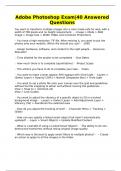
You want to transform multiple images into a color mode safe for web, with a
width of 700 pixels and no height requirement. - -Image > Mode > RGB
Image > Image Size > Width 700px and Constrain Proportions
- You have a high resolution .TIF file. After resizing it, you want to put the
photos onto your website. Which file should you use? - -.JPEG
- Assign hardware, software, and content to the right people - -Resource
Allocation
- Time allotted for the project to be completed - -Due Dates
- How much there is to complete (quantitative) - -Project Scope
- The actions you have to do to complete your task - -Tasks
- You want to make a layer appear 30% opaque with Vivid Light - -Layers >
(Select Layer) > Opacity (30%) > Normal (Dropdown Box) > Vivid Light
- You want to set a photo file onto your canvas over the grid and guidelines
without the file snapping to either and without moving the guidelines. - -
View > Snap to > (Uncheck all)
View > Lock Guides
- You want to adjust the vibrancy of a specific object to 50 in a locked
background image - -Layers > (Select Layer) > Add Adjustment Layer >
Vibrancy (50) > Paintbrush the selected area
- How do you adjust the tracking of text? - -Character Menu > Tracking >
(Slide)
- How can you update a linked smart object that hasn't automatically
updated? - -Layer > Smart Objects > Update Modified Content
- What is a benefit of using a Linked Smart Object? - -The ability to do non-
destructive transforms without losing original image quality
- Which way is the best to apply smart filters to multiple photos? - -- Create
an action to apply to all the images in the folder
Questions
You want to transform multiple images into a color mode safe for web, with a
width of 700 pixels and no height requirement. - -Image > Mode > RGB
Image > Image Size > Width 700px and Constrain Proportions
- You have a high resolution .TIF file. After resizing it, you want to put the
photos onto your website. Which file should you use? - -.JPEG
- Assign hardware, software, and content to the right people - -Resource
Allocation
- Time allotted for the project to be completed - -Due Dates
- How much there is to complete (quantitative) - -Project Scope
- The actions you have to do to complete your task - -Tasks
- You want to make a layer appear 30% opaque with Vivid Light - -Layers >
(Select Layer) > Opacity (30%) > Normal (Dropdown Box) > Vivid Light
- You want to set a photo file onto your canvas over the grid and guidelines
without the file snapping to either and without moving the guidelines. - -
View > Snap to > (Uncheck all)
View > Lock Guides
- You want to adjust the vibrancy of a specific object to 50 in a locked
background image - -Layers > (Select Layer) > Add Adjustment Layer >
Vibrancy (50) > Paintbrush the selected area
- How do you adjust the tracking of text? - -Character Menu > Tracking >
(Slide)
- How can you update a linked smart object that hasn't automatically
updated? - -Layer > Smart Objects > Update Modified Content
- What is a benefit of using a Linked Smart Object? - -The ability to do non-
destructive transforms without losing original image quality
- Which way is the best to apply smart filters to multiple photos? - -- Create
an action to apply to all the images in the folder