SELENIUM INTERVIEW QUESTIONS AND ANSWERS (PART 02)
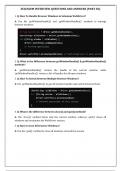
1. Q: How To Handle Browser Windows in Selenium WebDriver?
A: Use the `getWindowHandle()` and `getWindowHandles()` methods to manage
browser windows.
2. Q: What is the Difference between getWindowHandle() & getWindowHandles()
methods?
A: `getWindowHandle()` returns the handle of the current window, while
`getWindowHandles()` returns a Set of handles for all open windows.
3. Q: How To Switch between Multiple Browser Windows?
A: Use `getWindowHandles()` to get all window handles and switch between them.
4. Q: What is the difference between close() and quit() methods?
A: The `close()` method closes only the current window, whereas `quit()` closes all
windows and terminates the WebDriver session.
5. Q: How to close All browser Windows?
A: Use the `quit()` method to close all windows and end the session.
, SELENIUM INTERVIEW QUESTIONS AND ANSWERS (PART 02)
6. Q: How To close Specific Browser Window by choice?
A: Switch to the specific window using `switchTo().window(windowHandle)` and call
the `close()` method.
7. Q: How To Locate links in Selenium WebDriver?
A: You can locate links using `By.linkText()` or `By.partialLinkText()`.
8. Q: What is the difference between LinkText() and PartialLinkText()?
A: `LinkText()` locates a link by its exact text, while `PartialLinkText()` locates it using
partial matching of the text.
9. Q: How to capture all the links from Web Page?
A: Use `findElements(By.tagName("a"))` to capture all links on a web page.
10. Q: What is Broken Link? How to check it?
A: A broken link is a link that leads to a 404 error or other failure. You can check for
broken links by sending an HTTP request to the link's URL and checking the response
code.
1. Q: How To Handle Browser Windows in Selenium WebDriver?
A: Use the `getWindowHandle()` and `getWindowHandles()` methods to manage
browser windows.
2. Q: What is the Difference between getWindowHandle() & getWindowHandles()
methods?
A: `getWindowHandle()` returns the handle of the current window, while
`getWindowHandles()` returns a Set of handles for all open windows.
3. Q: How To Switch between Multiple Browser Windows?
A: Use `getWindowHandles()` to get all window handles and switch between them.
4. Q: What is the difference between close() and quit() methods?
A: The `close()` method closes only the current window, whereas `quit()` closes all
windows and terminates the WebDriver session.
5. Q: How to close All browser Windows?
A: Use the `quit()` method to close all windows and end the session.
, SELENIUM INTERVIEW QUESTIONS AND ANSWERS (PART 02)
6. Q: How To close Specific Browser Window by choice?
A: Switch to the specific window using `switchTo().window(windowHandle)` and call
the `close()` method.
7. Q: How To Locate links in Selenium WebDriver?
A: You can locate links using `By.linkText()` or `By.partialLinkText()`.
8. Q: What is the difference between LinkText() and PartialLinkText()?
A: `LinkText()` locates a link by its exact text, while `PartialLinkText()` locates it using
partial matching of the text.
9. Q: How to capture all the links from Web Page?
A: Use `findElements(By.tagName("a"))` to capture all links on a web page.
10. Q: What is Broken Link? How to check it?
A: A broken link is a link that leads to a 404 error or other failure. You can check for
broken links by sending an HTTP request to the link's URL and checking the response
code.