
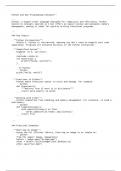
Python and Key Programming Concepts**
---
Python, a higher-level language designed for simplicity and efficiency. Python
builds on concepts learned in C but offers an easier syntax and automatic memory
management, making it ideal for quickly writing functional programs.
---
### Key Topics:
- **Python Introduction**:
- Unlike C, Python is interpreted, meaning you don’t need to compile your code
separately. Programs are executed directly in the Python interpreter.
- **Simplified Syntax**:
- Example: In C, you write:
```c
#include <stdio.h>
int main(void) {
printf("hello, world\n");
}
```
- In Python:
```python
print("hello, world")
```
- **Functions in Python**:
- Python makes functions easier to write and manage. For example:
```python
def check(word):
"""Returns True if word is in dictionary"""
return word.lower() in words
```
- **Working with Files**:
- Python simplifies file handling and memory management. For instance, to load a
dictionary:
```python
def load(dictionary):
with open(dictionary) as file:
words.update(file.read().splitlines())
return True
```
---
### Practical Examples:
- **Blurring an Image**:
- Using the PIL (Pillow) library, blurring an image is as simple as:
```python
from PIL import Image, ImageFilter
before = Image.open("bridge.bmp")
after = before.filter(ImageFilter.BoxBlur(1))
after.save("out.bmp")
```
---
Python, a higher-level language designed for simplicity and efficiency. Python
builds on concepts learned in C but offers an easier syntax and automatic memory
management, making it ideal for quickly writing functional programs.
---
### Key Topics:
- **Python Introduction**:
- Unlike C, Python is interpreted, meaning you don’t need to compile your code
separately. Programs are executed directly in the Python interpreter.
- **Simplified Syntax**:
- Example: In C, you write:
```c
#include <stdio.h>
int main(void) {
printf("hello, world\n");
}
```
- In Python:
```python
print("hello, world")
```
- **Functions in Python**:
- Python makes functions easier to write and manage. For example:
```python
def check(word):
"""Returns True if word is in dictionary"""
return word.lower() in words
```
- **Working with Files**:
- Python simplifies file handling and memory management. For instance, to load a
dictionary:
```python
def load(dictionary):
with open(dictionary) as file:
words.update(file.read().splitlines())
return True
```
---
### Practical Examples:
- **Blurring an Image**:
- Using the PIL (Pillow) library, blurring an image is as simple as:
```python
from PIL import Image, ImageFilter
before = Image.open("bridge.bmp")
after = before.filter(ImageFilter.BoxBlur(1))
after.save("out.bmp")
```


