Mac OS X Exam Questions And Correct Answers
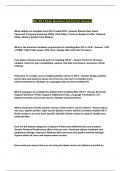
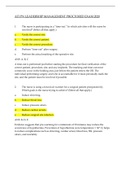
What utilities are available from OS X install DVD? -Answer Startup Disk, Reset
Password, Firmware Password Utility, Disk Utility, Terminal, System Profiler, Network
Utility, Restore System from Backup
What is the minimum hardware requirement for installing Mac OS X v10.6? -Answer 1 GB
of RAM, 5 GB of disk space, DVD drive, display, Mac with Intel Processor
Four steps critical to execute prior to installing OS X? - Answer Check for firmware
updates, check for app compatibility, backup vital files and folders, document critical
settings.
Pros/cons of a single versus multiple partition drives in OS X - Answer Single partition
drives take less hassle to setup out of the box, but aren't as flexible to the
admin/maintenance. Multiple can segregate data and host multiple OS.
Which packages are installed by default when installing Mac OS X? -Answer Essential
Support Software, Printer Support, Additional Fonts, Language Translations, X11.
Optional include more printer drivers, Rosetta and QuickTime7.
Where would you find the system version, build number, serial number? -Answer About
this mac, system profiler, login screen System version defines currently installed OS X
Build number is an even more specific identifier Serial number is used to identify your
particular Mac.
How are the default categories of System Preferences different from one another?
Answer Personal Preferences affect only one user, Hardware adjusts hardware and
peripheral settings, Internet & Wireless affect personal and system network settings,
System affect all users and require admin access.
How would you ensure that you are using the latest version of software provided by
What utilities are available from OS X install DVD? -Answer Startup Disk, Reset
Password, Firmware Password Utility, Disk Utility, Terminal, System Profiler, Network
Utility, Restore System from Backup
What is the minimum hardware requirement for installing Mac OS X v10.6? -Answer 1 GB
of RAM, 5 GB of disk space, DVD drive, display, Mac with Intel Processor
Four steps critical to execute prior to installing OS X? - Answer Check for firmware
updates, check for app compatibility, backup vital files and folders, document critical
settings.
Pros/cons of a single versus multiple partition drives in OS X - Answer Single partition
drives take less hassle to setup out of the box, but aren't as flexible to the
admin/maintenance. Multiple can segregate data and host multiple OS.
Which packages are installed by default when installing Mac OS X? -Answer Essential
Support Software, Printer Support, Additional Fonts, Language Translations, X11.
Optional include more printer drivers, Rosetta and QuickTime7.
Where would you find the system version, build number, serial number? -Answer About
this mac, system profiler, login screen System version defines currently installed OS X
Build number is an even more specific identifier Serial number is used to identify your
particular Mac.
How are the default categories of System Preferences different from one another?
Answer Personal Preferences affect only one user, Hardware adjusts hardware and
peripheral settings, Internet & Wireless affect personal and system network settings,
System affect all users and require admin access.
How would you ensure that you are using the latest version of software provided by