IF FUNCTION
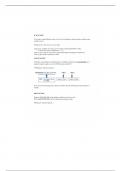
If we need to output different values on a cell, not just change its format, based on whether some
condition is true
IF(logical_test, value_if_true, vaue_if_false)
Logical_test: condition you want excel to evaluate as being either TRUE or False.
- Contain some type of comparison (=,<>,<)
Value_if_true: result you want excel to output if the logical test argument evaluates true
Value_if_false: result if logical test is false
AND FUNCTION
If function accommodates a single logical test, if multiple conditions must ALL BE TRUE for a
particular output to apply, we use the AND function inside the IF
AND(logical1, logical2, logical3,..)
If one or more of the logical tests evaluate to FALSE< then the AND function itself evaluates to
FALSE
OR FUNCTION
Requires AT LEAST ONE of the multiple conditions to be true, not all.
Will evaluate to false only if all of its logical tests evaluate to false
OR(logical1, logical2, logical3,..)
If we need to output different values on a cell, not just change its format, based on whether some
condition is true
IF(logical_test, value_if_true, vaue_if_false)
Logical_test: condition you want excel to evaluate as being either TRUE or False.
- Contain some type of comparison (=,<>,<)
Value_if_true: result you want excel to output if the logical test argument evaluates true
Value_if_false: result if logical test is false
AND FUNCTION
If function accommodates a single logical test, if multiple conditions must ALL BE TRUE for a
particular output to apply, we use the AND function inside the IF
AND(logical1, logical2, logical3,..)
If one or more of the logical tests evaluate to FALSE< then the AND function itself evaluates to
FALSE
OR FUNCTION
Requires AT LEAST ONE of the multiple conditions to be true, not all.
Will evaluate to false only if all of its logical tests evaluate to false
OR(logical1, logical2, logical3,..)