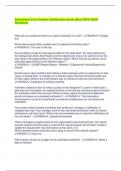
Smartsheet Certification Exams (New 2023/2024 with
50 questions)
How is tagging a shared collaborator in a comment, via the use of @mention, an effective means of
collaboration?
It shares that collaborator a published view of the sheet so they can view the comment.
It instantly sends the @mentioned individual an alert with the comment.
It begins keeping track of the @mentioned individual within activity log.
It adds the @mentioned individual to your My Smartsheet Contacts - ✔✔ANSW✔✔..It instantly sends
the @mentioned individual an alert with the comment.
A snapshot of a sheet or report can be shared via email using the "Send as Attachment..." action. The
sheet can be sent once or on a recurring basis. Select the two file formats the attachment can be sent as.
Excel
PDF
CSV
PNG - ✔✔ANSW✔✔..Excel and PDF
When viewing a sheet, you want to have certain rows grab your attention, if the task is at risk or past its
due date. You can accomplish this by using which feature?
Highlight changes
Conditional formatting
Alerts
, Format painter - ✔✔ANSW✔✔..Conditional formatting
Which of the following can be inserted into a formula to automate the checking of a box, raising of a flag
or filling in of a star?
1
"Return"
100%
"Yes" - ✔✔ANSW✔✔..1
You've created a form to gather new customer information. When new submissions are made, you must
go into the sheet and assign a member of your sales team as the lead, who will then follow-up with the
customer.
Which of the following workflows best addresses your need to quickly take action after a form
submission is made?
Use the "Send as Attachment" feature to send yourself a daily email with directions to assign a lead.
Create an alert to notify you when anything on the sheet changes.
Send yourself the activity log, hourly, so you can adjust the assigned individual.
Create an alert to notify yourself when a new row has been added to the sheet. - ✔✔ANSW✔✔..Create
an alert to notify yourself when a new row has been added to the sheet.
The "Send..." action, available from the row menu, allows you to provide a view-only version of one or
more rows to anyone you specify. Which two of the following options can be customized?
File format of the rows (PDF or Excel)
Custom message to recipient
Delivery recurrence (once, every hour, every day, etc.)
Columns included - ✔✔ANSW✔✔..Custom message to recipient and columns included
50 questions)
How is tagging a shared collaborator in a comment, via the use of @mention, an effective means of
collaboration?
It shares that collaborator a published view of the sheet so they can view the comment.
It instantly sends the @mentioned individual an alert with the comment.
It begins keeping track of the @mentioned individual within activity log.
It adds the @mentioned individual to your My Smartsheet Contacts - ✔✔ANSW✔✔..It instantly sends
the @mentioned individual an alert with the comment.
A snapshot of a sheet or report can be shared via email using the "Send as Attachment..." action. The
sheet can be sent once or on a recurring basis. Select the two file formats the attachment can be sent as.
Excel
CSV
PNG - ✔✔ANSW✔✔..Excel and PDF
When viewing a sheet, you want to have certain rows grab your attention, if the task is at risk or past its
due date. You can accomplish this by using which feature?
Highlight changes
Conditional formatting
Alerts
, Format painter - ✔✔ANSW✔✔..Conditional formatting
Which of the following can be inserted into a formula to automate the checking of a box, raising of a flag
or filling in of a star?
1
"Return"
100%
"Yes" - ✔✔ANSW✔✔..1
You've created a form to gather new customer information. When new submissions are made, you must
go into the sheet and assign a member of your sales team as the lead, who will then follow-up with the
customer.
Which of the following workflows best addresses your need to quickly take action after a form
submission is made?
Use the "Send as Attachment" feature to send yourself a daily email with directions to assign a lead.
Create an alert to notify you when anything on the sheet changes.
Send yourself the activity log, hourly, so you can adjust the assigned individual.
Create an alert to notify yourself when a new row has been added to the sheet. - ✔✔ANSW✔✔..Create
an alert to notify yourself when a new row has been added to the sheet.
The "Send..." action, available from the row menu, allows you to provide a view-only version of one or
more rows to anyone you specify. Which two of the following options can be customized?
File format of the rows (PDF or Excel)
Custom message to recipient
Delivery recurrence (once, every hour, every day, etc.)
Columns included - ✔✔ANSW✔✔..Custom message to recipient and columns included