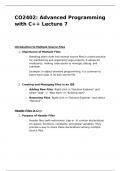
CO2402: Advanced Programming
with C++ Lecture 7
Introduction to Multiple Source Files
1. Importance of Multiple Files
o Breaking down code into several source files is a best practice
for maintaining and organizing large projects. It allows for
modularity, making code easier to manage, debug, and
maintain.
Example: In object-oriented programming, it is common to
place each class in its own source file.
2. Creating and Managing Files in an IDE
o Adding New Files: Right-click in "Solution Explorer" and
select "Add" -> "New Item" or "Existing Item".
o Removing Files: Right-click in "Solution Explorer" and select
"Remove".
Header Files in C++
1. Purpose of Header Files
o Header files (with extensions .hpp or .h) contain declarations
of classes, functions, constants, and global variables. They
provide a way to share these declarations among multiple
source files.
, Example:
2. Contents of Header Files
o Declarations: Header files contain declarations but not
definitions. For example, they declare the existence of a class or
function without providing the implementation.
3. Example: Using Header Files and Source Files
o Header File (CDetails.hpp): Contains class declaration.
o Source File (CDetails.cpp): Contains class definitions.
with C++ Lecture 7
Introduction to Multiple Source Files
1. Importance of Multiple Files
o Breaking down code into several source files is a best practice
for maintaining and organizing large projects. It allows for
modularity, making code easier to manage, debug, and
maintain.
Example: In object-oriented programming, it is common to
place each class in its own source file.
2. Creating and Managing Files in an IDE
o Adding New Files: Right-click in "Solution Explorer" and
select "Add" -> "New Item" or "Existing Item".
o Removing Files: Right-click in "Solution Explorer" and select
"Remove".
Header Files in C++
1. Purpose of Header Files
o Header files (with extensions .hpp or .h) contain declarations
of classes, functions, constants, and global variables. They
provide a way to share these declarations among multiple
source files.
, Example:
2. Contents of Header Files
o Declarations: Header files contain declarations but not
definitions. For example, they declare the existence of a class or
function without providing the implementation.
3. Example: Using Header Files and Source Files
o Header File (CDetails.hpp): Contains class declaration.
o Source File (CDetails.cpp): Contains class definitions.