AS Computing
Unit 1.12 Software Engineering
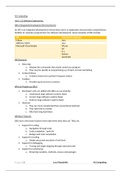
IDEs (Integrated Development Environments)
An IDE is an integrated development environment and is an application that provides comprehensive
facilities to computer programmers for software development. Some examples of IDEs include:
IDE Supported Languages
Eclipse Java
JetBrains InteliJ Java
Microsoft Visual Studio VB.net
C#
C++
Python
JavaScript
IDE Elements
1. Menu Bar
a. Displays the commands that would control you program
b. They may be specific to programming e.g. Project, Format and Debug
2. Context Menus
a. Contains shortcuts to perform frequent actions
3. Toolbars
a. Provides quick access to common
Why do People use IDEs?
1. Developers who are skilled with IDEs can successfully:
a. Understand large software systems faster
b. Correct large software systems faster
c. Improve large software systems faster
2. However,
a. They are more complicated than conventional methods
b. They take time to master
c. IDEs have long load times
IDE Basic Features
IDEs have a few basic features that make them what they are. They are,
1. Support for coding
a. Navigation through code
b. Code completion, ‘quick fix’
c. Background code compilation
2. Support for testing
a. Simple setup and execution of unit tests
3. Support for debugging
a. Tracing and single stepping through executed code
4. Support for refactoring
a. Renaming variables, methods, classes and packages
Page |1 Luca Passariello AS Computing
Unit 1.12 Software Engineering
IDEs (Integrated Development Environments)
An IDE is an integrated development environment and is an application that provides comprehensive
facilities to computer programmers for software development. Some examples of IDEs include:
IDE Supported Languages
Eclipse Java
JetBrains InteliJ Java
Microsoft Visual Studio VB.net
C#
C++
Python
JavaScript
IDE Elements
1. Menu Bar
a. Displays the commands that would control you program
b. They may be specific to programming e.g. Project, Format and Debug
2. Context Menus
a. Contains shortcuts to perform frequent actions
3. Toolbars
a. Provides quick access to common
Why do People use IDEs?
1. Developers who are skilled with IDEs can successfully:
a. Understand large software systems faster
b. Correct large software systems faster
c. Improve large software systems faster
2. However,
a. They are more complicated than conventional methods
b. They take time to master
c. IDEs have long load times
IDE Basic Features
IDEs have a few basic features that make them what they are. They are,
1. Support for coding
a. Navigation through code
b. Code completion, ‘quick fix’
c. Background code compilation
2. Support for testing
a. Simple setup and execution of unit tests
3. Support for debugging
a. Tracing and single stepping through executed code
4. Support for refactoring
a. Renaming variables, methods, classes and packages
Page |1 Luca Passariello AS Computing