OUTLOOK OBJ 2A QUESTIONS AND ANSWERS
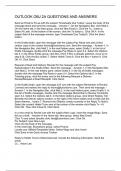
Send an Email to R Lee with the subject Timesheets Due Today!. Leave the body of the message blank and send the message. - Answer-1. On the Navigation Bar, click Mail.2. On the Home tab, in the New group, click the New Email.3. Click the To.. button.a. Select R Leeb. At the bottom of the screen, click the To button.c. Click OK.4. In the subject field of the message window, type Timesheets Due Today!5. Click the Send button. In the Drafts folder, open the message with the subject Pay Raise and add a blind carbon copy to the contact . Send the message. - Answer-1. In the Navigation Bar, click Mail.2. In the mail folders pane, select Drafts.3. In the list of Drafts messages, double-click the message Pay Raise to open it.4. Select the Options tab.5. In the Show Fields group, click Bcc. (Hint: If Bcc is already selected, move on to step 6.)6. Click the Bcc button.7. Select Hideki Tomo.8. Click the Bcc-> button.9. Click OK.10. Click Send. Request a Read and Delivery Receipt for the message with the subject Pay Raiselocated in the Drafts folder. Send the message. - Answer-1. In the Navigation Bar, click Mail.2. In the mail folders pane, select Drafts.3. In the list of Drafts messages, double-click the message Pay Raise to open it.4. Select the Options tab.5. In the Tracking group, click the boxes next to the following:Request a Delivery ReceiptRequest a Read Receipt6. Click Send. In the Drafts folder, open the message to R Lee with the subject Remember to Review Contract and redirect the reply to . Then send the message. - Answer-1. In the Navigation Bar, click Mail.2. In the mail folders pane, select Drafts.3. In the list of Drafts messages, double-click the message Remember to Review Contractto open it.4. Select the Options tab.5. In the More Options group, click Direct Replies To6. Beneath the Deliver options section, to the right of the Have replies sent to field click the Select Names... button.7. Remove the GMetrix contact currently in the Reply To field.8. Select the contact Hideki Tomo and at the bottom of the window click Reply To ->9. Click OK. Then click Close10. Click Send. In a new email to Rachel Lee with the subject New Logo, insert the image ftlogo. Save this as a draft. - Answer-In the Home tab, New group, select New Email. Click To and select (double click) . Click Ok. For Subject: type New Logo Click into the body of the message. I
Written for
- Institution
- OUTLOOK OBJ
- Course
- OUTLOOK OBJ
Document information
- Uploaded on
- June 1, 2024
- Number of pages
- 3
- Written in
- 2023/2024
- Type
- Exam (elaborations)
- Contains
- Questions & answers
Subjects
-
outlook obj 2a questions and answers

Also available in package deal