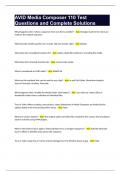
AVID Media Composer 110 Test Questions with Complete Rationales
AVID Media Composer 110 Test Questions and Complete Solutions What happens when I clone a sequence from one bin to another? - Ans: Changes made to the clone are made to the original sequence What function divides portions of a master clip into shorter clips? - Ans: Subclip What does the consolidate function do? - Ans: Copies media files without re-encoding the media. What does the transcode function do? - Ans: Converts the media What is considered an AVID codec? - Ans: DNxHD 36 What are the methods that can be used to sync clips? - Ans: In and Out Points, Waveform Analysis, Source Timecode, Auxiliary Timecode What happens when I enable the Media Folder View button? - Ans: I can view my camera files as thumbnails rather than a collection of individual files. True or False: When creating a new project, raster dimensions in Media Composer are limited to the options listed in the Format drop-down menu. - Ans: False What are camera natives? - Ans: The original audio and video files created by the camera that are played back in real time using AMA plugins. What is the fastest way to apply a Timecode Burn-In to a stringent sequence? - Ans: Add the timecode burn-in effect to the filler track above the sequence. True or False: Using Top or Tail to remove footage from the timeline leaves a gap. - Ans: False What are the common uses for markers? - Ans: - Provide correct spelling for titles - Marking the location of good sound bites - Leaving notes for the producer, colorist, or audio mixer Which method should I use in the Command Palette if I want to use it as an editing tool? - Ans: Active Palette What happens if I don't use marks in my timeline? - Ans: The blue position indicator will serve as my in point in the timeline. True or False: Media Composer allows you to load a sequence into the Source monitor. - Ans: True How do I create a new sequence using selected segments in my current space? - Ans: Right click in the timeline and choose "create sequence based on selection" What is a radio edit? - Ans: Turn off video, listen to audio as if it were for radio. How do you trim "on the fly"? - Ans: Use the J K L keys in trim mode How far back will the "M" trim key trim when the frame rate of your project is 24 fps? - Ans: 8 While in trim mode, I would like to add 4 frames to the B side of my edit. How can I accomplish this? - Ans: Type +4 True or False: Slipping changes the position of a shot in your sequence. - Ans: False AVID allows you to raise or lower the bass, midrange, and treble frequencies of an audio clip using what? - Ans: The Audio Equalizer Tool Volume animation in Media Composer utilizes what to ramp volume up or down within a segment? - Ans: Keyframes What are redundant keyframes? - Ans: Keyframes on parameters where no change is taking place What are the 4 different keyframe interpolations? - Ans: Spline, Shelf, Linear, Bezier What does the red bar in the timeline mean? - Ans: Frames are dropped because the system you are working on is being overworked What does the yellow bar in the timeline mean? - Ans: The system you are working on is being overworked but frames are not dropped What does the blue bar in the timeline mean? - Ans: Frames are dropped because the drive you are using is being overworked What do slip edits do? - Ans: Changes the contents of the clip without changing the length or position What does sliding do? - Ans: Changes the position of the clip without changing the length What is pre-roll? - Ans: How much of a clip I see before sliding What is post-roll? - Ans: How much of a clip I see after sliding True or False: Freeze frames are created and modified in the timeline. - Ans: False I need to replace a segment in my timeline, but my new segment is shorter than the one I'm replacing. Which effect(s) can I use to solve this problem? - Ans: - Fit to Fill - Trim to Fill What are the reasons a timeworn effect might need to be rendered to be viewed in realtime? - Ans: - If bezier keyframes are used - If motion is reversed - If the play rate exceeds 1400% - If the render type is set to FluidMotion What category of the effects palette has blur, paint, and scratch removal? - Ans: Image When tracking an object, logo, or person you want to blur out, where is the best place to position the reference pattern (the inner rectangle) in the image so you can get the best motion tracking? - Ans: In a high contrast region True or False: Cropping out the unwanted parts of my image is an example of using a garbage matte. - Ans: True I have applied the Spectrematte but I can still see the green screen and parts of the frame that I don't want removed have become transparent. What should I do? - Ans: Use the eyedropper to select sample background color How do you access the source settings dialogue box? - Ans: - Right click on a clip in the bin - Clip > Source Settings What does "PIP" stand for? - Ans: Picture in Picture How do you mute a video track? - Ans: Right click on the track and select "Mute Clips" True or False: You can replace a shot in PIP effect by stepping into the nest. - Ans: True How is PIP different from the Resize effect? - Ans: It allows you to make an image smaller and see the other images layered underneath. How can I add a pan and zoom effect to a segment in the timeline using FrameFlex so that I don't sacrifice picture quality? - Ans: Select the segment and open the effects editor Expert render selects segments at the location of the position indicator or between in and out points using which rules? - Ans: - Render any effects not completely covered by any other effect - Render any non-real time effects - If and when the video is stacked vertically and will composite together How do you create a watermark on a review copy? - Ans: Using a segment or filler with the Timecode Burn-In, enable the notes track and type in the text of your watermark. What tool can I use to create tone media for adding bars and tone to my sequence? - Ans: The Audio Tool Video mixdowns are useful when you want to: - Ans: - Retime an entire sequence using a motion effect - Create a complex sequence you want to use repeatedly - Finalize a complex sequence before consolidating, exporting, or transferring How can I easily identify the media file linked to the master clip in my bin? - Ans: File Menu > Reveal File What are precomputes? - Ans: Rendered files and effects What is the best way to delete unused project media? - Ans: Fast Menu > Select Unreferenced Clips and then delete them True or False: The Media Tool is used for setting the resolution and raster dimensions of all imported clips. - Ans: False True or False: The advantage to creating a Send To template is that you can use it to perform multiple exports using the same template. - Ans: True From which menu can you open the Source Browser? - Ans: File > Input > Source Browser In the source browser, how can you mark a folder as a Favorite? - Ans: Click the star icon How can you remove a folder from the favorites list in the source browser? - Ans: Click the star icon Name two settings that affect how files are imported to Media Composer. - Ans: - Import Settings - Media Creation Settings Which setting will resize a large photograph during import to avoid distorting it? - Ans: Resize image to fit format raster What is indicated by the bold name on one of your drives listed in Consolidate/Transcode? - Ans: The drive that has the most available space What is a group clip? - Ans: Two or more clips that are grouped together according to an In and Out point and can easily be toggled through when editing. What is the advantage of working with group clips? - Ans: You can switch from one angle to another without losing your place in the scene. How do you add a custom column to a bin in Text view? - Ans: Right click on any bin heading and select add a custom column What is the shortcut to view a pop-up menu containing previously entered values in a custom column? - Ans: Alt-Click on the field you wish to enter new data. What is a duplicated clip? - Ans: A new an independent clip. Changes will only be made to the duplicated clip. If editing a group of clips to the sequence from the bin in Text view, what controls the order the clips will appear in the sequence? - Ans: They will appear in alphanumeric order (first numbers, then alphabetically) If editing a group of clips to the sequence from the bin in Frame view, what controls the order the clips will appear in the sequence? - Ans: However you arrange the clips in the bin is the order they will appear. Which function is related to Top or Tail? - Ans: Extract How is Extend similar to Trim? Most specifically, what type of trim? - Ans: Dual Roll Trim because it can create split edits easily Which two windows must be open to change the keyboard settings? - Ans: Command Palette and Keyboard Settings How many edit points are required to define an edit when adding a shot to the sequence? - Ans: 3 True or False: Media Composer will not allow you to make an edit with no marks. - Ans: False How can filler help maintain sync? - Ans: Leaves space in the sequence so audio and video stay lined up How do you load a sequence into the source monitor? - Ans: Drag the icon into the source monitor Which function loads the source clip for a segment in the sequence into the source monitor? - Ans: Match Frame What does the find function do? - Ans: Searches across all bins What does find bin do? - Ans: Reveals the bin containing the clip where the position indicator is located What value would you type to advance the position indicator 2 seconds? - Ans: +48 or +200 What is the difference between fast forward/rewind and J K L? - Ans: Fast Forward/Rewind jumps to next edit point while JKL moves forward and backwards in fast motion What is the key command to enter trim mode? - Ans: Press the U Key Name the keys on the keyboard associated with choosing the A side, B side, or dual-roller trim. - Ans: P [ ] Which do the M , . / keys do? - Ans: M: Trims 8/10 Frames Left , : Trim 1 Frame Left . : Trim 1 Frame Right / : Trim 8/10 Frames Right What can be done in trim mode when using the J-K-L keys? - Ans: Perform a trim as you are watching footage What function is associated with the play button when in trim mode? - Ans: Plays the loop What is a split edit? - Ans: J or L cut. Audio and video not at same edit point What is the benefit of creating split edits in the sequence? - Ans: Makes the sequence more cohesive where straight cuts might be obvious or distracting. How can you ensure that you maintain sync while using Ripple Trim? - Ans: Sync Locks Describe the process to restore broken sync. - Ans: In the yellow trim mode, select the A side of the audio track out of sync and add/subtract however many frames it is indicated that the clip is out of sync. Where do you open the Audio Equalizer window? - Ans: Tools > Audio EQ The Audio EQ is a: - Ans: Three-Band EQ What is the decimal range that is recommended for most projects? - Ans: -26 db to -8 db Which EQ control would be most effective in addressing the rumble of a truck in the background? - Ans: Low Shelf In what range of frequencies will an EQ adjustment have the greatest impact on the sound of a person's voice? - Ans: Hz What Audio Mixer mode enables manual audio key framing? - Ans: Volume Automation Mode Which type of adjustment is most similar to Audio Ducking? - Ans: Volume Keyframing What is the name of the function used to create pan and zoom effects? - Ans: FrameFlex Name two Source Settings. - Ans: FrameFlex, Color Encoding What is the difference between modifying FrameFlex as a Source Setting rather than in the Timeline using the Effect Editor? - Ans: When using the Source Settings, frame flex will resize the image. When using the effect editor, you can pan and zoom on the image. True or false: Using FrameFlex is a one-time option. Once you apply the reframing, a file is created, and you can no longer reframe the native high-resolution clip. - Ans: False What are the three types of motion effects? - Ans: Freeze frames, Motion effects, Timewarp effects How are freeze frames created? - Ans: They are generated from a source clip How are motion effects created? - Ans: They are generated from a source clip How are timewarp effects created? - Ans: Applied to a clip in the sequence (in the timeline) True or False: When the Blur effect is applied to a segment, the blur is immediately visible. - Ans: False When applying a Blur effect, how do you control where the blur affects the image? - Ans: Tracking When using tracking with a Blur effect, how do you attach a tracker to the shape you created? - Ans: Enter the tracker window to adjust the parameters of the tracker. What is the inner box in a tracker called? - Ans: Reference pattern How is the reference pattern in a tracker used? - Ans: It defines the pixels that will be followed and tracked from frame to frame. What is the outer box in a tracker called? - Ans: Search region How is the search region in a tracker used? - Ans: The tracker searches for pixels set in the reference pattern. How does Feathering affect the appearance of your shape? - Ans: Softens the borders of the shape, so the blur is not so clearly defined in a certain shape. How is a 3D PIP effect different from the resize effect? - Ans: Allows you to layer multiple segments What key(s) must you hold down to make sure that when moving a clip vertically, it does not shift its position in time? - Ans: CTRL + Shift If you add a keyframe to the Keyframe position bar underneath the Effect Preview monitor, what parameters are keyframed? - Ans: All parameters within the effect What happens to the animation if you change the Keyframe interpolation from linear to spline? - Ans: There is an ease-in and ease-out applied to the effect. How do you add an effect to a clip in the timeline on top of an existing effect? - Ans: Hold the ALT key and apply the effect What are the two different methods you can use to view the effects inside of a nest? - Ans: - Simple Nesting View - Expanded Nesting View What is an advantage of simple nesting view? - Ans: You can work with one effect independently of all others What is an advantage of expanded nesting view? - Ans: You can see how all the effects work together How do you change the order of effects within a nest? - Ans: Change the order in the effects editor by dragging the icons on top of each other What do clear renders do? - Ans: Unlinks a segment from a rendered file The transparent channel in a clip is called what? - Ans: Matte True or False: The SpectraMatte effect provides a better key than the RGB keyer effect, and it also makes it easier to fine-tune your keys. - Ans: True If you have a background clip on track V2, what track should your green screen clip be edited on? - Ans: V3 What do the L and R parameters stand for in the Crop Parameter group of the Spectramatte? - Ans: Crop the left or right side What is the Alpha in Source Monitor menu selection used for? - Ans: It allows you to view the matte channel in the source monitor. What is the purpose of the garbage matte? - Ans: Cropping out any visible set rigging, and other unwanted portions of the image. Name tools that can be helpful for live review sessions. - Ans: - Timecode Burn-In - Watermark - Full Screen Playback - Timecode Window What are things you might look for when critically reviewing a sequence? - Ans: Pacing, style, seamlessness, noticeable flaws, sync, emotion, continuity How does the timecode window differ from other timecode displays? - Ans: It actually attached the timecode to your video whereas the other timecode options are different windows What might be a reason Full Screen Playback is grayed out in the menu? - Ans: The system is configured to output through hardware. True or False: A video mixdown flattens the sequence but does not create new media. - Ans: False What is a video mixdown used for? - Ans: Flattens and merges the selected tracks under it. What is an audio mixdown used for? - Ans: Mixes down the audio to the number of tracks that is supported by your output format. What is the difference between using a Send To template and using Export? - Ans: Send To uses predefined templates for output while Export allows you to customize your settings How do you create color bars and reference tone? - Ans: Generate tone media using the Audio Tool and import the test pattern file. What function can be used to find the media for a clip? - Ans: Reveal File What can you use to see render files? - Ans: Media Tool Name the media database files. - Ans: - msmMMOB - msmFMID What function can be used to convert the format of a media file? - Ans: Transcode Why is it important to open a sequence bin before you identify unreferenced clips? - Ans: Media Composer will only identify and delete the unreferenced clips in unopened bins, so open the bins you want to save. True or False: If you accidentally delete an important media file, you can use Undo to restore the file. - Ans: False
Written for
- Institution
- AVID MC 110
- Course
- AVID MC 110
Document information
- Uploaded on
- May 25, 2024
- Number of pages
- 13
- Written in
- 2023/2024
- Type
- Exam (elaborations)
- Contains
- Unknown
Subjects
-
avid media composer 110 test questions with comple

Also available in package deal