AVID 110 Final Exam Questions and Complete Solutions
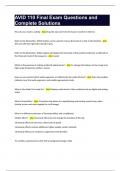
Avid MC110 Exam 2024 Quiz Questions with Correct Solutions Where are Avid MediaFiles folder is stored on the internal drive? - Ans: UsersPublicDocumentsAvid Media Composer (Windows) or UserSharedAvidMediaComposer (Mac) Types of Avid Codecs - Ans: DNxHR LB, DNxHR SQ, DNxHR HQ, etc True or False: If you click a video resolution pop-menu, only available codecs for your project type appear - Ans: True How do you create a custom project? - Ans: Click the new project tab in the select project window and choose custom from the format menu How do you manage custom project presets you create? - Ans: Select Project window > New Projects tab and click Manage Presets What is the file format for a bin? - Ans: .avb True or false: You cannot change an existing project's frame rate but you can change the raster dimension and color space - Ans: True True or false: camera native media may need a plugin to work - Ans: True If you activate the media folder view button in the source browser, what happens? - Ans: Displays camera card contents as thumbnails In the source browser, how do you add a source folder to the favorites tab? - Ans: Click the star icon at the top of the source browser True or false: you must link or import media before you edit it into a sequence - Ans: False Two ways to access import settings - Ans: Source browser, user settings tab You want to import at DNxHR SQ but it's not available in the source browser. What do you do to make it available? - Ans: Select an ultra HD preset in the format settings tab Which function copies a camera-native file without re-encoding it? - Ans: Consolidate Which function converts a media file, modifying its codec and/or frame rate? - Ans: Transcode How can you quickly view a clip's media file location at the OS level? - Ans: Right-click clip and choose reveal file To add pre-existing columns to text view, right click a column heading and select _______ - Ans: Choose columns How do you access a pop-up menu that lists data entered into a custom column's text field? - Ans: Alt or Option-click the text field Which feature lets you add the same label (e.g. a location) to multiple clips at once? - Ans: Sift How do you use a bin's filter feature to only display clips with the CU label in a shot type custom column? - Ans: Click the shot type column heading and enter CU in the bin's search field Two ways to create a subclip - Ans: Drag the create subclip icon from the source monitor to a bin / drag the source monitor image to a bin When you alt/option drag a clip from one bin to another, what happens? - Ans: Creates a cloned copy so all copies inherit changes Can you borrow a bin from another project from within media composer? - Ans: Yes, ensure no bins are selected and go to file>open bin Which autosync option lets you sync production audio clips without timecode and video clips containing scratch audio without setting marks? - Ans: Waveform analysis What is a group clip and how do you create one? - Ans: A clip created from a selected set of clips in the bin - select the clips and go to Clip>Group Clips Which option in the User Profile menu lets you quickly access the avid users folder at the OS level? - Ans: Reveal user profile What two tools do you need to open to customize your keyboard? - Ans: Command palette + keyboard palette True or false: you can use 'menu to button' reassignment to map options in a bin's fast menu to a button or key - Ans: True How do you add a thumbnail to a project listed in the select project window? - Ans: Park the position indicator on the desired frame in the source/record monitor, right click the monitor and choose save as project poster frame When performing a storyboard edit in frame view, what controls the clip order in the sequence? - Ans: Left to right in rows, then top to bottom To display a grid in the bin to speed up clip alignment during a storyboard edit, what do you click in the bin's fast menu? - Ans: Snap to grid>enable What tool is most similar to top or tail? - Ans: Extract You want to move a video edit point forward (to the right) so it aligns with a beat in music. And you need to keep all downstream clips in place. How can you achieve this? - Ans: Mark an OUT at the music beat and press the extend button/key When using text view to create a stringout sequence, what controls shot order? - Ans: The order you sorted the clips - top to bottom Your sequence contains 2 tracks V1 and A1. You want to insert a MOS (video only) clip between two timeline segments containing audio. Which tracks do you activate to maintain sync? - Ans: Source V1 and A1 as well as Record V1 and A1 How would you set up a 3-point to add a reaction shot that ends at a specific frame and covers specific narration in the sequence? - Ans: Set an OUT in the source monitor and set IN and Out marks in the timeline What happens if you set 4 marks before performing a splice-in or overwrite edit? - Ans: Media composer ignores the source monitor's OUT mark What value would you type to move the position indicator 5 seconds forward to the right? - Ans: +500 You want to rework a portion of a sequence, how do you create the sub-sequence? - Ans: Set marks, select tracks, and drag the sequence icon from the record monitor to a bin How do you load a sequence into the source monitor? - Ans: Drag and drop the sequence icon in the source monitor You park the position indicator over a timeline segment so you can quickly load the original clip into the source monitor. Which function let's you accomplish this? - Ans: Match frame How do you quickly find the source bin for a timeline segment? - Ans: Alt/option click the find bin button under the record monitor What function conducts a search across the entire project? - Ans: Find Name three ways to enter trim mode - Ans: Press trim mode button or U key (default keyboard, lasso the edit point, press either go to previous/next trim key True or false: when trimming, + and - always indicate direction and not necessarily addition and subtraction - Ans: True A line of dialog is cut off at the beginning of a shot. How can you restore the missing material and maintain sync? - Ans: Ripple trim V1 and A1, B-side, to the left If you hear an unwanted sound in the audio at an edit point, but can't tell which side contains the problem, what can you do to find out? - Ans: Loop playback and press Q or W (default keyboard) You want the video to cut after an actor starts speaking, which trim type can accomplish this? - Ans: Dual-roller trim (split edit) and Extend edit (split edit) You load a sequence and notice a 12-frame broken sync indicator form the 10th shot through the end of a sequence, what will restore it? - Ans: Lasso V1 or A1 where broken sync starts, select the B-side, and type the opposite number indicated You want to adjust a reaction shot's content without changing its duration or position in the timeline. Which trim can achieve this? - Ans: Slip To adjust a shot's position without creating a gap in the timeline, _____ to perform a _____ - Ans: Shift+alt (windows) or shift+option (mac) lasso right-to-left of the shot; slide Which tool works best for moving an audio segment from A1 to A2? - Ans: lift/overwrite A segment contains two characters speaking, what function sets you up to move one of the character's audio to its own tracks? - Ans: Add edit What do you use the audio tool for? - Ans: To measure levels while making adjustments in audio mixer and/or Audio EQ tool While working in the audio workspace, you accidentally close the audio mixer tool, how can you quickly restore the default or saved layout? - Ans: Alt or option click the audio workspace button You adjusted a narration clip's level in the audio mixer tool and want to set all other segments on that track to the same level. How can you accomplish this? - Ans: Clear marks and select set level on track - global from the fast menu You adjusted a sound effect's level in the audio mixer tool and want to apply the change to copies of this effect but not other sound effects on the same track. How can you accomplish this? - Ans: Set IN and OUT marks around the sound effects you want to adjust, park the position indicator over the adjusted segment, and select set level on track - In/Out from the audio mixer's fast menu True or false: volume keyframes tell media composer when you want level adjustments to start/end and by how much between start/end - Ans: True What tool auto-adds keyframes to music and reduces its volume when narration is present? - Ans: Audio Ducking Which tool contains presets for adding presence to a male or female voice? Where do you access the presets? - Ans: Audio EQ tool, Fast menu You drag the low shelf control slider in the audio EQ tool to make a bold change. How can you reset the low shelf control? - Ans: Alt or option-click the low shelf slider When working in a 1080p project, why do you link to high-resolution footage rather than import it? - Ans: Link retains the hi-res raster dimension while import converts to the project's raster dimension To adjust a ji-res image's framing, right-click the clip in the bin and choose _____ and make changes in the _____ tab - Ans: Source settings, frameflex True or false: the linked plug-in tab only appears in the source settings dialog box if the clip's source file includes camera metadata. - Ans: True What frameflex parameter lets you see the maximum change you can make to the size parameter before quality is reduced? - Ans: Size matches project raster What does the S icon on a timeline segment indicate? - Ans: Spatial adaptor identifying a frameflex adjustment What's the main difference between modifying the frameflex source setting and frameflex segment effect? - Ans: Keyframing the segment effect If you want to zoom into an image by 25%, what would you set frameflex's size parameter to? - Ans: 75 What's the difference between a traditional motion effect and the timewarp effect? - Ans: Timewarp effects are created in the timeline and don't need to be rendered, motion effects are made in the source and need rendering How does fit to fill differ from overwrite? - Ans: Fit to fill uses 4 marks while overwrite uses 3 When you add the reverse motion effect to a timeline segment, what does media composer automatically set the speed to? - Ans: -100% You increase a segment's speed and suddenly the movement freezes at the end of a segment. How can you fix this? - Ans: Monitor the position graph while decreasing the speed until the line crosses the position graph's right edge How do you isolate a keyframe's movement in the speed graph to change its position without changing its speed? - Ans: Hold ctrl+alt (windows) or option+cmd (mac) and drag the keyframe left or right Which keyframe interpolation type holds a keyframe's value until the next keyframe - causing the speed to jump instantly from one value to another? - Ans: Shelf To change the source anchor frame, add a _____ at the new location, click the set source anchor frame button and _____ the original keyframe - Ans: keyframe, delete True or false: When you add the freeze frame effect (timewarp category), you can change the freeze frame image by changing the source anchor frame - Ans: True When you add the blur effect to a segment is the blur immediately visible? - Ans: No, draw a shape True or false: after you draw a shape, media composer automatically activates the selection tool so you can adjust the shape's position - Ans: True When tracking, what does the inner box do? - Ans: Defines the pixels media composer follows during the tracking process When tracking a shape in the blur effect, how do you attach a tracker to the shape you created? - Ans: Ensure the shape is selected and choose the tracker in the tracking group's fast menu If you need to track a second shape in the blur effect, how do you preserve the tracking data for the first shape? - Ans: Turn off T1 in the tracking tool If you want to create a split-screen effect with 3 images above a background segment on V1, how many video tracks do you need total? - Ans: 4 True or false: To reset a 3D PIP parameter, you need to reapply the effect - Ans: False To move a segment vertically to a higher track, activate _____, hold _____, and drag up - Ans: Lift/Overwrite, Ctrl+Shift (Windows) or Shift+Command (Mac) How can you tell if an effect uses standard or advanced keyframing? - Ans: Standard keyframes include start/end keyframes while advanced ones have none + advanced keyframing includes keyframe tracks while standard keyframing doesn't You want to add a keyframe to the crop group only. Which of the following accomplishes that? - Ans: Right-click the crop group's keyframe track in the effect editor and choose add keyframe You adjust the 3D PIP's scaling parameter in the effect editor and then click the add keyframe button in the effect preview monitor. Which parameters receive keyframes? - Ans: All keyframeable parameters How can you ensure you add keyframes at the same moment in time across multiple tracks? - Ans: Monitor the position in effect timecode display in the effect preview monitor You right-click the effect's keyframe track to remove unnecessary keyframes without changing the animation. Which menu option accomplishes this? - Ans: Remove redundant keyframes What happens to animated parameters if you change the keyframe interpolation from linear to spline? - Ans: They naturally ease in and out of keyframes How do you add an effect to a selected timeline segment with an existing effect? - Ans: Auto-nest, Alt or Option-double-click an effect If you auto-nest the resize effect on top of a 3D PIP on V4, what happens when you adjust the scaling parameter? - Ans: V4's 3D PIP and all layers below are scaled What two methods let you display nested effects in your timeline? - Ans: Expanded nesting view and simple nesting view True or false: If you click the step in button and add an effect, it gets added below existing effects - Ans: True To replace a shot inside a 3D PIP, step into the effect and _____ the _____ - Ans: Overwrite, V2 footage Which nesting view lets you see the full composite as you reframe a shot within a 3D PIP? - Ans: Expanded nesting After playback, what do red bars in the TC1 track mean? - Ans: Playback overtaxed the system and caused skipped or dropped frames You create a 4-panel split screen (5 tracks total) and all layers start and end at the same time and share the same duration. If playback stutters, which layer would you render? - Ans: V5 What does expert render do? - Ans: Determines which effects need to be rendered to ensure smooth playback What does a keying effect such as spectramatte do? - Ans: Uses color or luminance to generate a matte How do you set up the timeline for a keying effect? - Ans: Place the background clip on V1 and the foreground clip on V2 How can you remove rigging or other set equipment that appears in green-screening the clip? - Ans: Add an animatte effect to remove a complex shape After selecting a key color and before making refinements, which spectramatte option can you use to analyze the matte channel's details? - Ans: Alpha in Source Monitor Which spectramatte parameter controls the range of hues to key out? - Ans: Tolerance Which spectramatte parameter restores keyed-out foreground elements? - Ans: Key saturation Which spectramatte parameter replaces reflected key color in the foreground subject? - Ans: Spill Which spectramatte parameter refines the edges around the foreground subject? - Ans: Matte blur Which two tools help improve live review sessions? - Ans: Timecode Window Tool and Full Screen Playback Tool You want to add a timecode display and watermark to your sequence. How do you do this? - Ans: Add the timecode burn-in effect to an empty V2 filler track True or false: When using the full screen playback option, you need to use the keyboard to navigate the sequence - Ans: True How do you add video black to the beginning and end of a sequence? - Ans: Add filler to the start and a clip with the Avid Titler+ effect to the end How do you change a sequence's start timecode? - Ans: Click the sequence's start field and enter a new value A _____ lets you automate output to two files using pre-configured _____ - Ans: Send to template, export settings Can you delete an unused export setting? - Ans: Yes, right click the export setting in the User settings tab and choose delete Complete the path for locating avid-native media files: External DriveAvid MediaFiles - Ans: MXF1 True or false: Media Composer uses two database files - msmFMID.pmr and msmMMOB.mdb - to track metadata associated with Avid-native media files - Ans: True What does the media tool let you do? - Ans: Track and manage media in one place, delete files without accidentally deleting a clip, identify and delete unused render files You accidentally delete a clip from the bin but not its media file. Can you restore the clip to the bin without having to reimport? - Ans: Yes, open the media tool, locate the clip, and drag it to the bin Which media tool option highlights unused clips and precomputes? - Ans: Unreferenced clips Why is it crucial to open a sequence bin before identifying unreferenced clips in the media tool? - Ans: Because media composer only scans open bin contents when selecting unreferenced clips Which function can you use to move avid-native media files from your internal drive to an external drive? - Ans: Consolidate You edit linked clips into a sequence and want to convert the camera-native media to avid-native media. Which function do you use to accomplish that? - Ans: Transcode
Written for
- Institution
- AVID MC 110
- Course
- AVID MC 110
Document information
- Uploaded on
- May 25, 2024
- Number of pages
- 9
- Written in
- 2023/2024
- Type
- Exam (elaborations)
- Contains
- Questions & answers
Subjects
-
avid 110 final exam questions and complete solutio

Also available in package deal