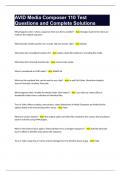
AVID Media Composer 110 Test Questions and Complete Rationales
AVID MC110 USER CERTIFICATION Exam Questions and Complete Solutions What are the possible ways to create a new sequence? - Ans: 1. Right click in timeline, choose new >sequence 2. Select timeline >New> Sequence from top menu What are the keyboard shortcuts for enlarging/reducing the size of an audio waveform? - Ans: Cmd+option+L/Cmd+option+L What is the keyboard shortcut equivalent to overwrite? - Ans: B What modifier key should you press to snap your timeline position indicator to the head of a clip? - Ans: Command When using the HSL method of AutoCorrect to even out the color fluctuations in a sequence, the recommended order of operations is: - Ans: Auto contrast then auto balance What modifier key should you hold down to autonest additional effects onto a segment into the timeline? - Ans: Option/alt When you step in to work inside a nest, what are some limitations of that view? - Ans: You cannot see the clips before and after the current clip You cannot hear any audio The term motion effects refers to what type of effects/ - Ans: Effects related to time If you wanted to speed up or slow down a clip to fit in a particular range of the timeline, what 4 steps would you take? - Ans: 1. Mark the range in the timeline 2. Load clip into the source monitor 3. Press the motion effect button on the tool palette 4. Activate the FIT TO FILL button How can you open the Avid title tool? - Ans: 1. Tools>Avid Titler+ 2. Effect palette>Title>Avid Title+ Right clicking on a master clip and selecting reveal file will result in what action? - Ans: A finder or file explorer window will open to show you the associated MXF files on your hard drive When is it acceptable to delete your Avid media databases? - Ans: When offline clips will not relink and it is likely that the databases have become corrupted What tool would you use to find unreferenced precompute clips? - Ans: Media tool Will the lift button change the duration of the sequence? - Ans: No Which of the segment mode tools is ideal for re-arranging video clips in the timeline? - Ans: Extract/Splice in (yellow arrow) What key(S) should you press while dragging with the mouse in order to lock a segment's movement to vertical movement? - Ans: Cmd+Shift Keyboard shortcut for entering trim mode - Ans: U The keyboard shortcuts for slecting which side of an edit to trim are: - Ans: P[ ] When using the transition manipulation tool, holding which key will allow you to lengthen or shorten the transition equally in both directions? - Ans: Option/alt If you wanted to resize a clip, which broad category would you find the effect to do it in? - Ans: Segment effects What are the possible ways to add a segment effect to your timeline? - Ans: 1. Drag segment effect icon from the effect palette to a segment in the timeline 2.Enter effect mode, select the segment in the timeline, double click the segment effect in the effect palette Which window serves as the central hub of your project? - Ans: Bin container window You are going to drag clips from the desktop to a Media Composer bin, and want to link the clips rather than import. What modifier key must you press to do this? - Ans: Option/alt If you were working in media composer on a cinema quality project, which avid codec would you likely use? - Ans: DNxHR 444 Which setting will resize a large photograph during import to avoid distorting it? - Ans: Resize image to fit format raster Which function will copy a media file without recompressing it? - Ans: Consolidate Which function will convert a media file, modifying its codec and/or frame rate? - Ans: Transcode Does Avid allow direct drag and drop import from the OS to a bin? - Ans: Yes How do you create a subclip? - Ans: Load master clip into source monitor, mark in and our points, drag from source monitor into destination bin Which function is related to top or tail? - Ans: Extract Extend is similar to: - Ans: A dual roller trim How do you clone a clip? - Ans: Option-drag the clip to another bin How many edit points are required to define an edit when adding a shot to a sequence - Ans: 3 How do you load a sequence into the source monitor? - Ans: Drag the sequence's icon to the source monitor True or false: a sub-sequence maintains a link to the sequence fro which it was derived. - Ans: False Which keys on the keyboard allow you to select the A side of the trim, B side of the trim, or the dual roller trim? - Ans: P [ ] Which keys allow you to trim left or right, 8/10 frames or 1 frame at a time? - Ans: M , . / Which keys allow you to simultaneously play and trim footage while in trim mode? - Ans: JKL A dual roller trim that changes the content of a shot but not its position is called a - Ans: slip A dual roller trim that changes the positions of a shot but not its content is called a - Ans: Slide On which menu will you find the Audio EQ? - Ans: Tools How many bands are available on the Audio EQ? - Ans: 3 To move audio keyframes earlier or later in the sequence: - Ans: Option/alt-drag True or false: The source settings dialog box can be accessed for both linked and imported clips - Ans: True What are the 3 clip adapters that can be changed in the source settings dialog box? - Ans: Temporal, Spatial, color To create a freeze frame, you must right click on - Ans: The clip in the source monitor The main difference between motion effects and timewarp effects is: - Ans: Motion effects create a fixed frame rate change across the entire clip, timewarp effects may be keyframed dynamically What are the 4 types of keyframe interpolations? - Ans: Bezier, shelf, linear, spline The outer box of the tracker is called - Ans: search region If you want to slow a source clip down to fit a longer region of the timeline you should use - Ans: Fit to fill If you want to stretch a clip or shorten a clip in the timeline, and have the clip's playback speed changed by this action, you should use: - Ans: Trim to fill What keys can you use to perform a slip trim directly in the timeline? - Ans: M , . / What key should you hold down while dragging and dropping an effect to a clip in the timeline on top of an existing effect? (autonesting) - Ans: Option/alt To make it easier to see the effects of adjustments on the matte generated by SpectraMatte, it is helpful to use which setting? - Ans: Alpha in source monitor To view all media associated with a project, you should use - Ans: Media tool You've locked your edit and want to create a new set of media for the project that is only what is used in your final timeline. What's a good first step? - Ans: Consolidate the sequence Which function can be used to find the media for a clip? - Ans: Reveal file Which function can be used to convert the format of a media file? - Ans: Transcode What are the names of the media database files? - Ans: msmFMID.pmr and msmMMOB.mdb Keyboard shortcut to group clips - Ans: Command+shift+G Where do bins opened from other projects appear? - Ans: Other Bins Folder How do you display the start time code of your clip? - Ans:
Written for
- Institution
- AVID MC 110
- Course
- AVID MC 110
Document information
- Uploaded on
- May 25, 2024
- Number of pages
- 13
- Written in
- 2023/2024
- Type
- Exam (elaborations)
- Contains
- Questions & answers
Subjects
-
avid media composer 110 test questions and complet

Also available in package deal