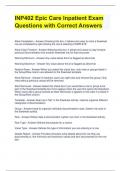
INP402 Epic Care Inpatient Exam Questions with Correct Answers Allow Completion - Answer -Checking this box, it allows end u sers to mark a flowsheet row as completed by right -clicking the row & selecting COMPLETE Allow Copy Forward - Answer -Selecting this box, it allows end users to copy forward previous documentation into another flowsheet row for that encounter Warning Mini mum - Answer -Any value below this # is flagged as abnormal Warning Maximum - Answer -Any value above this # is flagged as abnormal Restrict Rows - Answer -When you select this check box, only rows or groups listed in the Group/Row column are allowed on the flowsheet template Allow Remove - Answer -If checked, users can right -click and remove this group. Only rows without previous values will be removed. Start Removed - Answer -Select this check box if you would like a row or group to be part of the flowsheet template but not to appear when the user first opens the flowsheet. When users add a group marked as Start Removed, it appears in the order it is list ed in the Group/Row column. Template - Answer -Seen as a "tab" in the flowsheet activity. Used to organize different categories of documentation. Group - Answer -Used to organize individual documentation rows. Darker row color in the flowsheet activity. Row - Answer -Where data is documented. Lighter row color in the flowsheet activity. Row Type - Answer -Defines the purpose for a record. Value Type - Answer -Defines the type of information you are entering in a row. Details Report - Answer -Provides clinic ians extra details about the row they are documenting in, like minimum and maximum values and who documented on the row last. Group Form - Answer -Where you can specify all the rows that should normal show up in the group by default. Topic Column - Answer -Organizes similar groups together under the table of contents in a flowsheet template General Process for Building Flowsheet Records - Answer -1. Build a group record; 2. Build row records & set the group as the "preferred group"; 3. Return to the group & add all rows to it; 4. Build a template & add the appropriate groups. Preferred Group - Answer -Drives what group a row will be added to when a user manually adds a record to a flowsheet. If blank, the row will appear at the bottom of the flowsheet under a group named OTHER. 2 Types of Flowsheet Cascades - Answer -1. Automatic; 2. Prompted Automatic - Answer -Add new groups & rows to the flowsheet without additional input from the user Prompted - Answer -Allow the user to pick which groups & rows to add to the flowsheet Custom Formula Rows - Answer -Able to reference the values documented in other rows Required Documentation Build Steps - Answer -1. Plan what is required & when should it be documented 2. Create a rule using Rule Editor 3. Atta ch rule to Department Rule Editor or System Definitions 4. Test your build Charge trigger type - Answer -When building a row that files a charge, use this field to specify how often the charge should be filed Filter Extension - Answer -Determines what pati ents should have this rule as part of their required documentation. Code containing records that filter patients by age, sex and other information. Filter Rule - Answer -Uses a CER rule with a context of Patient to determine who should have this documentat ion required Warning Time - Answer -Will give the end user a yellow circle for documentation that should be completed soon Due Time - Answer -Will give the end user a red circle for documentation that is past due Inpatient Documentation Requirements - Answer-The context you should use for Required Documentation
Exam (elaborations)
INP402 Epic Care Inpatient Exam Questions with Correct Answers
Rating
Sold
-
Pages
5
Grade
A+
Uploaded on
12-03-2024
Written in
2023/2024
INP402 Epic Care Inpatient Exam Questions with Correct Answers Allow Completion - Answer-Checking this box, it allows end users to mark a flowsheet row as completed by right-clicking the row & selecting COMPLETE Allow Copy Forward - Answer-Selecting this box, it allows end users to copy forward previous documentation into another flowsheet row for that encounter Warning Minimum - Answer-Any value below this # is flagged as abnormal Warning Maximum - Answer-Any value above this # is flagged as abnormal Restrict Rows - Answer-When you select this check box, only rows or groups listed in the Group/Row column are allowed on the flowsheet template Allow Remove - Answer-If checked, users can right-click and remove this group. Only rows without previous values will be removed. Start Removed - Answer-Select this check box if you would like a row or group to be part of the flowsheet template but not to appear when the user first opens the flowsheet. When users add a group marked as Start Removed, it appears in the order it is listed in the Group/Row column. Template - Answer-Seen as a "tab" in the flowsheet activity. Used to organize different categories of documentation. Group - Answer-Used to organize individual documentation rows. Darker row color in the flowsheet activity.
Show more
Read less
Institution
INP402 Epic Care Inpatient
Course
INP402 Epic Care Inpatient
Whoops! We can’t load your doc right now. Try again or contact support.
Written for
- Institution
- INP402 Epic Care Inpatient
- Course
- INP402 Epic Care Inpatient
Document information
- Uploaded on
- March 12, 2024
- Number of pages
- 5
- Written in
- 2023/2024
- Type
- Exam (elaborations)
- Contains
- Questions & answers
Subjects
- inp402
-
inp402 epic care inpatient
-
inp402 epic care inpatient exam questions
Content preview
$12.99
Get access to the full document:
100% satisfaction guarantee
Immediately available after payment
Both online and in PDF
No strings attached

Also available in package deal
Package deal
Bundle For INP402 Test Questions with Correct Answers
7
2024
$ 92.23
More info