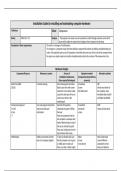
Installation Guide for installing and maintaining computer hardware
Technician: Sleiman Client: Compuware
Device: Office PCs × 30 Purpose: The purpose is to create a way for customers to call in through customer service to fix
issues which might not require them bringing in their computer into the shop.
Description of client requirements: The client is a manager of small business
The company is a computer repair shop they looking to expand their business by adding a troubleshooting call
centre. They typically repair up to 100 computers a week they have one issue is that a lot of the computers they
fix require very simple repairs and could be troubleshooted easily by the customer if they knew what to do.
Hardware Designs
Component/Resource Relevance to system Process of Equipment needed Alternative solution
installation/maintenance (Components/tools/software
(time required/techniques) resources)
Hard drive (HDD) It controls storage Start choosing best hard drive Screwdriver SSD
250 GB Slide in your drive with screws Screws Shorter boot times for
Locate the correct power cable Anti-static band the computer, more
Locate the cable you will use to immediate data transfer
connect your drive to the and higher bandwidth.
motherboard
Central processing unit carry out program instructions Open the CPU guard by Screwdriver AMD
3.3 GHZ and process data and unlatching the guard or lifting Dust brush Cheap and fast speed.
4 Core information the lever screws
i7 Place the component into the
slot and place a small pea sized
bead of thermal paste on top of
chip as you reclasp the guard
Place your cooling unit over the
top and secure the screws.
Motherboard Holds and connects all of the To start we should make sure Wiper Main circuit board
parts of a computer together that the computer case is given Screws connect different
an initial wipe to make sure Screw drivers components on the
there is no dust or debris might device and allow for
, conduct a current communication between
We should find the slots in the them
motherboard that hold the
screws that we using to attach in
to the main panel in the case
Attach the motherboard to the
main panel and tighten the
screws snugly with your
screwdriver.
Monitor Allows the user to interact with Connect the monitor to the PSU Modern tv
26 inches the computer, activate and run commuter. A bigger screen
4K programs. 4K gives the best 8K
quality because the client
needs to make video calls.
RAM stores the information your Locate the lock clips located at DIMM slots Two sticks of 16 GB DDR5
1- 1x16gb computer is actively using so each of the memory slot
2- DDR4 that it can be accessed quickly. Using your fingers on each end
of the modules firmly press the
card into the slot until the lock
clips reposition
Finally, clamp the lock clips down
and your memory module is
ready to use.
Power supply unit Convert AC into DC Locate the correct slot in the Screwdriver
200-240V case for the PSU Screws
Make sure the PSU is securely Anti-static band
fitted by tightening all the screws Wires
snugly
The trickiest bit is the cables, you
will have numerous cables
already in the PSU that should be
place in various sockets located
around the motherboard for
components such as drivers, fans
and ports.
Software Designs
Technician: Sleiman Client: Compuware
Device: Office PCs × 30 Purpose: The purpose is to create a way for customers to call in through customer service to fix
issues which might not require them bringing in their computer into the shop.
Description of client requirements: The client is a manager of small business
The company is a computer repair shop they looking to expand their business by adding a troubleshooting call
centre. They typically repair up to 100 computers a week they have one issue is that a lot of the computers they
fix require very simple repairs and could be troubleshooted easily by the customer if they knew what to do.
Hardware Designs
Component/Resource Relevance to system Process of Equipment needed Alternative solution
installation/maintenance (Components/tools/software
(time required/techniques) resources)
Hard drive (HDD) It controls storage Start choosing best hard drive Screwdriver SSD
250 GB Slide in your drive with screws Screws Shorter boot times for
Locate the correct power cable Anti-static band the computer, more
Locate the cable you will use to immediate data transfer
connect your drive to the and higher bandwidth.
motherboard
Central processing unit carry out program instructions Open the CPU guard by Screwdriver AMD
3.3 GHZ and process data and unlatching the guard or lifting Dust brush Cheap and fast speed.
4 Core information the lever screws
i7 Place the component into the
slot and place a small pea sized
bead of thermal paste on top of
chip as you reclasp the guard
Place your cooling unit over the
top and secure the screws.
Motherboard Holds and connects all of the To start we should make sure Wiper Main circuit board
parts of a computer together that the computer case is given Screws connect different
an initial wipe to make sure Screw drivers components on the
there is no dust or debris might device and allow for
, conduct a current communication between
We should find the slots in the them
motherboard that hold the
screws that we using to attach in
to the main panel in the case
Attach the motherboard to the
main panel and tighten the
screws snugly with your
screwdriver.
Monitor Allows the user to interact with Connect the monitor to the PSU Modern tv
26 inches the computer, activate and run commuter. A bigger screen
4K programs. 4K gives the best 8K
quality because the client
needs to make video calls.
RAM stores the information your Locate the lock clips located at DIMM slots Two sticks of 16 GB DDR5
1- 1x16gb computer is actively using so each of the memory slot
2- DDR4 that it can be accessed quickly. Using your fingers on each end
of the modules firmly press the
card into the slot until the lock
clips reposition
Finally, clamp the lock clips down
and your memory module is
ready to use.
Power supply unit Convert AC into DC Locate the correct slot in the Screwdriver
200-240V case for the PSU Screws
Make sure the PSU is securely Anti-static band
fitted by tightening all the screws Wires
snugly
The trickiest bit is the cables, you
will have numerous cables
already in the PSU that should be
place in various sockets located
around the motherboard for
components such as drivers, fans
and ports.
Software Designs