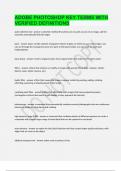
ADOBE PHOTOSHOP KEY TERMS WITH VERIFIED DEFINITIONS
quick selection tool a selection method that allows you to paint an area of an image, and the took that automatically finds the edges layer layers are like stacked, transparent sheets of glass on which you can creat images. you can see through the transparent areas of a layer to the layers below. you can work on each layer independently. Brainpower Read More Previous Play Next Rewind 10 seconds Move forward 10 seconds Unmute 0:02 / 0:15 Full screen layer group a tool to organize layers into a logical order and reduce in the layers panel filters actions that enhance or modify an image with special effects (blur, sharpen, artistic, distort, noise, stylize, texture, etc) liquify filter a filter that causes the image to appear melted by pushing, pulling, rotating, reflecting, puckering or bloating pixels in the image vanishing point filter a filter that effectively edits images that have perspective planes (rectangular surfaces that seems to get smaller as they approach the horizon) photomerge a command that automatically combines several photographs into one continuous panoramic image by using layers and masking high dynamic range (HDR) a command that combines photos of different exposure to create a composite with a much larger range of tonal detail that can be captured in one photo. auto enhance an option for the Quick Selection tool that creates better quality selections, with edges that are truer to the object elliptical marquee tool select ovals or perfect circles zoom tool short cut press z to activate the zoom tool tolerance determined the similarity or difference of pixels selected anti-aliasing Smooths the jagged edges of a selection by softening the color transition between edge pixels and background pixels. refine edge option to soften the edges of a selection by adjusting such options as smooth, feather and decontaminate colors blending a serious of options for adjusting the way colors appear when one layer overlays another layer feathering A command that softens or blurs edges by building a transition boundary between a selection and its surrounding pixels. watermark a partly visible message that marks the image as belonging to you lasso tool the lasso tool makes freehand selections polygonal lasso tool The polygonal lasso too makes straight-edge selections. magnetic lasso tool You can use the Magnetic Lasso tool to make freehand selections of areas with high-contrast edges. When you draw with the Magnetic Lasso tool, the selection border automatically snaps to the edge between areas of contrast. resolution refers to the number of pixels that describe an image and establish its detail measured in pixels per inch (ppi) copy a command that copies the selected area on the active layer paste a command that pastes a cut or copied a selection into another part of the image or into another image as a new layer quick selection tool a tool thats selection explained outward from where it is clocked to automatically find and follow defined edges in the image clipping mask an object or group who's shape masks other artwork so that only areas that lie within the shape are visible shape layer a vector layer that contains either a shape (including a full and stroke), pixels, or a path smart object vector objects that you can place and edit in Photoshop without a loss of quality regardless of how often you scale, rotate, skeq, or otherwise transform it. contiguous selects only adjacent or touching areas that use the same colors gradient map A filter effect that applies a range of colors based on the lightest and darkest areas of an image. non-destructive editing using masks and layers so the original image(s) data is not lost adjustment layers applies color and tonal adjustments to your image, layer or layer group without permanently changing pixel values blending models lighten, darken, color dodge, hue, bends only apply where layers overlap retouching tools spot healing brush tool, red eye tool, patch tool, content-aware move tool, smart sharpen, camera shake reduction history panel a panel that restores the image to a previous state, up to 20 undo steps puppet warp a set of options that allow an image to be drastically distorted in some areas while leaving others in tact workspace the working area in the adobe programs including main menu, options bar, document window, tools panel, workspace switcher menu and panels image retouching correcting imperfections or photo damage
Written for
- Institution
- Adobe Photoshop
- Course
- Adobe Photoshop
Document information
- Uploaded on
- December 27, 2023
- Number of pages
- 5
- Written in
- 2023/2024
- Type
- Exam (elaborations)
- Contains
- Unknown
Subjects

Also available in package deal