IT Essentials 7.0 Chapter 4 Questions and Answers Graded A+
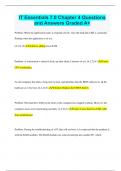
IT Essentials 7.0 Chapter 4 Questions and Answers Graded A+ Problem: When the application loads, it responds slowly. Also the hard disk LED is constantly flashing when the application is in use. [4.2.3] (S) Solution: adding more RAM Problem: A workstation is started it locks up after about 5 minutes of use. [4.2.2] (C) Cause: CPU overheating An old computer that takes a long time to boot, and identifies that the BIOS rediscovers all the hardware at every boot. [4.2.2] (S) Solution: Replace the CMOS battery Problem: The hard drive LED on the front of the computer has stopped working. However, the computer seems to be functioning normally. [4.2.2] (C) Cause: Loose hard rive LED cable from motherboard Problem: During the troubleshooting of a PC that will not boot, it is suspected that the problem is with the RAM modules. The RAM modules are removed and put into another PC, which successfully powers on. The RAM modules are then put back into the original PC and it now successfully powers on as well. [4.2.2] (C) Cause: The RAM modules were not seated firmly This component is most suspect if a burning electronics smell is evident. power supply Location to find updated information about errors caused by the system, the user, or the software. Event Viewer Example: the technician demonstrate to the customer how the solution corrected the problem. (TSP Step) Document the findings, action, and outcomes 1. permission to work on the computer without a current backup available 2. release from liability if data is lost or corrupted 3. a description of the work to be performed. Parts of a Liability Release Form Should be done before beginning any troubleshooting steps on a customer computer Perform a data backup. Example: After consulting the manufacturer manuals, a technician applies a series of recommended solutions that resolve a problem with a workstation computer. (TSP Step) Verify the solution and confirm full system functionality Problem that is beyond the knowledge level of the technician. Name the next course of action. Gather as much information as possible and escalate the problem. The scope of what should be documented when troubleshooting. Everything that was done to solve the problem. Next step after verifying full system functionality. document findings, actions, and outcomes the first step in the troubleshooting process Identify the problem The purpose of documenting the information that is obtained from the customer in the work order To use the information to and in solving the problem. NEXT step after a possible solution is implemented during a troubleshooting process. Verify full system functionality and apply maintenance procedures Next step after the video driver is installed. Open a video editing application to verify the video performance. Two types of data should be backed up before troubleshooting a computer for a customer. 1. Internet Explorer favorites files 2. Documents that are created by the customer Identify the TSP step: Research on the Internet or within the computer manual in order to solve a problem Establish a plan of action to resolve the problem and implement the solution Three benefits of computer preventive maintenance 1. improvement in data protection 2. extension of the life of components 3. reduction in the number of equipment failures Best way to determine if a CPU fan is spinning properly Visually inspect the fan when the power is on the ensure it is spinning Hardware maintenance task should the technician perform as part of a preventive maintenance plan. Remove dust from intake fans Primary benefit of preventive maintenance on a PC Extends the life of the components An employee reports that the antivirus software cannot obtain updates. The support technician notices that the license for the software has expired. The technician adds a new license to the software and completes the update service. What should the technician do next? Run a full virus scan on the computer.
Written for
- Institution
- IT Essentials 7.0
- Course
- IT Essentials 7.0
Document information
- Uploaded on
- December 27, 2023
- Number of pages
- 5
- Written in
- 2023/2024
- Type
- Exam (elaborations)
- Contains
- Questions & answers
Subjects
-
it essentials 70 chapter 4 questions and answers

Also available in package deal