GAINSIGHT LEVEL 3 ADMIN CERTIFICATION-C R360 & TIMELINE WITH 100% CORRECT ANSWERS
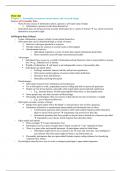
What are the three types of sections you can include in the C360? Standard sections- OOTB (ex: Summary, Attributes, Sponsor Tracking) but can be modified Related List sections- display reports on a popular topic (ex: Surveys, Company, Person, etc) Embed Page- embedding pages using URLs to display things like Box (file storage) in their own 360 sections What are the 12 standard C360 sections in the Local Available sections? 1. Summary (refer article on Configure Customer 360 Summary Section) 2. Scorecard 3. Attributes (refer article on Configure Customer 360 Attributes Section) 4. Cockpit 5. Usage: (refer article on Configuration of Usage section in a C360 layout) 6. Survey: configure the NPS® score or Average NPS® score to display in this section (refer article on Display True NPS® Score in the C360 Survey section) 7. Sponsor Tracking (refer article on Configure Sponsor Tracking) 8. Relationship 9. Success Plans 10. Person (refer article on Configure Customer 360 Person Section) 11. Related List 12. Embed Page Brainpower 0:03 / 0:15 What is Global Sections? Global Sections is a section library, which allows you to create the most commonly used sections with specific configurations and keep them readily available, for using them in multiple layouts Which types can you create Global Section on? Attribute Embed page Related List Summary Person By default, where is the Summary section displayed? Local or Global? Local How many summary sections can you have in the local and global panes? 1- only one summary section per instance, even though it is available in both the panes. You cannot add two instances of the Summary section from the same pane (Local or Global). At any given point of time, the C360/R360 page can have only one Summary section.
Written for
- Institution
- Gainsight Admin
- Course
- Gainsight Admin
Document information
- Uploaded on
- November 18, 2023
- Number of pages
- 2
- Written in
- 2023/2024
- Type
- Exam (elaborations)
- Contains
- Questions & answers
Subjects
-
gainsight level 3 admin certification

Also available in package deal