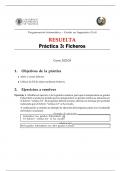
Programación Informática – Grado en Ingeniería Civil
RESUELTA
Práctica 3: Ficheros
Curso 2023/24
1. Objetivos de la práctica
Abrir y cerrar ficheros
Utilizar la E/S de datos mediante ficheros.
2. Ejercicios a resolver
Ejercicio 1. Modifica el ejercicio 1 de la práctica anterior para que la temperatura en grados
Fahrenheit se pida por teclado pero la temperatura en grados Celsius se almacene en
el fichero “celsius.txt”. El programa deberá mostrar además un mensaje por pantalla
indicando que el fichero “celsius.txt“ se ha creado.
A continuación se muestra un ejemplo de ejecución del programa, junto con el contenido
del fichero resultante:
Ejemplo de ejecución
Introduce los grados Fahrenheit: 84
El fichero "celsius.txt" se ha creado
celsius.txt
84.0 grados Fahrenheit son 28.9 grados Celsius
, SOLUCIÓN:
F = float(input("Introduce los grados Fahrenheit: "))
C = 5/9*(F - 32)
fichero = open("celsius.txt","w")
fichero.write(f"{F:.1f} grados Fahrenheit son {C:.1f} grados Celsius")
fichero.close()
print(f"El fichero \"celsius.txt\" se ha creado")
Ejercicio 2. Modifica de nuevo el ejercicio 1 de la práctica anterior para que que la tem-
peratura en grados Fahrenheit se lea del fichero “fahrenheit.txt”. Dicho fichero debe
crearse previamente, introduciendo en el mismo la temperatura Fahrenheit que se quie-
re convertir a grados Celsius. Por ejemplo:
En este caso, la temperatura en grados Celsius se mostrará por pantalla. Por ejemplo,
para el fichero “fahrenheit.txt” anterior se debería mostrar:
SOLUCIÓN:
fichero=open("fahrenheit.txt","r")
F=fichero.readline().rstrip()
fichero.close()
F=float(F)
C = 5/9*(F-32)
print(f"{F:.1f} grados Fahrenheit son {C:.1f} grados Celsius")
Ejercicio 3. Modifica el ejercicio 2 de la práctica anterior para que el salario bruto y neto
se almacenen en el fichero “salario.txt”. Los datos para calcularlo (el número de horas
trabajadas (nh, entero), el precio de la hora (ph, real) y la retención aplicable en tanto
por cien (r, real) se pedirán por teclado. Además, mostrar un mensaje por pantalla que
informe al usuario que se ha creado el fichero de salida.
RESUELTA
Práctica 3: Ficheros
Curso 2023/24
1. Objetivos de la práctica
Abrir y cerrar ficheros
Utilizar la E/S de datos mediante ficheros.
2. Ejercicios a resolver
Ejercicio 1. Modifica el ejercicio 1 de la práctica anterior para que la temperatura en grados
Fahrenheit se pida por teclado pero la temperatura en grados Celsius se almacene en
el fichero “celsius.txt”. El programa deberá mostrar además un mensaje por pantalla
indicando que el fichero “celsius.txt“ se ha creado.
A continuación se muestra un ejemplo de ejecución del programa, junto con el contenido
del fichero resultante:
Ejemplo de ejecución
Introduce los grados Fahrenheit: 84
El fichero "celsius.txt" se ha creado
celsius.txt
84.0 grados Fahrenheit son 28.9 grados Celsius
, SOLUCIÓN:
F = float(input("Introduce los grados Fahrenheit: "))
C = 5/9*(F - 32)
fichero = open("celsius.txt","w")
fichero.write(f"{F:.1f} grados Fahrenheit son {C:.1f} grados Celsius")
fichero.close()
print(f"El fichero \"celsius.txt\" se ha creado")
Ejercicio 2. Modifica de nuevo el ejercicio 1 de la práctica anterior para que que la tem-
peratura en grados Fahrenheit se lea del fichero “fahrenheit.txt”. Dicho fichero debe
crearse previamente, introduciendo en el mismo la temperatura Fahrenheit que se quie-
re convertir a grados Celsius. Por ejemplo:
En este caso, la temperatura en grados Celsius se mostrará por pantalla. Por ejemplo,
para el fichero “fahrenheit.txt” anterior se debería mostrar:
SOLUCIÓN:
fichero=open("fahrenheit.txt","r")
F=fichero.readline().rstrip()
fichero.close()
F=float(F)
C = 5/9*(F-32)
print(f"{F:.1f} grados Fahrenheit son {C:.1f} grados Celsius")
Ejercicio 3. Modifica el ejercicio 2 de la práctica anterior para que el salario bruto y neto
se almacenen en el fichero “salario.txt”. Los datos para calcularlo (el número de horas
trabajadas (nh, entero), el precio de la hora (ph, real) y la retención aplicable en tanto
por cien (r, real) se pedirán por teclado. Además, mostrar un mensaje por pantalla que
informe al usuario que se ha creado el fichero de salida.