100% satisfaction guarantee Immediately available after payment Both online and in PDF No strings attached 4.2 TrustPilot
logo-home
Exam (elaborations)

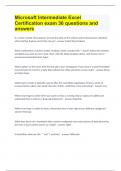
Microsoft Project Certificate EXAM| 36 QUESTIONS WITH 100% CORRECT ANSWERS

Rating
-
Sold
-
Pages
4
Grade
A+
Uploaded on
30-09-2023
Written in
2023/2024

How is the default timescale in Microsoft Project 2016 arranged? By weeks and days. What is the default view (screen) in Microsoft Project? The Gantt Chart view. What criteria do you use when entering tasks in Microsoft Project? Enter them in order of occurrence. What is the default calendar in Microsoft Project? The Project calendar. Which element of the triple constraint typically can't be changed for a surprise 50th-birthday-party project? Time. What occurs when you replace the Project Start Date selection in the Project Information dialog box with the Project Finish Date? You can no longer change the start date. What fields reflect default information in the Resource Sheet? Type, Initials, Maximum Units, and Base Calendar. What is the purpose of the Material Label column in the Resource Sheet? To describe the quantity and unit of measure. How do you assign resources using Microsoft Project? Use this path: Task name > Resources tab > Assign Resources. How can you find planned total project costs? Go to More Views > Task Sheet. Which Microsoft Project view do you use to enter cost-per-hour information for resources? Resource Sheet. Which choice is the default choice for the Accrual Method? Prorated. How can you access the Auto Save command? In the Options dialog box. What type of file does a project template use? MPT. What type of response do you receive if you try to move a linked task so that it begins before its predecessor finishes? A Planning Wizard is activated. How do you change the formatting of fonts in MP? By using the Text Style dialog box. What does the Gantt chart view include that is missing in the Calendar view? ID numbers. Where do you find the basic sort command? Under the View command. If you know a task will be interrupted, how should you reflect this condition in Microsoft Project? Split the task. Where do you find the Drawing command? In the Format ribbon. Which of the following is found in the Project Statistics dialog box? Percent complete for the project. How do you remove an unwanted baseline plan that you mistakenly created? Use Project > Set baseline > Clear baseline. How can you record the completion of all project tasks? Use the Project > Update Project path. How do you remove a progress line contained in a taskbar? Highlight the task, use the Task command, and then click 0%. How can you conceal Status Indicator and Status fields from a Gantt Chart? Right-click the header name, and select Hide Column. What's the first step to create a progress line? Click Format. Which view provides baseline taskbars? Tracking Gantt. What command do you use to use the Visual Reports? Report. How do you select which additional data you want to add to a standard Microsoft Project report? By using the Field List. How many reports are contained in the Visual Reports category? 22. How can you add today's date to a printed report? Use the Footer tab in the Page Setup dialog box. How do you show Preview for various Microsoft Project views? Use File > Print. Which tab in the Page Setup dialog box changes when you switch from a Gantt Chart to the Calendar view? The View tab. Which view identifies a cost variance related to a project resource? Resource Usage view. Which tab with Task Information do you use to update the percentage completion of a project task? General.

Show more Read less
Institution
Course


Whoops! We can’t load your doc right now. Try again or contact support.

Written for

Institution
Study
Unknown
Course

Document information

Uploaded on
September 30, 2023
Number of pages
4
Written in
2023/2024
Type
Exam (elaborations)
Contains
Questions & answers

Subjects

Content preview

Microsoft Project Certificate EXAM| 36
QUESTIONS WITH 100% CORRECT
ANSWERS
How is the default timescale in Microsoft Project 2016 arranged? - ANSWER By weeks and days.


What is the default view (screen) in Microsoft Project? - ANSWER The Gantt Chart view.


What criteria do you use when entering tasks in Microsoft Project? - ANSWER Enter them in
order of occurrence.


What is the default calendar in Microsoft Project? - ANSWER The Project calendar.


Which element of the triple constraint typically can't be changed for a surprise 50th-birthday-
party project? - ANSWER Time.


What occurs when you replace the Project Start Date selection in the Project Information dialog
box with the Project Finish Date? - ANSWER You can no longer change the start date.


What fields reflect default information in the Resource Sheet? - ANSWER Type, Initials,
Maximum Units, and Base Calendar.


What is the purpose of the Material Label column in the Resource Sheet? - ANSWER To describe
the quantity and unit of measure.


How do you assign resources using Microsoft Project? - ANSWER Use this path: Task name >
Resources tab > Assign Resources.


How can you find planned total project costs? - ANSWER Go to More Views > Task Sheet.
$14.49
Get access to the full document:

100% satisfaction guarantee
Immediately available after payment
Both online and in PDF
No strings attached


Also available in package deal

Get to know the seller

Seller avatar
Reputation scores are based on the amount of documents a seller has sold for a fee and the reviews they have received for those documents. There are three levels: Bronze, Silver and Gold. The better the reputation, the more your can rely on the quality of the sellers work.
BRAINBOOSTERS Chamberlain College Of Nursing
Follow You need to be logged in order to follow users or courses
Sold
648
Member since
2 year
Number of followers
250
Documents
22594
Last sold
2 days ago

In this page you will find all documents , flashcards and package deals offered by seller BRAINBOOSTERS

4.5

340 reviews

5
264
4
30
3
21
2
5
1
20

Recently viewed by you

Why students choose Stuvia

Created by fellow students, verified by reviews

Quality you can trust: written by students who passed their tests and reviewed by others who've used these notes.

Didn't get what you expected? Choose another document

No worries! You can instantly pick a different document that better fits what you're looking for.

Pay as you like, start learning right away

No subscription, no commitments. Pay the way you're used to via credit card and download your PDF document instantly.

Student with book image

“Bought, downloaded, and aced it. It really can be that simple.”

Alisha Student

Frequently asked questions