COG170-Flashcards for Studying Questions With Complete Solutions
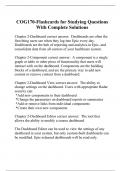
Chapter 2-Dashboard correct answer: Dashboards are often the first thing users see when they log into Epic every day. Dashboards are the hub of reporting and analytics in Epic, and consolidate data from all corners of your healthcare system. Chapter 2-Component correct answer: A component is a single graph or table or other piece of functionality that users will interact with on the dashboard. Components are the building blocks of a dashboard, and are the primary way to add new content or remove content from a dashboard. Chapter 2-Dashboard View correct answer: The ability to change settings on the dashboard. Users with appropriate Radar security can: *Add new components to their dashboard *Change the parameters on dashboard reports or summaries *Add or remove links from individual components *Create their own new components Chapter 2-Dashboard Editor correct answer: The tool that allows the ability to modify a source dashboard. The Dashboard Editor can be used to view the settings of any dashboard in your system, but only custom‐built dashboards can be modified. Epic‐released dashboards will be read only. Chapter 2-Component Editor correct answer: Components are managed in the Component Editor. There are seven types of component records available in Radar. They are: Graph Link Message Board Native HTML Report Listing Table Every component has five forms: Basic Information Display Data Source Output Format Access Chapter 2-Activity Descriptor correct answer: The Active activity descriptor field displays for your currently active Hyperspace activity. There are two Hyperspace workflows that can find the activity descriptor for a given activity. Chapter 2-View Manager correct answer: The View Manager allows users to create new views, delete unused views, or jump into "Edit Layout mode" on their existing views. When a user clicks the wrench icon next to a view, they are able to: *Drag and drop components to rearrange their dashboard view. *Click on an individual component to change the name, color, or size of the component. *Click and drag between components to resize them within the layout *When they are done editing their view, the user clicks Save and Accept on the bottom of the screen. Chapter 2-Assuming a user has the appropriate report group to access a dashboard, what other dashboard settings control whether the dashboard is available for viewing? correct answer: The Ready for use and Enabled for user selection check boxes. Chapter 2-Which of the following do you need to create a link from a dashboard to a given Hyperspace activity? A. The activity descriptor for the activity B. The menu descriptor of the activity C. The user-facing name of the activity D. The parent menu of the activity record correct answer: A-The activity descriptor for the activity Chapter 2-You have built a component record. Which of th
Written for
- Institution
-
Epic University
- Course
-
COG170
Document information
- Uploaded on
- September 20, 2023
- Number of pages
- 40
- Written in
- 2023/2024
- Type
- Exam (elaborations)
- Contains
- Questions & answers
Subjects
- cog170
- chapter 2 dashboard
-
cog170 flashcards for studying questions with comp
-
the ability to change settings on the dashboard u

Also available in package deal