Exam (elaborations)
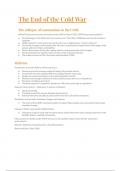
QuickBooks Chapter 3 Questions and Answers Already Graded A
Rating
Sold
-
Pages
7
Grade
A+
Uploaded on
06-09-2023
Written in
2023/2024
How can you review a Transaction Report for any account when you are viewing the Balance Sheet? Select one: a. Click the balance in the account line of the Balance Sheet report to view the Transaction Report. b. Click the Report icon at the top of the Balance Sheet screen, then choose Transaction Report. c. Click Transaction in the account line of the Balance Sheet report to view the Transaction Report. d. None of these options. a How do you access Company Settings? Select one: a. Company Settings is accessed by clicking the Building icon and then clicking Account and Settings from the Your Company column. b. Company Settings is accessed by clicking the Home icon and then clicking the Edit button in the Your Company column.
Show more
Read less
Institution
QuickBooks
Course
QuickBooks
Whoops! We can’t load your doc right now. Try again or contact support.
Written for
- Institution
- QuickBooks
- Course
- QuickBooks
Document information
- Uploaded on
- September 6, 2023
- Number of pages
- 7
- Written in
- 2023/2024
- Type
- Exam (elaborations)
- Contains
- Questions & answers
Subjects
-
quickbooks chapter 3 questions and answers
$11.99
Get access to the full document:
100% satisfaction guarantee
Immediately available after payment
Both online and in PDF
No strings attached

Also available in package deal
Package deal
Bundle for QuickBooks Exams Compilation | Verified Guaranteed Success
56
2023
$ 549.88
More info