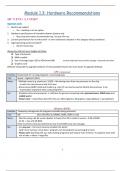
Module 1.3: Hardware Recommendations
Buying a comp
System unit
1. Need to be mobile?
o Yes – desktop is not an option
2. Hardware specifications of intended software (system req)
o Buy comp that meets recommended req. not just min req.
3. Current specifications for an entry‑level + a more advanced computer in the category being considered.
4. Legal operating system provided?
o Ask for licence key
Always buy the best your budget will allow:
❑ Type of processor
❑ RAM installed
❑ Size of storage/ type: SSD vs HDD (more NB) not that important due to online storage + external hard drive
❑ Graphics card
Difficult/ impossible to upgrade hardware of most portable devices but much easier to upgrade desktops
CPU / processor
Function Responsible for running programs + processing data
Unit Speed – Gigahertz (GHz)
Notes − Multiple cores (e.g. quad-core: 2/4/6) – like having more than one processor on the chip
→ each core can process a task of its own
− Brand name (AMD/ Intel) and model (e.g. Intel i7) can also be used to identify the processor in ad
→ generation important when comparing CPU’s
Rec. − Standard entry-level processor → sufficient for general computing tasks (personal users, SOHO users and
mobile users)
− Power users – should have best CPU they can afford (games, 3D graphics, large database + spreadsheet)
Memory (RAM)
Function Temporary storage area for programs and data being processed
Unit GB (also identified as DIMMS, DDR3, DDR4 in ads)
Notes − Must be using a 64-bit version (better to have) of an OS in order to access > 4 GB of RAM
− 32 bit – max of 4 GB RAM
(How much bits comp has determines how much RAM comp can manage)
Rec. − For any user – the more memory installed, the better
(with more memory, more data + programs can be loaded for processing @ a time)
− Power users (working with e.g. video editing programs) will require more memory → programs work with
lots of data + videos = large files
1
, Hard Disk Drive (HDD)
Function Main, permanent storage area for all your data and software
Unit Besides their capacity (2 TB), hard drives can be identified in adverts → SATA = type of cable used (internal
HD interface/ connection) + rotational speed measured in RPM (revolutions per min eg. 7200 rpm)
Notes − File server in a network has a no. of hard drives, because it has to store all users’ files (school/ business)
− SSDs use technology similar to flash memory: becoming more popular on portable comp, quicker than
mech HD but smaller capacity, more expensive (best to have as main storage → OS)
Rec. − Most users will almost never fill the hard drive of their PC – only use comp applications (email, word)
− If you use your PC for media (videos, pics, music, movies – large files) you will need the largest storage you
can afford
Graphics/ video card (GPU)
Function Separate circuit board that plugs into the motherboard – has its own video memory (own RAM) + GPU
(graphics processing unit) to improve video processing
Unit size (bits), amount of available memory (MB), clock rate (MHz), and bandwidth (GB/s)
Notes − Entry-level computers have integrated graphics - graphics processer built into the CPU/ motherboard
normal RAM is used as video memory
− Video cards add extra processing power (essential for 3D graphics, video editing or high-end gaming)
E.g. NVIDIA, GeForce, Radeon
DVD/ CD drive
Function An optical drive that can play, read and write CDs and DVDs
Unit CD -700 MB / DVD - 4.7– 8.5 GB / higher for Blu-ray disk – up to 50 GB
Notes − DVD drives = less important than they used to be (reason why devices don’t have DVD/ CD drives:)
➢ flash drives, external hard drives + internet now used to transfer and back up information
➢ Software mainly bought online + downloaded rather than being distributed on optical discs
➢ DVD drive used for backwards compatibility w/ software already bought on disc and for playing
media like music/ movies on disc
− Listed as multi-drivers → read/ write (burn) info to VDs and CDs
Can buy cheap external USB DVS drive
Port
Function Used to connect external devices (peripherals) to the computer
Notes − Most devices can connect to a USB port – std on all comp (USB 3 much faster than USB 2)
− Modern comp have Thunderbolt port (40)or USB C port for high speed data and video connections (very
fast data transfer)
− Network port to connect to a cabled network → Ethernet cable
− WiFi not technically a port, but many computers now have built-in support for WiFi → Wireless NIC/ Wi-Fi
adapter: specification 802.11 b/g/n
2
Buying a comp
System unit
1. Need to be mobile?
o Yes – desktop is not an option
2. Hardware specifications of intended software (system req)
o Buy comp that meets recommended req. not just min req.
3. Current specifications for an entry‑level + a more advanced computer in the category being considered.
4. Legal operating system provided?
o Ask for licence key
Always buy the best your budget will allow:
❑ Type of processor
❑ RAM installed
❑ Size of storage/ type: SSD vs HDD (more NB) not that important due to online storage + external hard drive
❑ Graphics card
Difficult/ impossible to upgrade hardware of most portable devices but much easier to upgrade desktops
CPU / processor
Function Responsible for running programs + processing data
Unit Speed – Gigahertz (GHz)
Notes − Multiple cores (e.g. quad-core: 2/4/6) – like having more than one processor on the chip
→ each core can process a task of its own
− Brand name (AMD/ Intel) and model (e.g. Intel i7) can also be used to identify the processor in ad
→ generation important when comparing CPU’s
Rec. − Standard entry-level processor → sufficient for general computing tasks (personal users, SOHO users and
mobile users)
− Power users – should have best CPU they can afford (games, 3D graphics, large database + spreadsheet)
Memory (RAM)
Function Temporary storage area for programs and data being processed
Unit GB (also identified as DIMMS, DDR3, DDR4 in ads)
Notes − Must be using a 64-bit version (better to have) of an OS in order to access > 4 GB of RAM
− 32 bit – max of 4 GB RAM
(How much bits comp has determines how much RAM comp can manage)
Rec. − For any user – the more memory installed, the better
(with more memory, more data + programs can be loaded for processing @ a time)
− Power users (working with e.g. video editing programs) will require more memory → programs work with
lots of data + videos = large files
1
, Hard Disk Drive (HDD)
Function Main, permanent storage area for all your data and software
Unit Besides their capacity (2 TB), hard drives can be identified in adverts → SATA = type of cable used (internal
HD interface/ connection) + rotational speed measured in RPM (revolutions per min eg. 7200 rpm)
Notes − File server in a network has a no. of hard drives, because it has to store all users’ files (school/ business)
− SSDs use technology similar to flash memory: becoming more popular on portable comp, quicker than
mech HD but smaller capacity, more expensive (best to have as main storage → OS)
Rec. − Most users will almost never fill the hard drive of their PC – only use comp applications (email, word)
− If you use your PC for media (videos, pics, music, movies – large files) you will need the largest storage you
can afford
Graphics/ video card (GPU)
Function Separate circuit board that plugs into the motherboard – has its own video memory (own RAM) + GPU
(graphics processing unit) to improve video processing
Unit size (bits), amount of available memory (MB), clock rate (MHz), and bandwidth (GB/s)
Notes − Entry-level computers have integrated graphics - graphics processer built into the CPU/ motherboard
normal RAM is used as video memory
− Video cards add extra processing power (essential for 3D graphics, video editing or high-end gaming)
E.g. NVIDIA, GeForce, Radeon
DVD/ CD drive
Function An optical drive that can play, read and write CDs and DVDs
Unit CD -700 MB / DVD - 4.7– 8.5 GB / higher for Blu-ray disk – up to 50 GB
Notes − DVD drives = less important than they used to be (reason why devices don’t have DVD/ CD drives:)
➢ flash drives, external hard drives + internet now used to transfer and back up information
➢ Software mainly bought online + downloaded rather than being distributed on optical discs
➢ DVD drive used for backwards compatibility w/ software already bought on disc and for playing
media like music/ movies on disc
− Listed as multi-drivers → read/ write (burn) info to VDs and CDs
Can buy cheap external USB DVS drive
Port
Function Used to connect external devices (peripherals) to the computer
Notes − Most devices can connect to a USB port – std on all comp (USB 3 much faster than USB 2)
− Modern comp have Thunderbolt port (40)or USB C port for high speed data and video connections (very
fast data transfer)
− Network port to connect to a cabled network → Ethernet cable
− WiFi not technically a port, but many computers now have built-in support for WiFi → Wireless NIC/ Wi-Fi
adapter: specification 802.11 b/g/n
2