1.2: Software and software development:
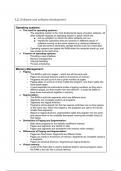
Operating systems:
● The need for operating systems:
○ The operating system is the most fundamental piece of system software. All
other software requires an operating system in place, which will:
■ Act as a platform on which the other software can run.
■ Handle the operations that are common to different pieces of
software running on the same system (e.g. allowing software to
read and write to secondary storage devices such as a hard disk).
○ Operating systems are loaded into RAM when the computer starts up, and
has access to the hard drive.
● Function of operating systems:
○ Providing a user interface
○ Memory management
○ Interrupt handling
○ Process scheduling
Memory Management:
● Paging:
○ The RAM is split into ‘pages’ - which are all the same size
○ Pages are physical divisions made to fit sections of memory
○ Programs are split up to fit into a given number of pages.
○ Paging takes no account of how it splits the program, only that it splits into
fixed-sized pages.
○ It could separate the instructions inside a looping condition so they are in
different pages, but that wouldn’t be very efficient - it would be better to
keep those instructions together in memory.
● Segmentation:
○ The RAM is split into segments which are different sizes.
○ Segments are complete sections of programs
○ Segments are logical divisions
○ Programs will be placed into the free spaces until there are no free spaces
of the same size. When this happens, the programs are split to fit into the
smaller free segments.
○ Based on logical divisions, segmentation splits the program into two parts
and places them in the available free space, leaving two smaller areas of
free space.
● Similarities of Paging and Segmentation:
○ Both allow programs to run despite insufficient memory
○ Pages and segments are stored on disk
○ Pages and segments are transferred into memory when needed
● Differences of Paging and Segmentation:
○ Pages are fixed sized. Segments are different sizes.
○ Pages are made to fit sections of memory. Segments are complete sections
of programs.
○ Pages are physical divisions. Segments are logical divisions.
● Virtual memory:
○ A part of the hard disk is used to dedicate itself to storing programs when
the RAM is too full, this is virtual memory.
, ○ Not as efficient because the CPU cannot interact directly with the hard disk
and needs to use the operating system.
○ Disk thrashing - when you are constantly moving programs back and forth
between the virtual memory and RAM which slows down the computer.
Interrupts:
● The role of interrupts:
○ When a device or application needs attention from the processor, a signal
is sent to the processor - this is called an interrupt.
● Interrupt Service Routines (ISR):
○ The processor will need to stop executing its current program to run code
for an interrupt- this is known as the interrupt service routine. The interrupt
service routine is simply a program with a set of instructions that need to be
fetched, decoded, and executed to carry out the operations of the interrupt.
● Role within the Fetch-Decode-Execute Cycle:
○ Fetch-decode-execute cycles are carried out over and over but they have a
fourth step in which the processor checks for interrupts after execution.
○ When an interrupt is received, the values held in the registers are copied
into a data structure in memory known as the stack. These values are
pushed onto the stack in a stack frame.
○ The interrupt is executed and the contents of the registers that were saved
in the stack are returned to carry on executing the original program.
○ Sometimes an interrupt can be interrupted by another interrupt. In this
scenario, the values in the registers for the previous interrupt are put in the
stack to be replaced by the most recent interrupt to be executed.
○ Interrupts have a higher priority than normal programs.
● Interrupt priorities:
○ Hardware: Power supply failure, Power/reset button confirmed
○ User: Moving the mouse, Clicking/tapping an icon to open a new program
○ Software: Arithmetic overflow, New log-on request
○ Timer: Data-logging program reading an input sensor every second
○ Input/Output: Buffer nearly empty, Printer ink supply notification
Scheduling:
● Round robin:
○ Processor time is divided equally among all running tasks. Each time period
is called a time slice. Each process gets a time slice, and if the process has
not finished when this time is up, it stops running and the computer
switches to the next process.
○ The process that has been suspended will only be able to resume running
when it is next allocated processor time.
○ Round robin scheduling ensures that every task is allocated processor time
without a long wait. However, it does not scale well, because as more
processes run, the time slice for each process gets smaller, which means
that more urgent tasks are less likely to be completed quickly.
● First come first served:
○ Processes run from start to finish in the order in which the processor
receives their request to run. The process is much like a queue at a
supermarket till.
○ This is the simplest method to implement. Also, with this algorithm, once a
job starts, it will definitely complete. With other scheduling algorithms,
starvation may occur (starvation is when a process cannot complete its
execution because it is constantly denied processor time).
Operating systems:
● The need for operating systems:
○ The operating system is the most fundamental piece of system software. All
other software requires an operating system in place, which will:
■ Act as a platform on which the other software can run.
■ Handle the operations that are common to different pieces of
software running on the same system (e.g. allowing software to
read and write to secondary storage devices such as a hard disk).
○ Operating systems are loaded into RAM when the computer starts up, and
has access to the hard drive.
● Function of operating systems:
○ Providing a user interface
○ Memory management
○ Interrupt handling
○ Process scheduling
Memory Management:
● Paging:
○ The RAM is split into ‘pages’ - which are all the same size
○ Pages are physical divisions made to fit sections of memory
○ Programs are split up to fit into a given number of pages.
○ Paging takes no account of how it splits the program, only that it splits into
fixed-sized pages.
○ It could separate the instructions inside a looping condition so they are in
different pages, but that wouldn’t be very efficient - it would be better to
keep those instructions together in memory.
● Segmentation:
○ The RAM is split into segments which are different sizes.
○ Segments are complete sections of programs
○ Segments are logical divisions
○ Programs will be placed into the free spaces until there are no free spaces
of the same size. When this happens, the programs are split to fit into the
smaller free segments.
○ Based on logical divisions, segmentation splits the program into two parts
and places them in the available free space, leaving two smaller areas of
free space.
● Similarities of Paging and Segmentation:
○ Both allow programs to run despite insufficient memory
○ Pages and segments are stored on disk
○ Pages and segments are transferred into memory when needed
● Differences of Paging and Segmentation:
○ Pages are fixed sized. Segments are different sizes.
○ Pages are made to fit sections of memory. Segments are complete sections
of programs.
○ Pages are physical divisions. Segments are logical divisions.
● Virtual memory:
○ A part of the hard disk is used to dedicate itself to storing programs when
the RAM is too full, this is virtual memory.
, ○ Not as efficient because the CPU cannot interact directly with the hard disk
and needs to use the operating system.
○ Disk thrashing - when you are constantly moving programs back and forth
between the virtual memory and RAM which slows down the computer.
Interrupts:
● The role of interrupts:
○ When a device or application needs attention from the processor, a signal
is sent to the processor - this is called an interrupt.
● Interrupt Service Routines (ISR):
○ The processor will need to stop executing its current program to run code
for an interrupt- this is known as the interrupt service routine. The interrupt
service routine is simply a program with a set of instructions that need to be
fetched, decoded, and executed to carry out the operations of the interrupt.
● Role within the Fetch-Decode-Execute Cycle:
○ Fetch-decode-execute cycles are carried out over and over but they have a
fourth step in which the processor checks for interrupts after execution.
○ When an interrupt is received, the values held in the registers are copied
into a data structure in memory known as the stack. These values are
pushed onto the stack in a stack frame.
○ The interrupt is executed and the contents of the registers that were saved
in the stack are returned to carry on executing the original program.
○ Sometimes an interrupt can be interrupted by another interrupt. In this
scenario, the values in the registers for the previous interrupt are put in the
stack to be replaced by the most recent interrupt to be executed.
○ Interrupts have a higher priority than normal programs.
● Interrupt priorities:
○ Hardware: Power supply failure, Power/reset button confirmed
○ User: Moving the mouse, Clicking/tapping an icon to open a new program
○ Software: Arithmetic overflow, New log-on request
○ Timer: Data-logging program reading an input sensor every second
○ Input/Output: Buffer nearly empty, Printer ink supply notification
Scheduling:
● Round robin:
○ Processor time is divided equally among all running tasks. Each time period
is called a time slice. Each process gets a time slice, and if the process has
not finished when this time is up, it stops running and the computer
switches to the next process.
○ The process that has been suspended will only be able to resume running
when it is next allocated processor time.
○ Round robin scheduling ensures that every task is allocated processor time
without a long wait. However, it does not scale well, because as more
processes run, the time slice for each process gets smaller, which means
that more urgent tasks are less likely to be completed quickly.
● First come first served:
○ Processes run from start to finish in the order in which the processor
receives their request to run. The process is much like a queue at a
supermarket till.
○ This is the simplest method to implement. Also, with this algorithm, once a
job starts, it will definitely complete. With other scheduling algorithms,
starvation may occur (starvation is when a process cannot complete its
execution because it is constantly denied processor time).