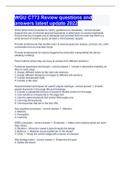
WGU C773 Review questions and answers latest update 2022
WGU C773 Review questions and answers latest update 2022World Wide Web Consortium's (W3C) guidelines for operatibility Support the use of external physical keyboards or alternative on-screen keyboards. Ensure that touch targets are of adequate size (at least 9x9 mm) and that there is a small amount of inactive space (at least 2 mm) between targets. Provide workarounds that enable users to execute gestures (swipes, pinches, etc.) with commands from an onscreen menu. Provide workarounds for actions triggered by physically manipulating the device (shaking or tilting). Place buttons where they are easy to access from different positions. Positional awareness techniques 1. Include a descriptive heading (or title) on each page. 2. Assign different colors to the main site sections. 3. Assign different background images to different site sections. 4. Include breadcrumb trails. 5. Include a site map. Keyword-based techniques for search engine rankings 1. Include search keywords in the page title and headings. 2. Include a substantial amount of keyword-related content on the page. 3. Use variations of keywords in the page text. 4. Use the same keywords that similar Web pages use. 5. Use long tail keywords. 6. Use keywords that are in the site URL. Key cognitive processes 1. Attention 2. Memory 3. Perception 4. Learning ERBU principles 1. Emphasis — Make some objects stand out more than others. 2. Rhythm— Move the viewer's eyes through the design. 3. Balance — Maintain visual equilibrium in the design. 4. Unity — Infuse the whole image with a sense of oneness. Site strategy tasks 1. Determine the goal 2. Define the brand 3. Define the audience 4. Analyze the competition Project phases 1. Information gathering — What does the customer want/need? What do the intended site users want/need? Who are the main competitors? What can your Web site offer that theirs do not? 2. Planning — site map, navigation system, Web technologies, work schedule and so forth. 3. Design — determines the look and feel of the site, including color scheme, typography, layout, UI sketches and wireframes, mockups, and graphics creation. 4. Development — building the site from a technological standpoint, including front-end and back-end coding and content entry. 5. Testing — Consider the iterative TAR process: test, assess, redesign - test, assess, redesign, etc. 6. Delivery and maintenance — Along with delivering a finished site, you must provide additional support components and services, including customer support, site backups, adding/changing content, installing updated widgets and plug-ins, fixing broken links, and so forth. W3C guidelines for visibility Minimize the amount of displayed information by providing a dedicated mobile version or a responsive design of the site that is optimized for a small screen. Make text large enough to be legible without having to zoom in to enlarge the screen. Provide a virtual magnifying glass that enlarges the selected screen area. Provide adequate contrast to make onscreen content visible in bright environments. Phases of agile web design iterative process 1. Discover 2. Design 3. Develop 4. Test Four parts of a web site specification 1. Functionality 2. Content 3. Architecture 4. Design UCD principles 1. User focus 2. Testing 3. Iteration 7 principles of universal design 1. Equitable use 2. Flexibility in use 3. Simple and intuitive use 4. Perceptible information 5. Tolerance for error 6. Low physical effort 7. Size and space for approach and use Scenario-based design phases 1. Analysis 2. Design 3. Prototyping and evaluation Framework benefits 1. Efficiency 2. Security 3. Cost 4. Support 5. Simplicity 6. Reliability CARP principles 1. Contrast — To separate objects, vary their appearance strongly. 2. Alignment — Align objects with other objects. 3. Repetition — Repeat elements of the design. 4. Proximity — To associate objects, place them near each other. Three most common navigation structures 1. Hierarchical — Pages are organized into parent and child (sub)sections. 2. Sequential — Pages are organized into a specific sequence. 3. Web-like — Pages are connected via a Web of links. Five D's of Web Site Production 1. Discover 2. Define 3. Design 4. Develop 5. Deliver User analysis methods 1. Usability testing 2. Context interviews 3. Diary studies 4. Ethnographic shadowing 5. Surveys 6. User workshops 7. Feedback forms Four color schemes 1. Complementary - opposite each other 2. Analogous - adjacent each other 3. Monochromatic - single color 4. Triadic - evenly spaced Web UI design principles 1. Structure 2. Simplicity 3. Visibility 4. Feedback 5. Tolerance 6. Reuse Navigation principles 1. Design for users. 2. Make navigation controls visible. 3. Provide multiple navigation options. 4. Provide clear positional awareness for users. 5. Be consistent. 6. Follow conventions. 7. Use clear and descriptive names. 8. Quickly and easily! Three major steps of the UCD process 1. Analysis a. Determine who will use the product and create personas. b. Determine the financial viability of the project and create a budget. c. Determine realistic time constraints and create a schedule. 2. Design a. Design the system architecture. b. Create wireframes and mockups. c. Create working prototypes. 3. Testing a. Test prototypes with users. b. Iterate: design → prototype → test, design → prototype → test, etc. Participatory design phases 1. Discovery 2. Evaluation 3. Prototyping
Written for
- Institution
- WGU C773
- Course
- WGU C773
Document information
- Uploaded on
- December 19, 2022
- Number of pages
- 5
- Written in
- 2022/2023
- Type
- Exam (elaborations)
- Contains
- Questions & answers
Subjects
-
wgu c773 review questions and answers latest update 2022
-
world wide web consortiums w3c guidelines for operatibility support the use of external physical keyboards or alternative on screen keybo

Also available in package deal