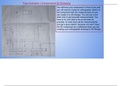
Flap Actuator ( Component D) Drawing
You will have your component in front of you and
you will need to create an orthographic sketch of
the component with the measurements so you
can create it on 2D Design. You will use a mm
steel ruler to get accurate measurements. You
have to try your best to be as accurate as
possible, so write down all the measurements
and get a good sketch, because you won't have
the 3D component as a reference when you are
creating your orthographic drawing on 2D Design.
, Setting Up Title Block Template
Before you start making the components/ blocks you will be
making, you will need to you will need to create a good title
block template so you can used that one template and don’t
have to create a new one each and every time.
Firstly you need to create your border and it needs to be 10mm away from
the end of the page. To do this you need to get your line tool from the
panel on the left, make sure to also have grid lock on, then 10mm away
from the page draw a border.
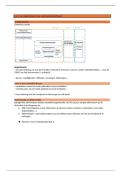
Next you will need to create the actual title You will have to
block. For this you will need to follow the create your own 3rd
dimensions in the picture above to create it angle projection
symbol. A tip would
again with the line tool. You will also need
be to create your
to write in the boxes everything that’s on
circles first and for
the image above. To start writing you will the rest go of of how
need to click the “ABC” button on the left big your circles are.
panel and click where you want to type,
you can also change the size and font.
finally you have to insert an image of the auea logo and to do this
you can just download or copy your image off the internet and
just paste it or insert it into your title block.
You will have your component in front of you and
you will need to create an orthographic sketch of
the component with the measurements so you
can create it on 2D Design. You will use a mm
steel ruler to get accurate measurements. You
have to try your best to be as accurate as
possible, so write down all the measurements
and get a good sketch, because you won't have
the 3D component as a reference when you are
creating your orthographic drawing on 2D Design.
, Setting Up Title Block Template
Before you start making the components/ blocks you will be
making, you will need to you will need to create a good title
block template so you can used that one template and don’t
have to create a new one each and every time.
Firstly you need to create your border and it needs to be 10mm away from
the end of the page. To do this you need to get your line tool from the
panel on the left, make sure to also have grid lock on, then 10mm away
from the page draw a border.
Next you will need to create the actual title You will have to
block. For this you will need to follow the create your own 3rd
dimensions in the picture above to create it angle projection
symbol. A tip would
again with the line tool. You will also need
be to create your
to write in the boxes everything that’s on
circles first and for
the image above. To start writing you will the rest go of of how
need to click the “ABC” button on the left big your circles are.
panel and click where you want to type,
you can also change the size and font.
finally you have to insert an image of the auea logo and to do this
you can just download or copy your image off the internet and
just paste it or insert it into your title block.