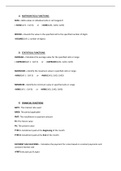
1) MATHEMATICAL FUNCTIONS:
SUM – Adds values in individual cells or cell rangesLO
= SUM(Cell 1 : Cell 3) or =SUM(Cell1, Cell2, Cell3)
ROUND – Rounds the value in the specified cell to the specified number of digits
=ROUND(Cell 1, number of digits)
2) STATISTICAL FUNCTIONS:
AVERAGE – Calculates the average value for the specified cells or range
= AVERAGE(Cell 1 : Cell 3) or =AVERAGE(Cell1, Cell2, Cell3)
MAXIMUM – Identify the maximum value in specified cells or range
=MAX(Cell 1 : Cell 3) or =MAX(Cell1, Cell2, Cell3)
MINIMUM - Identify the minimum value in specified cells or range
=MIN(Cell 1 : Cell 3) or =MIN(Cell1, Cell2, Cell3)
3) FINANCIAL FUNCTIONS
RATE : The interest rate used
NPER: The period applicable
PMT: The installment or payment amount
FV: The future value
PV: The present value
TYPE 1: Installment paid at the Beginning of the month
TYPE 0: Installment paid at the End of the month
PAYMENT CALCULATIONS - Calculates the payment for a loan based on constant payments and
constant interest rate
=PMT(rate,nper,pv,fv,type)
SUM – Adds values in individual cells or cell rangesLO
= SUM(Cell 1 : Cell 3) or =SUM(Cell1, Cell2, Cell3)
ROUND – Rounds the value in the specified cell to the specified number of digits
=ROUND(Cell 1, number of digits)
2) STATISTICAL FUNCTIONS:
AVERAGE – Calculates the average value for the specified cells or range
= AVERAGE(Cell 1 : Cell 3) or =AVERAGE(Cell1, Cell2, Cell3)
MAXIMUM – Identify the maximum value in specified cells or range
=MAX(Cell 1 : Cell 3) or =MAX(Cell1, Cell2, Cell3)
MINIMUM - Identify the minimum value in specified cells or range
=MIN(Cell 1 : Cell 3) or =MIN(Cell1, Cell2, Cell3)
3) FINANCIAL FUNCTIONS
RATE : The interest rate used
NPER: The period applicable
PMT: The installment or payment amount
FV: The future value
PV: The present value
TYPE 1: Installment paid at the Beginning of the month
TYPE 0: Installment paid at the End of the month
PAYMENT CALCULATIONS - Calculates the payment for a loan based on constant payments and
constant interest rate
=PMT(rate,nper,pv,fv,type)