

R PROGRAMMING LAB
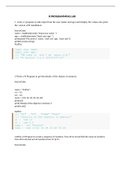
1. write a r program to take input from the user (name and age) and display the values also print
the version of R installation
SourceCode:
name = readline(prompt="Input your name: ")
age = readline(prompt="Input your age: ")
print(paste("My name is",name, "and I am",age ,"years old."))
print(R.version.string)
OutPut:
Input your name:
Input your age:
[1] "My name is and I am years old."
[1] "R version 3.4.4 (2018-03-15)"
2.Write a R Program to get the details of the objects in memory.
SourceCode:
name = "Python";
n1 = 10;
n2 = 0.5
nums = c(10, 20, 30, 40, 50, 60)
print(ls())
print("Details of the objects in memory:")
print(ls.str())
OutPut:
[1] "n1" "n2" "name" "nums"
[1] "Details of the objects in memory:"
n1 : num 10
n2 : num 0.5
name : chr "Python"
nums : num [1:6] 10 20 30 40 50 60
3.Write a R Program to create a sequence of numbers from 20 to 50 and find the mean of numbers
from 20 to 60 and sum of numbers from 51 tp 91.
SourceCode:
,print("Sequence of numbers from 20 to 50:")
print(seq(20,50))
print("Mean of numbers from 20 to 60:")
print(mean(20:60))
print("Sum of numbers from 51 to 91:")
print(sum(51:91))
OutPut:
[1] "Sequence of numbers from 20 to 50:"
[1] 20 21 22 23 24 25 26 27 28 29 30 31 32 33 34 35 36 37 38 39
40 41 42 43 44
[26] 45 46 47 48 49 50
[1] "Mean of numbers from 20 to 60:"
[1] 40
[1] "Sum of numbers from 51 to 91:"
[1] 2911
4.Write a R Program to create a simple bar plot of five subjects marks.
SourceCode:
marks = c(70, 95, 80, 74)
barplot(marks,
main = "Comparing marks of 5 subjects",
xlab = "Marks",
ylab = "Subject",
names.arg = c("English", "Science", "Math.", "Hist."),
col = "darkred",
horiz = FALSE)
OutPut:
5.Write a R Program to get the unique elements of a given string and unique numbers of vector.
, Source Code:
str1 = "The quick brown fox jumps over the lazy dog."
print("Original vector(string)")
print(str1)
print("Unique elements of the said vector:")
print(unique(tolower(str1)))
nums = c(1, 2, 2, 3, 4, 4, 5, 6)
print("Original vector(number)")
print(nums)
print("Unique elements of the said vector:")
print(unique(nums))
OutPut:
[1] "Original vector(string)"
[1] "The quick brown fox jumps over the lazy dog."
[1] "Unique elements of the said vector:"
[1] "the quick brown fox jumps over the lazy dog."
[1] "Original vector(number)"
[1] 1 2 2 3 4 4 5 6
[1] "Unique elements of the said vector:"
[1] 1 2 3 4 5 6
6.Write a R Program to create three vectors a,b,c with 3 integers. Combine the three vectors to become
a 3*3 matrix where each column represents a vector. Print the content of the matrix.
Source Code:
a<-c(1,2,3)
b<-c(4,5,6)
c<-c(7,8,9)
m<-cbind(a,b,c)
print("Content of the said matrix:")
print(m)
OutPut:
[1] "Content of the said matrix:"
a b c
[1,] 1 4 7
[2,] 2 5 8
[3,] 3 6 9
1. write a r program to take input from the user (name and age) and display the values also print
the version of R installation
SourceCode:
name = readline(prompt="Input your name: ")
age = readline(prompt="Input your age: ")
print(paste("My name is",name, "and I am",age ,"years old."))
print(R.version.string)
OutPut:
Input your name:
Input your age:
[1] "My name is and I am years old."
[1] "R version 3.4.4 (2018-03-15)"
2.Write a R Program to get the details of the objects in memory.
SourceCode:
name = "Python";
n1 = 10;
n2 = 0.5
nums = c(10, 20, 30, 40, 50, 60)
print(ls())
print("Details of the objects in memory:")
print(ls.str())
OutPut:
[1] "n1" "n2" "name" "nums"
[1] "Details of the objects in memory:"
n1 : num 10
n2 : num 0.5
name : chr "Python"
nums : num [1:6] 10 20 30 40 50 60
3.Write a R Program to create a sequence of numbers from 20 to 50 and find the mean of numbers
from 20 to 60 and sum of numbers from 51 tp 91.
SourceCode:
,print("Sequence of numbers from 20 to 50:")
print(seq(20,50))
print("Mean of numbers from 20 to 60:")
print(mean(20:60))
print("Sum of numbers from 51 to 91:")
print(sum(51:91))
OutPut:
[1] "Sequence of numbers from 20 to 50:"
[1] 20 21 22 23 24 25 26 27 28 29 30 31 32 33 34 35 36 37 38 39
40 41 42 43 44
[26] 45 46 47 48 49 50
[1] "Mean of numbers from 20 to 60:"
[1] 40
[1] "Sum of numbers from 51 to 91:"
[1] 2911
4.Write a R Program to create a simple bar plot of five subjects marks.
SourceCode:
marks = c(70, 95, 80, 74)
barplot(marks,
main = "Comparing marks of 5 subjects",
xlab = "Marks",
ylab = "Subject",
names.arg = c("English", "Science", "Math.", "Hist."),
col = "darkred",
horiz = FALSE)
OutPut:
5.Write a R Program to get the unique elements of a given string and unique numbers of vector.
, Source Code:
str1 = "The quick brown fox jumps over the lazy dog."
print("Original vector(string)")
print(str1)
print("Unique elements of the said vector:")
print(unique(tolower(str1)))
nums = c(1, 2, 2, 3, 4, 4, 5, 6)
print("Original vector(number)")
print(nums)
print("Unique elements of the said vector:")
print(unique(nums))
OutPut:
[1] "Original vector(string)"
[1] "The quick brown fox jumps over the lazy dog."
[1] "Unique elements of the said vector:"
[1] "the quick brown fox jumps over the lazy dog."
[1] "Original vector(number)"
[1] 1 2 2 3 4 4 5 6
[1] "Unique elements of the said vector:"
[1] 1 2 3 4 5 6
6.Write a R Program to create three vectors a,b,c with 3 integers. Combine the three vectors to become
a 3*3 matrix where each column represents a vector. Print the content of the matrix.
Source Code:
a<-c(1,2,3)
b<-c(4,5,6)
c<-c(7,8,9)
m<-cbind(a,b,c)
print("Content of the said matrix:")
print(m)
OutPut:
[1] "Content of the said matrix:"
a b c
[1,] 1 4 7
[2,] 2 5 8
[3,] 3 6 9


