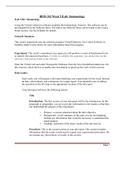
BIOS 242 Week 5 iLab: Immunology
iLab Title: Immunology
Using the Virtual Unknown software complete the Immunology Exercise. The software can be
downloaded from the Software Store. The link to the Software Store can be found in the Course
Home section. See the Syllabus for details.
Scenario Summary
This week's experiment uses the software program VirtualUnknown. See Course Software in
Syllabus under Course Home for more information about this program.
Experiment: This week’s experiment once again you will perform a series of biochemical tests
to identify the unknown bacterium. To help you identify the organism, you should also use the
reference materials provided in the software.
Enter the Virtual Lab and select Nonspecific Defenses from the list of predefined unknowns. For
this exercise, check the box to enable auto-inoculation to speed up the work on this exercise.
Deliverables
Each week, you will prepare a lab report detailing your experiments for the week. Include
all data, observations, and conclusions in a single report. You should be sure to address
the questions in the lab steps in the appropriate sections of the lab report.
Your lab report will have the following format.
Title
Introduction: The first section of your lab report will be the introduction. In this
paragraph or paragraphs, you are to provide information to the readers so that they
can understand the purpose of the experiment.
Purpose: a concise statement about the lab's objective
Background: a brief summary of the topic you are investigating.
Include any information that would be necessary to understand the
stated purpose.
Findings: statement of the major results of the lab exercise
Procedure: This is the second section in your lab report. This section includes
information that the reader would need to repeat your experimental procedure. Do
not include any observations or results in this section.
Page 1
iLab Title: Immunology
Using the Virtual Unknown software complete the Immunology Exercise. The software can be
downloaded from the Software Store. The link to the Software Store can be found in the Course
Home section. See the Syllabus for details.
Scenario Summary
This week's experiment uses the software program VirtualUnknown. See Course Software in
Syllabus under Course Home for more information about this program.
Experiment: This week’s experiment once again you will perform a series of biochemical tests
to identify the unknown bacterium. To help you identify the organism, you should also use the
reference materials provided in the software.
Enter the Virtual Lab and select Nonspecific Defenses from the list of predefined unknowns. For
this exercise, check the box to enable auto-inoculation to speed up the work on this exercise.
Deliverables
Each week, you will prepare a lab report detailing your experiments for the week. Include
all data, observations, and conclusions in a single report. You should be sure to address
the questions in the lab steps in the appropriate sections of the lab report.
Your lab report will have the following format.
Title
Introduction: The first section of your lab report will be the introduction. In this
paragraph or paragraphs, you are to provide information to the readers so that they
can understand the purpose of the experiment.
Purpose: a concise statement about the lab's objective
Background: a brief summary of the topic you are investigating.
Include any information that would be necessary to understand the
stated purpose.
Findings: statement of the major results of the lab exercise
Procedure: This is the second section in your lab report. This section includes
information that the reader would need to repeat your experimental procedure. Do
not include any observations or results in this section.
Page 1