Lecture 1 was mainly about course structure
Lecture 2 - 07.09.2021
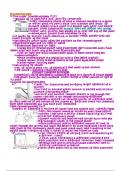
The Human Action Cycle
sometimes it’s not intuitive what we have to do--
that’s where design comes to action
HCI Principles and Guidelines
“how do we design better interactions?
there’s a difference between just making and designing something
Shneiderman’s 8 golden rules
1.Strive for consistency
2. Enable frequent users to use shortcuts
3. Offer informative feedback
4. Design dialogs to yield closure
5. Offer error prevention and simple error handling
6. Permit easy reversal of actions
7. Support internal locus of control
8. Reduce short-term memory load
Norman’s 7 principles
1. Use both knowledge in the world and knowledge in the head.
2. Simplify the structure of tasks.
3. Make things visible.
4. Get the mappings right.
5. Exploit the power of constraints, both natural and artificial.
6. Design for error.
7. When all else fails, standardize
- we looked at those two and found the common points eg.5in S and 6in N
,Nielson’s Usability Heuristics (1994)
1.Visibility of System status
2.Match between system and real world
3.User control and freedom
4.Consistency and standards
5.Error Prevention
6.Recognition rather than recall
7.Flexibility and efficiency of use
8.Aesthetic and minimalist design
9.Help users recognize, diagnose, and recover from errors
10.Help and documentation
Usability Heuristics
1.Visibility of Status
when you download something you see the bar, or when you wait on the line and it
says “all operations are busy please wait” vs “you’re the 3rd customer on the line”
2. Match Between System and Real World
Your computer doesn’t have a trash bin but when it’s full seeing the full trash bin
image you relate with real world
3. User Control and Freedom
Undo option- deleting the message on whatsapp
4. Consistency and Standards
the shopping cart- real life connection
the human image- signing in / having an account
the magnifying glass- searching for something
5. Error Prevention
before you take the action it asks are you sure?
the password requirements when you are writing -- the green thingy
6. Recognition Rather Than Recall
why do we offer drop down lists when we can expect the user to type it fully
7. Flexibility and Efficiency of Use
Why do we have both shortcuts and long ways?
- There's a lot more to remember when you use shortcuts but Advanced users
prefer this way and Beginners are looking for the knowledge in the world and
look out for it
, 8. Aesthetic and Minimalist Design
google vs yahoo
removing UNNECESSARY information -- it’s all about the purpose
9. Help Users Recognize, Diagnose and Recover from Errors
when they made a mistake make sure they know they made an error, what they did
wrong and how to recover from that mistake
10. Help and Documentation
help files-- you don’t wanna depend on the instructions and help documents-- you
need a good design interface-- but what can go wrong will go wrong so it’s still nice to have
the help files in case.
Introducing User Centered Design (UCD)
- involving users is too expensive-time consuming
- as a developer you lose the ability to anticipate the errors
- the users might make some design fails aren't obvious until user testing
User Centered Design Cycle
If you have to explain it to user, then your design is not good enough
During user testing you shouldn't give instructions
Terminology and Content
1. Afford: allows the possibility
2. Consistency: keeping to a certain standard
3. Execution: finishing/stopping a process
4. Goal: the intended end point
other keywords: standardizing - feedback - mapping - heuristics
Lecture 2 - 07.09.2021
The Human Action Cycle
sometimes it’s not intuitive what we have to do--
that’s where design comes to action
HCI Principles and Guidelines
“how do we design better interactions?
there’s a difference between just making and designing something
Shneiderman’s 8 golden rules
1.Strive for consistency
2. Enable frequent users to use shortcuts
3. Offer informative feedback
4. Design dialogs to yield closure
5. Offer error prevention and simple error handling
6. Permit easy reversal of actions
7. Support internal locus of control
8. Reduce short-term memory load
Norman’s 7 principles
1. Use both knowledge in the world and knowledge in the head.
2. Simplify the structure of tasks.
3. Make things visible.
4. Get the mappings right.
5. Exploit the power of constraints, both natural and artificial.
6. Design for error.
7. When all else fails, standardize
- we looked at those two and found the common points eg.5in S and 6in N
,Nielson’s Usability Heuristics (1994)
1.Visibility of System status
2.Match between system and real world
3.User control and freedom
4.Consistency and standards
5.Error Prevention
6.Recognition rather than recall
7.Flexibility and efficiency of use
8.Aesthetic and minimalist design
9.Help users recognize, diagnose, and recover from errors
10.Help and documentation
Usability Heuristics
1.Visibility of Status
when you download something you see the bar, or when you wait on the line and it
says “all operations are busy please wait” vs “you’re the 3rd customer on the line”
2. Match Between System and Real World
Your computer doesn’t have a trash bin but when it’s full seeing the full trash bin
image you relate with real world
3. User Control and Freedom
Undo option- deleting the message on whatsapp
4. Consistency and Standards
the shopping cart- real life connection
the human image- signing in / having an account
the magnifying glass- searching for something
5. Error Prevention
before you take the action it asks are you sure?
the password requirements when you are writing -- the green thingy
6. Recognition Rather Than Recall
why do we offer drop down lists when we can expect the user to type it fully
7. Flexibility and Efficiency of Use
Why do we have both shortcuts and long ways?
- There's a lot more to remember when you use shortcuts but Advanced users
prefer this way and Beginners are looking for the knowledge in the world and
look out for it
, 8. Aesthetic and Minimalist Design
google vs yahoo
removing UNNECESSARY information -- it’s all about the purpose
9. Help Users Recognize, Diagnose and Recover from Errors
when they made a mistake make sure they know they made an error, what they did
wrong and how to recover from that mistake
10. Help and Documentation
help files-- you don’t wanna depend on the instructions and help documents-- you
need a good design interface-- but what can go wrong will go wrong so it’s still nice to have
the help files in case.
Introducing User Centered Design (UCD)
- involving users is too expensive-time consuming
- as a developer you lose the ability to anticipate the errors
- the users might make some design fails aren't obvious until user testing
User Centered Design Cycle
If you have to explain it to user, then your design is not good enough
During user testing you shouldn't give instructions
Terminology and Content
1. Afford: allows the possibility
2. Consistency: keeping to a certain standard
3. Execution: finishing/stopping a process
4. Goal: the intended end point
other keywords: standardizing - feedback - mapping - heuristics