P3
Computational thinking skills can impact the quality of the design and implementation of our
program by using decomposition, pattern recognition, pattern generalisation and abstraction,
representing parts of a problem or system in general terms.
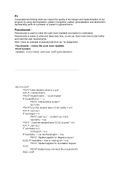
Pseudocode -
Pseudocode is used to make the code more readable and easier to understand.
Pseudocode is easier to write and takes less time, so we can have more time to plan better
and meet the user requirements.
Here I have an example of pseudocode from my 1st assignment.
, Flowcharts -
Flowcharts show how the code will work and in which order each function will
execute. Using them helps us to understand if the user requirements will be met.
The example is from my 1st assignment.
Here we can see the enrol function flowchart in our code. Firstly the code will ask the
user to enter the student’s name. If the user types ‘q’ the function will end. If the user
types a student name the code will print out the student's name and will ask if the
student has GCSE Maths and English GCSE . The user can type ‘y’ or ‘n’. If the
student has GCSE Maths AND GCSE English he will be added to the Degree
program, but if the student has Maths OR English he will be added to the foundation
program.
Pseudocode and flowcharts help you to visualize how your program will look like and
what you could redefine about it. It helps you to have a general idea of what you
have to work on and how to make your program less buggy and more stable.
P2 - Explain how principles of computer programming are applied in
different languages to produce software applications.
I will use snippets from these 2 programs
Computational thinking skills can impact the quality of the design and implementation of our
program by using decomposition, pattern recognition, pattern generalisation and abstraction,
representing parts of a problem or system in general terms.
Pseudocode -
Pseudocode is used to make the code more readable and easier to understand.
Pseudocode is easier to write and takes less time, so we can have more time to plan better
and meet the user requirements.
Here I have an example of pseudocode from my 1st assignment.
, Flowcharts -
Flowcharts show how the code will work and in which order each function will
execute. Using them helps us to understand if the user requirements will be met.
The example is from my 1st assignment.
Here we can see the enrol function flowchart in our code. Firstly the code will ask the
user to enter the student’s name. If the user types ‘q’ the function will end. If the user
types a student name the code will print out the student's name and will ask if the
student has GCSE Maths and English GCSE . The user can type ‘y’ or ‘n’. If the
student has GCSE Maths AND GCSE English he will be added to the Degree
program, but if the student has Maths OR English he will be added to the foundation
program.
Pseudocode and flowcharts help you to visualize how your program will look like and
what you could redefine about it. It helps you to have a general idea of what you
have to work on and how to make your program less buggy and more stable.
P2 - Explain how principles of computer programming are applied in
different languages to produce software applications.
I will use snippets from these 2 programs