Introduction to Word
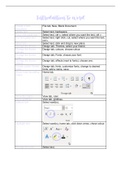
Create a new File tab, New, Blank Document.
document
Delete text Select text, backspace.
Copy and paste text Select text, ctrl c, select where you want the text, ctrl v.
Cut and paste text Select text, right click, cut, select where you want the text,
ctrl v.
Move text Select text, click and drag to new place.
Change the theme Design tab, Themes, select your theme.
Change the theme Design tab, colours, choose colour.
colours
Change the theme Design tab, Fonts, choose your font.
fonts
Change the theme Design tab, effects (next to fonts), choose one.
effects
Create custom theme Design tab, fonts, customize fonts, change to desired
fonts fonts, add a name, save.
Show/ hide formatting Home tab,
marks
Show the rulers View tab, ruler.
Show gridlines View tab, gridlines.
Italicize text Select word(s),
Highlight text Select word(s), home tab, click down arrow, chose colour.
Change font size Select text,
, , choose desired size.
Change font colour Select text,
, choose colour.
Change the font Select text,
, choose text.
Change the case Select text,
, chose an option.
Underline text Select text,
Bold text Select text,
Create a new File tab, New, Blank Document.
document
Delete text Select text, backspace.
Copy and paste text Select text, ctrl c, select where you want the text, ctrl v.
Cut and paste text Select text, right click, cut, select where you want the text,
ctrl v.
Move text Select text, click and drag to new place.
Change the theme Design tab, Themes, select your theme.
Change the theme Design tab, colours, choose colour.
colours
Change the theme Design tab, Fonts, choose your font.
fonts
Change the theme Design tab, effects (next to fonts), choose one.
effects
Create custom theme Design tab, fonts, customize fonts, change to desired
fonts fonts, add a name, save.
Show/ hide formatting Home tab,
marks
Show the rulers View tab, ruler.
Show gridlines View tab, gridlines.
Italicize text Select word(s),
Highlight text Select word(s), home tab, click down arrow, chose colour.
Change font size Select text,
, , choose desired size.
Change font colour Select text,
, choose colour.
Change the font Select text,
, choose text.
Change the case Select text,
, chose an option.
Underline text Select text,
Bold text Select text,