Exam (elaborations)
BUSI 201 Assignment 10 Excel 2016 Skill Review 7.1 Liberty University answers complete solutions
Rating
Sold
-
Pages
7
Grade
A+
Uploaded on
06-08-2021
Written in
2016/2017
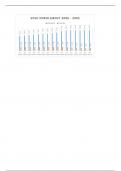
3. Add Sparklines to the data and apply a Quick Style. a. On the Population Data worksheet, select cells B4:F13. b. On the Insert tab, in the Sparklines group, click the Column button. c. In the Create Sparklines dialog, verify that B4:F13 is the Data Range and specify G4:G13 as the Location Range. Click OK. d. On the Sparkline Tools Design tab, in the Style group, apply the Dark Blue, Sparkline Style Dark #6 style. Click the More button to expand the gallery, then click the first style from the right in the fifth row
Show more
Read less
Institution
University Of California - Berkeley
Course
BUSINESS 201 (BUSINESS201)
Whoops! We can’t load your doc right now. Try again or contact support.
Written for
Document information
- Uploaded on
- August 6, 2021
- Number of pages
- 7
- Written in
- 2016/2017
- Type
- Exam (elaborations)
- Contains
- Questions & answers
Subjects
-
busi 201 assignment 10 excel 2016 skill review 71 liberty university answers complete solutions
$8.49
Get access to the full document:
100% satisfaction guarantee
Immediately available after payment
Both online and in PDF
No strings attached