IMY 110
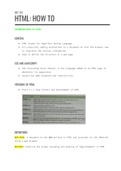
HTML: HOW TO
INTRODUCTION TO HTML
GENERAL
● HTML stands for HyperText Markup Language
● It’s basically adding annotations to a document to tell the browser how
to interpret the various information
● Used to define the structure of a web page
CSS AND JAVASCRIPT
● CSS (Cascading Style Sheets) is the language added to an HTML page to
determine its appearance
● Javascript adds dynamism and interactivity
VERSIONS OF HTML
● There is a long history and development of HTML
DEFINITIONS
WEB PAGE: A document on the WWW written in HTML and accessed via the INternet
using a web browser
NESTING: Ensuring the proper grouping and spacing of tags/elements in HTML
,BASIC STRUCTURE OF HTML CODE
<!DOCTYPE html>
<html>
<head>
<title>Page Title</title>
</head>
<body>
<h1>Heading 1</h1>
<h2>Subheading</h2>
<p>Paragraph</p>
</body>
</html>
● Anything that falls into another element should be indented once
● Don't confuse head tags with heading tags
TAGS
● Always use lowercase letters inside the tags
● Don’t forget the “/” in the closing tag
● The opening tag, information and closing tag make an element
ATTRIBUTES
● Sit inside of an HTML element to give more information about the element
● Eg <p attributename = “attribute value”>writing</p>
, CREATING AN HTML DOCUMENT
1. Open up a text editor
2. Add markup and content
3. Save with a .html file extension
4. Open in your default browser
NOTE: The home page of a website should always be named index.html as it will
open first automatically
TEXT IN HTML
HEADINGS
● There are 6 different options for headings
● The largest heading being 1 and the smallest heading being 6
● <h#>Heading</h#>
● Create a visual hierarchy of importance
● Allows for proper interpretation of a web page by a screen reader
● The size of the headings stay the same despite page size changes
PARAGRAPHS
● Contains a large body of text
● The start of a paragraph is indicated by a new line
● <p>Text</p>
BOLD AND ITALIC
● BOLD: <p>this is <b>bold</b></p>
● ITALIC: <p> this is <i>italic</i></p>
● These tags are only to change the appearance of text and not to stress
importance
SUPERSCRIPT AND SUBSCRIPT
● SUPERSCRIPT: <p>He came in 4<sup>th</sup></p>
● SUBSCRIPT: <p>CO<sub>2</sub> is a gas</p>
HTML: HOW TO
INTRODUCTION TO HTML
GENERAL
● HTML stands for HyperText Markup Language
● It’s basically adding annotations to a document to tell the browser how
to interpret the various information
● Used to define the structure of a web page
CSS AND JAVASCRIPT
● CSS (Cascading Style Sheets) is the language added to an HTML page to
determine its appearance
● Javascript adds dynamism and interactivity
VERSIONS OF HTML
● There is a long history and development of HTML
DEFINITIONS
WEB PAGE: A document on the WWW written in HTML and accessed via the INternet
using a web browser
NESTING: Ensuring the proper grouping and spacing of tags/elements in HTML
,BASIC STRUCTURE OF HTML CODE
<!DOCTYPE html>
<html>
<head>
<title>Page Title</title>
</head>
<body>
<h1>Heading 1</h1>
<h2>Subheading</h2>
<p>Paragraph</p>
</body>
</html>
● Anything that falls into another element should be indented once
● Don't confuse head tags with heading tags
TAGS
● Always use lowercase letters inside the tags
● Don’t forget the “/” in the closing tag
● The opening tag, information and closing tag make an element
ATTRIBUTES
● Sit inside of an HTML element to give more information about the element
● Eg <p attributename = “attribute value”>writing</p>
, CREATING AN HTML DOCUMENT
1. Open up a text editor
2. Add markup and content
3. Save with a .html file extension
4. Open in your default browser
NOTE: The home page of a website should always be named index.html as it will
open first automatically
TEXT IN HTML
HEADINGS
● There are 6 different options for headings
● The largest heading being 1 and the smallest heading being 6
● <h#>Heading</h#>
● Create a visual hierarchy of importance
● Allows for proper interpretation of a web page by a screen reader
● The size of the headings stay the same despite page size changes
PARAGRAPHS
● Contains a large body of text
● The start of a paragraph is indicated by a new line
● <p>Text</p>
BOLD AND ITALIC
● BOLD: <p>this is <b>bold</b></p>
● ITALIC: <p> this is <i>italic</i></p>
● These tags are only to change the appearance of text and not to stress
importance
SUPERSCRIPT AND SUBSCRIPT
● SUPERSCRIPT: <p>He came in 4<sup>th</sup></p>
● SUBSCRIPT: <p>CO<sub>2</sub> is a gas</p>