
Unit 30 Digital Graphics
PEARSON (PEARSON)
Here are the best resources to pass Unit 30 Digital Graphics. Find Unit 30 Digital Graphics study guides, notes, assignments, and much more.
Essay
Unit 30 - Assignment 1 - P1, P2, M1, D1
Unit 30 Digital Graphics. Assignment 1 - Technical Graphics. All criteria achieved, P1, P2, M1 and D1. Task 1: Hardware Output Medium Software Task 2: File Formats File Types Task 3: Limitations of Different Software Limitations of Different Hardware Task 4: Developments and changes to output mediums
 leoJBlack
Essay
Unit 30 Digital Graphics Assignment 3 Report
Full written Unit 30 Digital Graphics Assignment 3 Report (all criteria achieved)
drj44
Essay
Unit 30 Digital Graphics Assignment 2 Report
Full written Unit 30 Digital Graphics Assignment 2 Report (all criteria achieved)
drj44
Essay
Unit 30 Digital Graphics Assignment 1 Report
Full written Unit 30 Digital Graphics Assignment 1 Report (all criteria achieved)
drj44
Essay
P1 - Describe the hardware and software used to create and edit graphic images
The Hardware section needs to focus on components such as the graphics card and how their features impact upon graphical work The software section needs to identify the vector and raster software applications you would wish to use as well as other software.
 rapidhelp
Essay
P2 - Explain how different types of graphic images relate to file formats
Create the file formats section of your report, explaining how different types of graphic images relate to file formats. This should include sections explaining differences between vector and raster images with some examples of file formats that can be used to save them to storage medium.
rapidhelp
Visual
P4- Create original graphic images to meet a defined user need
For P4, learners should create original images to present, for example, on the ‘company stand’ specified in the programme of suggested assignments table. These images must have a defined purpose.
 topqualityworka
Essay
D1- Evaluate the impact of evolving output mediums on the design and creation of graphic images
For D1, learners will research the ongoing changes in, and additions to, output media and the effect this has on the creation of graphic images.
topqualityworka
Essay
M1- Compare the limitations of different hardware and software packages used in graphics work
M1 is a comparison. Normally a comparison would consider both good and less good points, but in this case only the limitations are being compared. Within the remit that the hardware and software must relate to the production of graphics, learners can select any hardware devices and compare the limitations of those, and then select any software packages and compare their limitations. Whilst it is more appropriate for learners to select the items themselves, the tutor can direct them to devices an...
topqualityworka
Essay
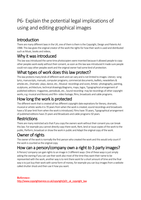
P6- Explain the potential legal implications of using and editing graphical images
P6 is purely theoretical, learners need to explain some of the legal pitfalls in using and editing graphics. Essentially, this is about copyright issues and gaining permission to use copyright products.
topqualityworka
Essay
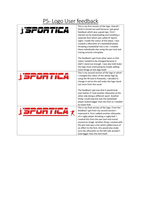
P5- Modify images as a result of user feedback Logo
For P5, learners must be given feedback from ‘users’, which in this case may be the tutors’ or other learners’ responses to the company stand. They should then modify designs based on this feedback and be able to explain the desired effect of these alterations.
topqualityworka

Essay
P3- Demonstrate the use of editing tools to edit and manipulate images
For P3, learners could capture images using a digital camera, or use a pre-existing image to edit. Tutors should supply learners with a user need. Learners must manipulate images to achieve a pre-defined effect which should be related to a defined user need, for example to be more eye catching, or to draw the attention to a specific element.
topqualityworka
Essay
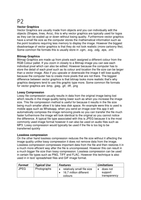
P2- Explain how different types of graphic images relate to file formats
For P2, learners should explain the features and limitations of different file formats, drawing conclusions regarding which formats lend themselves to particular graphical products.
topqualityworka
Essay
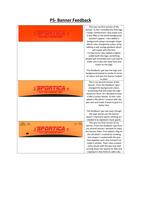
P5- Modify images as a result of user feedback Banner
For P5, learners must be given feedback from ‘users’, which in this case may be the tutors’ or other learners’ responses to the company stand. They should then modify designs based on this feedback and be able to explain the desired effect of these alterations.
topqualityworka
Essay
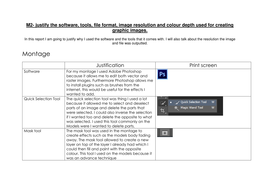
M2- Justify the software, tools, file format, image resolution and colour depth used for creating graphic images
For M2, learners must justify the choice of tools, file format, image resolution and colour depth used when creating the images. The ‘justification’ asks for the reasons why those specific items were used.
topqualityworka
Essay
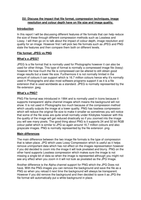
D2- Discuss the impact that file format, compression techniques, image resolution and colour depth have on file size and image quality
For D2, learners need to use different file formats, different compression techniques, different image resolutions and different colour depths, and for each show the final file sizes and the differences between them. Some will, of course, be more significant than others. Learners can receive guidance in selecting each attribute type but thereafter must produce the files and the comparison independently. It makes sense for learners to reflect on what they have used in creating the three associate...
topqualityworka
Essay
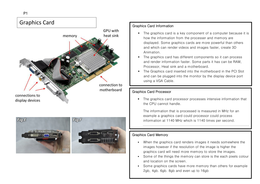
P1- Describe the hardware and software used to create and edit graphic images
For P1, learners should describe the role of the components of a given computer system in the production and manipulation of graphics. Learners could produce a series of information leaflets to cover at least one item from each of the groupings in the unit content.
topqualityworka
Essay
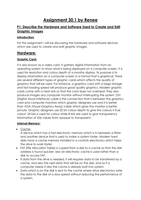
Unit 30 Digital Graphics: P1 & P2
P1: Describe the hardware and software used to create and edit graphic images P2: Explain how different types of graphic images relate to file formats
CourseworkGirl