Roland UDVARLAKI
D2 - Discuss the techniques that can be used on web pages to aid user access to
information.
I have been asked to describe different ways the information can be accessed on my website.
DESIGN
I must have a basic and a good looking design where the users will not get lost, but will also not get
bored. (So users would be able to determine where they currently are on the website) A simple
navigation bar that appears on all pages at all times will help users to navigate between pages on my
website. This will not only help them to navigate easier, but also to quickly jump on pages they are
looking for. This will encourage new and regular users to come back, as the website is easy to use
and very fluid.
Eye-catchy contents such as titles, buttons and other contents would be large, so that would be the
first thing people would look at, when they are opening the website.
A perhaps even simpler design could be implemented for people who are having problems finding
and clicking on small buttons. There could be an option, where all buttons, texts etc. would be scaled
up to a large number, so readability would be suitable for people who are facing this issue.
ACCESSIBILITY
Information will be accessible in many ways. It will be accessible by search engines, social media
sites, advertisements (banners, videos).
I can also implement ZOOM-IN/OUT buttons on my website. These buttons could be found at a
visible part on my website such as on the top or on the sides, so people would take advantage of it.
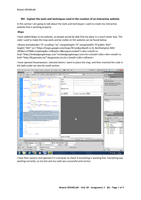
(This option is built-in into most browsers, see image below) so people with bad eyes would be able
to see my contents.
This is what the zooming options look using Google Chrome
Roland UDVARLAKI – Assignment 3 - Unit 28 – D1 - Page 1 of 3
D2 - Discuss the techniques that can be used on web pages to aid user access to
information.
I have been asked to describe different ways the information can be accessed on my website.
DESIGN
I must have a basic and a good looking design where the users will not get lost, but will also not get
bored. (So users would be able to determine where they currently are on the website) A simple
navigation bar that appears on all pages at all times will help users to navigate between pages on my
website. This will not only help them to navigate easier, but also to quickly jump on pages they are
looking for. This will encourage new and regular users to come back, as the website is easy to use
and very fluid.
Eye-catchy contents such as titles, buttons and other contents would be large, so that would be the
first thing people would look at, when they are opening the website.
A perhaps even simpler design could be implemented for people who are having problems finding
and clicking on small buttons. There could be an option, where all buttons, texts etc. would be scaled
up to a large number, so readability would be suitable for people who are facing this issue.
ACCESSIBILITY
Information will be accessible in many ways. It will be accessible by search engines, social media
sites, advertisements (banners, videos).
I can also implement ZOOM-IN/OUT buttons on my website. These buttons could be found at a
visible part on my website such as on the top or on the sides, so people would take advantage of it.
(This option is built-in into most browsers, see image below) so people with bad eyes would be able
to see my contents.
This is what the zooming options look using Google Chrome
Roland UDVARLAKI – Assignment 3 - Unit 28 – D1 - Page 1 of 3