
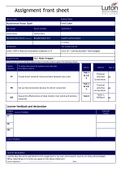
Assignment front sheet
Learner name Assessor Name
Muhammad Hasan Qadri Fred Coker
Date issued Hand in deadline Submitted on
26/01/2021 09/02/2021
Resubmission (out) (if applicable) Resubmission (in) Lead IV authorisation
M J Khaliq
Qualification Unit number and title
Level 3 BTEC National Subsidiary Diploma in IT Unit 10 – Communication Technologies
Assignment title 10.2 Make it happen
In this assessment you will have opportunities to provide evidence against the following criteria.
Criteria To achieve the criteria the evidence must show that
Task no. Evidence Page no
reference the student is able to:
Task 1
Practical
&2&
P7 Create direct network communication between two users activities pg
3
Screenshots
Task 1
Practical
&2&
P8 Set up interconnection devices for direct connection activities pg
3
Screenshots
Table in
Assess the effectiveness of data transfer over wired and wireless Task 4
M3 MSWord pg
networks
Learner feedback and declaration
Grading Achieved?
Assessor Feedback
criteria Yes/No
P7
P8
M3
Learner feedback
Learner declaration
I certify that the work submitted for this assignment is my own and research sources are fully acknowledged
OR by submitting on Turnitin you agree to the above statement.
Learner signature: ……………………………………………….. Date:
,Introduction:
In this assignment I will create a direct network communication between two users and I will also Set
up interconnection devices for direct connection. Finally I will Assess the effectiveness of data
transfer over wired and wireless networks
P7 - Create direct network communication between two users
Fist of all to create a direct network communication between two users you will require a network
switch, and same ethernet cables.
Once you have your equipment you will need to connect one end of the ethernet cable to one
computer .
Once you have done that you will connect the other end of the ethernet cable to a switch.
, As we our goal is to communicate with two computers you will have to repeat the steps for your
second computer, once both computers are connected to a switch you will then need to set up an IP
address on each computer. To access the setting to change the IP address you will have to. Click on
the icon at the bottom left of your screen this will allow you to open the network settings.
Once you have clicked that you will then have to click open “network and internet settings”
You will then be bought to the network setting where you will have to click on “change adapter
settings” which is located on the top right of the screen
Once that is done you will be bought to another tab where you will have to right-click the “ethernet”
icon it will be located at the top left of the screen
Learner name Assessor Name
Muhammad Hasan Qadri Fred Coker
Date issued Hand in deadline Submitted on
26/01/2021 09/02/2021
Resubmission (out) (if applicable) Resubmission (in) Lead IV authorisation
M J Khaliq
Qualification Unit number and title
Level 3 BTEC National Subsidiary Diploma in IT Unit 10 – Communication Technologies
Assignment title 10.2 Make it happen
In this assessment you will have opportunities to provide evidence against the following criteria.
Criteria To achieve the criteria the evidence must show that
Task no. Evidence Page no
reference the student is able to:
Task 1
Practical
&2&
P7 Create direct network communication between two users activities pg
3
Screenshots
Task 1
Practical
&2&
P8 Set up interconnection devices for direct connection activities pg
3
Screenshots
Table in
Assess the effectiveness of data transfer over wired and wireless Task 4
M3 MSWord pg
networks
Learner feedback and declaration
Grading Achieved?
Assessor Feedback
criteria Yes/No
P7
P8
M3
Learner feedback
Learner declaration
I certify that the work submitted for this assignment is my own and research sources are fully acknowledged
OR by submitting on Turnitin you agree to the above statement.
Learner signature: ……………………………………………….. Date:
,Introduction:
In this assignment I will create a direct network communication between two users and I will also Set
up interconnection devices for direct connection. Finally I will Assess the effectiveness of data
transfer over wired and wireless networks
P7 - Create direct network communication between two users
Fist of all to create a direct network communication between two users you will require a network
switch, and same ethernet cables.
Once you have your equipment you will need to connect one end of the ethernet cable to one
computer .
Once you have done that you will connect the other end of the ethernet cable to a switch.
, As we our goal is to communicate with two computers you will have to repeat the steps for your
second computer, once both computers are connected to a switch you will then need to set up an IP
address on each computer. To access the setting to change the IP address you will have to. Click on
the icon at the bottom left of your screen this will allow you to open the network settings.
Once you have clicked that you will then have to click open “network and internet settings”
You will then be bought to the network setting where you will have to click on “change adapter
settings” which is located on the top right of the screen
Once that is done you will be bought to another tab where you will have to right-click the “ethernet”
icon it will be located at the top left of the screen


