
Creating a CentOS Virtual Machine in Amazon AWS
These instructions will explain how to create a new (CentOS) Virtual Machine in Amazon AWS. You
should register for a free Amazon AWS account at https://aws.amazon.com/. You can use an
Amazon AWS EC2 server free for one year – providing you stay within the free services.
1) To get started with Amazon EC2 go to https://aws.amazon.com/ec2/?ft=n.
2) You need to sign in with your AWS account.
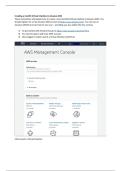
3) Once logged in select Launch a Virtual Machine (with EC2).
Click Launch a Virtual Machine
These instructions will explain how to create a new (CentOS) Virtual Machine in Amazon AWS. You
should register for a free Amazon AWS account at https://aws.amazon.com/. You can use an
Amazon AWS EC2 server free for one year – providing you stay within the free services.
1) To get started with Amazon EC2 go to https://aws.amazon.com/ec2/?ft=n.
2) You need to sign in with your AWS account.
3) Once logged in select Launch a Virtual Machine (with EC2).
Click Launch a Virtual Machine


