CREATING A VB.NET PROJECT
Note:
- The procedure for creating a VB.Net project may have slight difference depending on the
version. However, there’s a big similarity in the steps followed.
- The procedures below are based on Visual Studio Professional 2005
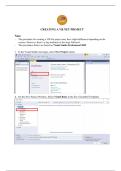
1. In the Visual Studio start page, select New Project option
2. On the New Project Window, Select Visual Basic in the list of installed Templates
Note:
- The procedure for creating a VB.Net project may have slight difference depending on the
version. However, there’s a big similarity in the steps followed.
- The procedures below are based on Visual Studio Professional 2005
1. In the Visual Studio start page, select New Project option
2. On the New Project Window, Select Visual Basic in the list of installed Templates