
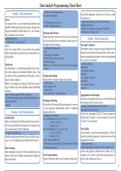
Data Analyst Programming Cheat Sheet
# Drop rows with missing values
Pandas - Data Structures df_cleaned = df.dropna() rations like applying a function across the axis, repla-
cing values, etc.
Series
# Fill missing values with mean # Apply function numpy.cumsum to each column
The pandas Series is a one-dimensional labeled array df.apply(np.cumsum)
df_filled = df.fillna(df.mean())
capable of holding any data type (integers, strings, floa- # Replace all occurrences of a string in DataFrame
ting point numbers, Python objects, etc.). It is essenti- df.replace(„test“, „replace_test“)
Filtering and Selection
ally a column in an excel sheet.
Pandas provides various ways to select and filter data.
import pandas as pd Pandas - Data Exploration
s = pd.Series([1, 3, 5, np.nan, 6, 8]) You can select data by row numbers, column names, or
print(s) through boolean indexing. Descriptive Statistics
# Selecting by column names Descriptive statistics can give you great insight into the
Here, the output will be a series object that includes
df[‚A‘] shape of each attribute. Pandas provides a suite of func-
both the data and an associated array of data labels, cal-
# Selecting by row numbers
led the index. tions for generating descriptive statistics and exploring
df[0:3] # selects the first three rows.
# Boolean indexing
the structure of your data.
DataFrame # summary statistics
df[df[‚A‘] > 0] # selects rows where the value of ‚A‘ is greater
The DataFrame is a 2-dimensional labeled data struc- df.describe()
than zero.
# to calculate the mean
ture with columns of potentially different types. You
df.mean()
can think of it like a spreadsheet or SQL table, or a dic- Sorting and Ranking
# to calculate the median
tionary of Series objects. Pandas allows sorting by values and by index. df.median()
Below is an example of creating a DataFrame by pas- # Sort by values # to calculate the mode
sing a NumPy array, with a datetime index and labeled df.sort_values(by=‘B‘) df.mode()
columns: # Sort by index
dates = pd.date_range(‚20130101‘, periods=6) df.sort_index(axis=1, ascending=False)
Aggregations and Grouping
df = pd.DataFrame(np.random.randn(6, 4), index=dates, co- In pandas, the groupby function is used to split the data
lumns=list(‚ABCD‘)) Merging and Joining
into groups based on some criteria.
print(df) Pandas has full-featured, high-performance in-memo-
# groupby ‚A‘ and calculate mean of ‚B‘ and ‚C‘
ry join operations idiomatically similar to relational
df.groupby(‚A‘)[‚B‘,‘C‘].mean()
Pandas - Data Manipulation databases like SQL.
In this code, df.groupby(‚A‘)[‚B‘,‘C‘].mean() groups the
# Merging two data frames
Loading Data df1 = pd.DataFrame({‚A‘: [‚A0‘, ‚A1‘, ‚A2‘],
DataFrame by column ‚A‘ and calculates the mean of
Data can be loaded into DataFrame and Series structu- ‚B‘: [‚B0‘, ‚B1‘, ‚B2‘]}, ‚B‘ and ‚C‘ for each group.
res from many different file formats. For example, you index=[0, 1, 2])
can load data from a CSV file like this: df2 = pd.DataFrame({‚A‘: [‚A2‘, ‚A3‘, ‚A4‘], Pivot Tables
df = pd.read_csv(‚data.csv‘) ‚B‘: [‚B2‘, ‚B3‘, ‚B4‘]}, A pivot table is a way of summarizing data in a DataF-
Similarly, pandas provides read_json, read_html, read_ index=[2, 3, 4]) rame for a particular purpose. It makes heavy use of the
excel, etc. for loading data from different file formats. result = pd.concat([df1, df2]) aggregation function.
In this code, pd.concat([df1, df2]) concatenates df1 and # create a pivot table
Data Cleaning df2 along the row axis. df.pivot_table(values=‘D‘, index=[‚A‘, ‚B‘], columns=[‚C‘])
Data cleaning is a key part of the data analysis process, In this code, df.pivot_table(values=‘D‘, index=[‚A‘, ‚B‘],
where you‘ll need to handle missing values, duplicate Data Transformation columns=[‚C‘]) creates a pivot table that groups by ‚A‘
data, and outliers. Pandas DataFrame allows you to perform various ope- and ‚B‘, and columns are set as ‚C‘.
1
# Drop rows with missing values
Pandas - Data Structures df_cleaned = df.dropna() rations like applying a function across the axis, repla-
cing values, etc.
Series
# Fill missing values with mean # Apply function numpy.cumsum to each column
The pandas Series is a one-dimensional labeled array df.apply(np.cumsum)
df_filled = df.fillna(df.mean())
capable of holding any data type (integers, strings, floa- # Replace all occurrences of a string in DataFrame
ting point numbers, Python objects, etc.). It is essenti- df.replace(„test“, „replace_test“)
Filtering and Selection
ally a column in an excel sheet.
Pandas provides various ways to select and filter data.
import pandas as pd Pandas - Data Exploration
s = pd.Series([1, 3, 5, np.nan, 6, 8]) You can select data by row numbers, column names, or
print(s) through boolean indexing. Descriptive Statistics
# Selecting by column names Descriptive statistics can give you great insight into the
Here, the output will be a series object that includes
df[‚A‘] shape of each attribute. Pandas provides a suite of func-
both the data and an associated array of data labels, cal-
# Selecting by row numbers
led the index. tions for generating descriptive statistics and exploring
df[0:3] # selects the first three rows.
# Boolean indexing
the structure of your data.
DataFrame # summary statistics
df[df[‚A‘] > 0] # selects rows where the value of ‚A‘ is greater
The DataFrame is a 2-dimensional labeled data struc- df.describe()
than zero.
# to calculate the mean
ture with columns of potentially different types. You
df.mean()
can think of it like a spreadsheet or SQL table, or a dic- Sorting and Ranking
# to calculate the median
tionary of Series objects. Pandas allows sorting by values and by index. df.median()
Below is an example of creating a DataFrame by pas- # Sort by values # to calculate the mode
sing a NumPy array, with a datetime index and labeled df.sort_values(by=‘B‘) df.mode()
columns: # Sort by index
dates = pd.date_range(‚20130101‘, periods=6) df.sort_index(axis=1, ascending=False)
Aggregations and Grouping
df = pd.DataFrame(np.random.randn(6, 4), index=dates, co- In pandas, the groupby function is used to split the data
lumns=list(‚ABCD‘)) Merging and Joining
into groups based on some criteria.
print(df) Pandas has full-featured, high-performance in-memo-
# groupby ‚A‘ and calculate mean of ‚B‘ and ‚C‘
ry join operations idiomatically similar to relational
df.groupby(‚A‘)[‚B‘,‘C‘].mean()
Pandas - Data Manipulation databases like SQL.
In this code, df.groupby(‚A‘)[‚B‘,‘C‘].mean() groups the
# Merging two data frames
Loading Data df1 = pd.DataFrame({‚A‘: [‚A0‘, ‚A1‘, ‚A2‘],
DataFrame by column ‚A‘ and calculates the mean of
Data can be loaded into DataFrame and Series structu- ‚B‘: [‚B0‘, ‚B1‘, ‚B2‘]}, ‚B‘ and ‚C‘ for each group.
res from many different file formats. For example, you index=[0, 1, 2])
can load data from a CSV file like this: df2 = pd.DataFrame({‚A‘: [‚A2‘, ‚A3‘, ‚A4‘], Pivot Tables
df = pd.read_csv(‚data.csv‘) ‚B‘: [‚B2‘, ‚B3‘, ‚B4‘]}, A pivot table is a way of summarizing data in a DataF-
Similarly, pandas provides read_json, read_html, read_ index=[2, 3, 4]) rame for a particular purpose. It makes heavy use of the
excel, etc. for loading data from different file formats. result = pd.concat([df1, df2]) aggregation function.
In this code, pd.concat([df1, df2]) concatenates df1 and # create a pivot table
Data Cleaning df2 along the row axis. df.pivot_table(values=‘D‘, index=[‚A‘, ‚B‘], columns=[‚C‘])
Data cleaning is a key part of the data analysis process, In this code, df.pivot_table(values=‘D‘, index=[‚A‘, ‚B‘],
where you‘ll need to handle missing values, duplicate Data Transformation columns=[‚C‘]) creates a pivot table that groups by ‚A‘
data, and outliers. Pandas DataFrame allows you to perform various ope- and ‚B‘, and columns are set as ‚C‘.
1


