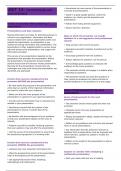
UNIT 14:
• Summarize the main points of the presentation to
PRESENTATIONS AND conclude the presentation.
DATA RESPONSE • Stand in a good upright position, where the
audience can clearly see the presenter and
presentation.
Factors to consider when preparing a • Refrain from hiding behind equipment.
presentation
• Attract listeners' attention.
Presentations and data response
Sharing information and data for planning purposes is
Ways in which the presenter can handle
critical in any organization. Information and data
feedback in a non-aggressive and professional
must be shared with various stakeholders within and
manner
outside the organization. A presentation is one
method of sharing information with stakeholders. The • Keep answers short and to the point.
presentation is often supplemented by various visual
aids that enhance the presentation, and support the • Apologize and admit mistakes if pointed out by the
information provided. audience.
The success of any presentation depends on the • Encourage questions from the audience.
preparation that precedes the presentation. Before
• Always address the question, not the person.
the presentation, the presenter should consider
several factors that will enhance his/her presentation. • Acknowledge good questions to motivate the
Planning for the presentation ensures that any audience to ask more questions.
challenges that may arise during the presentation are
identified and addressed. • The presenter should not engage in a debate when
responding to questions.
• The presenter should not avoid the questions if
Factors that must be considered by the they cannot be answered, but rather promise to
presenter BEFORE the presentation provide feedback on the questions at a later stage.
• Be clear about the purpose of the presentation and
write down an outline of the important information
you want to share with your audience. Areas of improvement for the next
presentation
• Make sure that the main purpose of the
presentation is captured in your opening statement. Areas of improvement for the next
presentation
• Include only the information that is important and
reliable in your presentation. • The presenter should review goals that were not
achieved.
• Familiarize yourself with the content of the
presentation to ensure a smooth flow of the • Integrate humor into your presentation at
presentation. appropriate times.
• Be familiar with the background of your audience, • Always be prepared to adapt, update and keep the
so that your presentation speaks to their area of information relevant.
interest.
• Reflect on any problems and criticisms and prevent
• Prepare yourself for possible clarifying questions them in future presentations.
that your audience may ask after the presentation.
• Any information that the presenter receives as
• Visit the venue of the presentation to ensure that feedback from a presentation must be analyzed and,
the audiovisual equipment is in working order. where relevant, updated to update or modify the
presentation.
• Reflect on the length of the presentation to add or
Factors that must be considered by the
remove content.
presenter DURING the presentation
• List/show the most important information first.
Aspects to consider when designing a
• Make the purpose/main points of the presentation
multimedia presentation
clear at the beginning of the presentation.
• Start your slides with text and a heading.
• Use appropriate section titles, headings,
subheadings and bullet points.
• Summarize the main points of the presentation to
PRESENTATIONS AND conclude the presentation.
DATA RESPONSE • Stand in a good upright position, where the
audience can clearly see the presenter and
presentation.
Factors to consider when preparing a • Refrain from hiding behind equipment.
presentation
• Attract listeners' attention.
Presentations and data response
Sharing information and data for planning purposes is
Ways in which the presenter can handle
critical in any organization. Information and data
feedback in a non-aggressive and professional
must be shared with various stakeholders within and
manner
outside the organization. A presentation is one
method of sharing information with stakeholders. The • Keep answers short and to the point.
presentation is often supplemented by various visual
aids that enhance the presentation, and support the • Apologize and admit mistakes if pointed out by the
information provided. audience.
The success of any presentation depends on the • Encourage questions from the audience.
preparation that precedes the presentation. Before
• Always address the question, not the person.
the presentation, the presenter should consider
several factors that will enhance his/her presentation. • Acknowledge good questions to motivate the
Planning for the presentation ensures that any audience to ask more questions.
challenges that may arise during the presentation are
identified and addressed. • The presenter should not engage in a debate when
responding to questions.
• The presenter should not avoid the questions if
Factors that must be considered by the they cannot be answered, but rather promise to
presenter BEFORE the presentation provide feedback on the questions at a later stage.
• Be clear about the purpose of the presentation and
write down an outline of the important information
you want to share with your audience. Areas of improvement for the next
presentation
• Make sure that the main purpose of the
presentation is captured in your opening statement. Areas of improvement for the next
presentation
• Include only the information that is important and
reliable in your presentation. • The presenter should review goals that were not
achieved.
• Familiarize yourself with the content of the
presentation to ensure a smooth flow of the • Integrate humor into your presentation at
presentation. appropriate times.
• Be familiar with the background of your audience, • Always be prepared to adapt, update and keep the
so that your presentation speaks to their area of information relevant.
interest.
• Reflect on any problems and criticisms and prevent
• Prepare yourself for possible clarifying questions them in future presentations.
that your audience may ask after the presentation.
• Any information that the presenter receives as
• Visit the venue of the presentation to ensure that feedback from a presentation must be analyzed and,
the audiovisual equipment is in working order. where relevant, updated to update or modify the
presentation.
• Reflect on the length of the presentation to add or
Factors that must be considered by the
remove content.
presenter DURING the presentation
• List/show the most important information first.
Aspects to consider when designing a
• Make the purpose/main points of the presentation
multimedia presentation
clear at the beginning of the presentation.
• Start your slides with text and a heading.
• Use appropriate section titles, headings,
subheadings and bullet points.