100% satisfaction guarantee Immediately available after payment Both online and in PDF No strings attached 4.2 TrustPilot
logo-home
Exam (elaborations)

WGU D276 Web development Final Exam Review Completed with Correct answers

Rating
-
Sold
-
Pages
19
Grade
A+
Uploaded on
02-03-2025
Written in
2024/2025

WGU D276 Web development Final Exam Review Completed with Correct answers WGU D276 Web development Final Exam Review Completed with Correct answers HTML << correct answer >> Hypertext Markup Language, a standardized system for tagging text files to achieve font, color, graphic, and hyperlink effects on World Wide Web pages. HTTP << correct answer >> HypterText Transfer Protocol World Wide Web Consortium (W3C) << correct answer >> An international community that develops open standards for the Web. Created in 1993 Web Hyptertext Application Technology Working Group (WHATWG) << correct answer >> organization that develops a variety of web standards and whose members include the major browser vendors. 2019 HTML Living Standard << correct answer >> a continually evolving standard without version numbers that replaces HTML5. Created by WHATWG 1945 << correct answer >> What year did the idea for generating links from within one document to other documents is described. 1965 << correct answer >> When was the hyperlink invented? 1990 << correct answer >> First web browser is created 1995 << correct answer >> HTML 2.0 standard published 2014 << correct answer >> HTML5 standard published. Separation of duties << correct answer >> Over time, a move to separate document structure (HTML), document presentation (CSS), and webpage interaction with the user (JavaScript). Root Servers << correct answer >> Thirteen main DNS servers that exist in the world. Top level domain << correct answer >> .com .org etc ccTLD << correct answer >> country code .us .uk Query string << correct answer >> Optional characters to the right of the question mark (?) in a URL that provide data for the web server. Fragment << correct answer >> Optional characters at the end of a URL that with a hash character (#) and refer to a certain location within a webpage. 404 << correct answer >> The status code that a web server returns to a browser when a requested webpage is not found. Linkrot << correct answer >> When content is removed from the web and the URLs that used to point to the content now return a 404 (not found) status code. TCP/IP << correct answer >> Transmission Control Protocol / Internet Protocol, a protocol suite that governs how data packets are transferred over the Internet from one machine to another. HTTP Request << correct answer >> A message sent from the web browser to the web server. HTTP Response << correct answer >> A message sent from the web server back to the web browser in response to an HTTP request. Content-Length << correct answer >> Number of bytes in the HTTP response's message body. Content-Type << correct answer >> Media type of the HTTP response's message body HTTP Server << correct answer >> Identifies the web server software that generated the HTTP response. HOST (http request) << correct answer >> The domain name for the HTTP requested path. USER-AGENT (http request) << correct answer >> Identifies the browser making the HTTP request. IANA << correct answer >> Internet Assigned Numbers Authroity - a standards organization that manages various internet numbers and symbols, like global IP address allocation, root zone management, and media types. ETag << correct answer >> Entity Tag, an identifier for a specific version of a web resource. Affordances << correct answer >> Visual clues that guide the user in figuring out how to use an app. Separation of Concerns << correct answer >> The design principle of breaking up web content using distinct languages and documents that overlap as little as possible. HTML Element << correct answer >> A single HTML structure that is represented with HTML tags. tag << correct answer >> A descriptive name surround by < and > characters that the web browser uses to display content CSS - Cascading Style Sheets << correct answer >> A textual language for describing how a webpage is styled for visual presentation. CSS Rule << correct answer >> Specifies styling properties for specific HTML elements. JavaScript << correct answer >> A programming language that runs in a browser, enabling webpages supporting actions like responding to a button click. DocType Declaration - <!DOCTYPE html> << correct answer >> instructs the web browser about what type of document follows <html>...</html> << correct answer >> This element's opening and closing tags enclose everything but the Doctype Declaration. <meta> << correct answer >> Specifies metadata, which is data that describes the document's data. <title></title> << correct answer >> name of the HTML document. body << correct answer >> enclose all elements and content to be rendered in the browser. Attribute << correct answer >> Provides additional information about the HTML element and is included only in the opening element tag. head << correct answer >> This element's tags contain the document title, document metadata, and various other elements that are typically not displayed in the webpage. Void Element << correct answer >> An element that only needs an opening tag. Chrome DevTools << correct answer >> A collection of web development tools that are built into the desktop Chrome browser. HTML validator << correct answer >> Checks that an HTML document conforms to the standard. Deprecated << correct answer >> A feature that is part of a language that is officially discouraged because newer or better features exist, or because the feature is no longer considered safe. <p> << correct answer >> A paragraph element; the basic unit of text in an HTML document. <br> << correct answer >> The Line Break element; creates a line break in a paragraph, such that content after the line break appears on a new line. <section> << correct answer >> An HTML5 element that encapsulates a collection of related content. <h1> << correct answer >> A HTML heading element that typically provides a title for each section. Values range from h1 through h6. <!--...--> << correct answer >> HTML comments; a portion of an HTML document that is not displayed by the browser. <ul>...</ul> << correct answer >> Unordered List element; a collection of items, usually indented and shown using bullets. <li>...</li> << correct answer >> The List Item element; surrounds each item in a list. <ol>...</ol> << correct answer >> A sequenced collection of items, usually indented and shown using numbers or letters. list-style-type << correct answer >> A CSS property that provides the ability to change the bullet used in an unordered list and offers more numbering options in an ordered list. Nested List << correct answer >> A list within a list item of another list. <table>...</table> << correct answer >> An HTML structure that allows data to be organized in rows and columns. Cell << correct answer >> A location within an HTML table structure at a specific row and column. tr << correct answer >> An HTML table row element; contains all the cells in a row. th << correct answer >> An HTML table header; creates a cell whose content is centered and bold. Typically used for column and row headings. td << correct answer >> A table datum element; creates a table cell. caption << correct answer >> An HTML table element that displays its content above and centered its associated table. colspan << correct answer >> An attribute that can be assigned to a table cell to span multiple columns. rowspan << correct answer >> An attribute that can be assigned to a table cell to span multiple rows. thread << correct answer >> An optional table header element that defines the table header. tbody << correct answer >> An optional table body element that defines the table body. tfoot << correct answer >> An optional table footer element that defines the table footer. img << correct answer >> An HTML element that displays an image in a webpage. It is a Void Element (no closing tag). src << correct answer >> A mandatory attribute for many HTML elements that specifies the URL of an image or other resource to display in a webpage. alt << correct answer >> A optional attribute to be used with the <img> element to support an alternative to displaying the image. It is a best practice to include this attribute. Aspect Ratio << correct answer >> The ratio of an image width to the image height. It is written as width:height. JPEG - Joint Photographic Experts Group << correct answer >> an image format commonly used for digital photographs. PNG - Portable Network Graphics << correct answer >> An image format commonly used for line art, screenshots, or images requiring transparency. Lossless Compression << correct answer >> Compression used by PNG and GIF images that does not lose quality. This type of compression works best when a large number of adjacent pixels are the same color. True Color << correct answer >> 24-bit color used by JPEG and PNG images, which is approximately 16 million different colors. Anchor Tag << correct answer >> Defines a hyperlink in a webpage. Mailto << correct answer >> Hyperlink used to send requests and responses over the Internet without encryption. Absolute URL << correct answer >> A complete URL that includes a scheme (http://, https://, etc.) Relative URL << correct answer >> Specifies the relative path to the web resource with no scheme or hostname. ID Addtribute << correct answer >> Creates a fragment identifier, permitting URLs to link directly to the id's location in the document. Target Attribute << correct answer >> Indicates how the browser should display the link when clicked. Entity << correct answer >> A mechanism for writing special characters or symbols in HTML.   << correct answer >> Non-breaking space HTML entity Container << correct answer >> Any part of a web document body that has opening and closing tags. Block Element << correct answer >> An element that fills the width of the element's parent container and can contain other block elements, inline elements, and text. div << correct answer >> A generic element for creating block containers to facilitate managing page content and is the only block element with no semantic meaning. inline element << correct answer >> An HTML element that fills the minimum space possible in the element's parent container and can only text or other inline elements. span << correct answer >> The generic element for creating inline containers to facilitate managing content on the page. form << correct answer >> Allows the web browser to submit information form the user to the server. action << correct answer >> Indicates the URL where the form data should be sent. Method attribute << correct answer >> Indicates the HTTP request type the browser will use to communicate with the server. Get Method << correct answer >> A technique used by a web browser to submit information to a web server by altering the URL of the HTTP request. Post Method << correct answer >> A technique used by a web browser to submit information to a web server by sending the information in the HTTP request body. enctype attribute << correct answer >> Used with a value of "multipart/form-data" indicates the web browser should split a POST request into multiple parts, where each input field is sent as a separate part of the HTTP request message. widget << correct answer >> An interactive component (usually graphical) that the browser uses to interact with a user. type attribute << correct answer >> Indicates the widget type name attribute << correct answer >> Names the widget and sends the widget's value when the widget's form is submitted. id << correct answer >> Used to give a widget a unique identifier. placeholder attribute (widget) << correct answer >> Specifies text that first appears in a text widget, typically for giving the user a hint as to the expected value. value attribute (widget) << correct answer >> Specifies a default value for a widget. label << correct answer >> Displays descriptive text associated with a specific widget. textarea << correct answer >> A widget specified by opening and closing tags that allows users to enter multiple lines of text. checkbox << correct answer >> Allows users to check, or select, a value, many values, or no value at all. radiobutton << correct answer >> A widget for input elements with the type attribute of "radio", which allows users to select exactly one value from possibly many values. drop-down menu << correct answer >> Allows users to select one of several predefined values. Requires <option>...</option> elements for each predefined value. Fieldset << correct answer >> Groups related form widgets together and draws a box around the related widgets. The <legend>...</legend> element defines a caption for a fieldset. fallback << correct answer >> A mechanism that allows a web page element to function correctly even if the browser does not support a particular element. polyfill << correct answer >> A fallback using JavaScript code that makes certain HTML features work on browsers that do not natively support those features. audio element << correct answer >> HTML5 element that plays an audio file in a web page. Video element << correct answer >> An HTML5 element that displays a video in a web page. iframe << correct answer >> Allows a web page to be embedded in a rectangular area of the current web page. script << correct answer >> Allows a web page to include executable code, which the browser assumes to be JavaScript unless indicated otherwise. style << correct answer >> Allows the web page to introduce presentational directives, usually CSS. XML << correct answer >> Extensible Markup Language (XML) is a markup language proposed by the W3C. Unlike HTML, it is case sensitive. XML Tag Formatting << correct answer >> XML tags follow one of two formats; elements tag (<city>"Daytona"</city>) or self-closing tags (<hierarchy title="United States" />). XML Prolog << correct answer >> The XML equivalent to the HTML doctype declaration Selector << correct answer >> Specifies the HTML elements to which the specific style rule applies. Declaration Block << correct answer >> Part of a CSS rule that contains one or more declarations separated by semicolons. Declaration << correct answer >> A CSS property followed by a colon (:) and the property value. Inline Style << correct answer >> CSS declaration placed inside a HTML tag's style attribute. Embedded StyleSheet << correct answer >> CSS rules placed in an HTML document's <head>...</head> using a <style>...</style> element. External Stylesheet << correct answer >> CSS rules placed in a separate file (ex. ) that is imported into an HTML document with a <link> element. Inheritance << correct answer >> A concept where the style declarations from a parent element are applied to any child elements. Specificity << correct answer >> A scoring system that resolves more complex CSS conflicts to determine what style declarations apply to an element. !Important << correct answer >> A CSS rule that may be used on a style declaration to override other declarations and disregard specificity. Element Selector << correct answer >> A CSS selector that matches HTML elements with the specified element names. Class Selector << correct answer >> A CSS selector, specified with a period (.) followed by the class name, that matches HTML elements that have the specified class name. ID Selector << correct answer >> A CSS selector, specified with a hash character (#) followed by the ID name, that matches the HTML element that has the specified ID. Decendant Selector << correct answer >> A CSS selector, specified with a selector followed by a space and another selector, that matches HTML elements that are contained in other elements. Pseudo-class selector << correct answer >> A CSS selector, specified with a colon character (:) following by a pseudo-class name, that matches HTML elements based on user behavior or element metainformation. Universal Selector << correct answer >> A CSS selector, specified using an asterisk (*), that matches ALL HTML elements in a web page. Multiple selector << correct answer >> A CSS selector, specified using a comma (,) to separate selectors, that matches all listed HTML elements to apply a style rule. Child Selector << correct answer >> A CSS selector, specified using a greater-than character (>) between two selectors, that matches any HTML elements where the second element is a direct child of the first element. general sibling selector << correct answer >> A CSS selector, specified using a tilde character (~) between two selectors, that matches the second HTML element if the second element occurs after the first element and both elements are siblings. Adjacent Sibling Selector << correct answer >> A CSS selector, specified using a plus character (+) between two selectors, that matches an HTML element that immediately follows another element, where both elements have the same parent. Combinators << correct answer >> CSS selectors that match specific relationships between two selectors. (ex. descendant, child, adjacent sibling, and general sibling selectors) Attribute Selector << correct answer >> A CSS selector, specified with an attribute name and optional value comparison enclosed in square brackets ([ and ]), that matches HTML elements with the specified attribute or the specified attribute and value. Pseudo-element selector << correct answer >> A CSS selector, specified with two colon characters (::) followed by a pseudo-element, that matches parts of HTML elements. Color Property << correct answer >> A CSS property that changes the text color to a specified color value. RGB color Value << correct answer >> Specifies a color using the rgb(red, green, blue) function by indicating the red, green, and blue intensities. Hexadecimal Color << correct answer >> Specifies a color using the #RRGGBB format by indicating the red, green, and blue intensities. Each intensity is between 00 and FF hexadecimal numbers. HSL Color Value << correct answer >> Specified a color using the hsl(hue, saturation, lightness) function by indicating the hue, saturation, and lightness values. RGBA Color Value << correct answer >> Specifies a color using the rgba(red, green, blue, alpha) function by indicating the red, green, blue, and alpha intensities. Alpha of 0 (zero) means fully transparent, 1 (one) means fully opaque. Background-Color property << correct answer >> Specifies the background color of an HTML element. Background property << correct answer >> A shorthand CSS property for setting several of the HTML element's background properties at the same time. float property << correct answer >> Specifies whether the HTML element will float to the right or left of the element's parent container, allowing text to flow around the element. Clear property << correct answer >> Used to stop HTML elements from floating. Display Property << correct answer >> Controls the layout of the element on a web page. Values include inline, block, none, inline-block, and list-item. CSS variable << correct answer >> A custom CSS property that defines a value. Absolute size << correct answer >> A size that is fixed and independent of other CSS sizes. Relative size << correct answer >> A size that is relative to another size. CSS Units << correct answer >> Used to define the page element length like font-size, height, width, and border, among other properties. Absolute Units << correct answer >> Consist of physical measurements that are fixed, meaning they are not related to other properties. Relative units << correct answer >> Define a length based on another relative length property like font parent or size of a viewport. fixed layout << correct answer >> The use of a fixed-width container to envelop web page contents. Fluid Layout << correct answer >> A layout that allows page contents to fill the browser, sometimes by using percentages for widths. Flexible Box or Flexbox << correct answer >> A CSS layout mode that provides an efficient way to lay out elements in a container so the elements behave predictably when the container is resized for viewed on different screen sizes. Flex Container << correct answer >> An element that has the CSS property display set to 'flex' to create a block-level flex container or inline-flex to create an inline flex container. Flex-Direction << correct answer >> A CSS property that defines the direction of flex items within the container. Flex-basis << correct answer >> A CSS property that sets the initial length of a flex item. Auto is Default. Can be % or unit. Flex-grow << correct answer >> A CSS property that sets a proportion that determines how much of the available container space should be assigned to the item. The default is 0, meaning the size should be based on the item's content. Flex-shrink << correct answer >> A CSS property that sets a proportion that determines the item's minimum size. Default is 1. 0 means the item should not change sizes when container shrinks. Flex-property << correct answer >> A shorthand CSS property that specifies flex-grow, flex-shrink, and flex-basis values together. Grid Layout << correct answer >> A CSS layout mode that divides a web page into a rectangular grid in which to position page elements. Grid Container << correct answer >> An HTML element that has the CSS property display set to grid to create a block-level grid container or inline-gird to create an inline grid container. grid-template-columns << correct answer >> A CSS property that defines the grid container's number of columns and optionally the width of each column. gap property << correct answer >> A CSS property that defines the gap between each grid row and column. grid-template-rows << correct answer >> A CSS property that defines the height of each row. justify-content << correct answer >> A CSS property that horizontally aligns the grid items inside the grid container using different values. Position property << correct answer >> A CSS property that gives developers more control over where HTML elements should appear in the browser. Static positioning << correct answer >> An HTML elements default positioning. Relative Positioning << correct answer >> A CSS position property value that positions the element relative to the element's default position. Fixed Positioning << correct answer >> A CSS position property value that positions an HTML element relative to the viewport in a fixed location. Absolute positioning << correct answer >> A CSS position property value that positions an HTML element relative to the nearest positioned ancestor. Viewport << correct answer >> The visible area of a web page. Z-index property << correct answer >> A CSS property used to specify a relative distance that orders the appearance of elements. text-shadow << correct answer >> A CSS property that adds a shadow to text. It accepts four values: offset-x, offset-y, blur-radius, and color. box-shadow << correct answer >> A CSS property that adds a shadow to the box around an HTML element. border-radius << correct answer >> A CSS property used to round the corners of an HTML element. border-image << correct answer >> A CSS property that renders an HTML element's border using sections of an image. vender prefix << correct answer >> A prefix added to an experimental or nonstandard CSS property that only works on a specific browser type. CSS animation << correct answer >> Transforms an HTML element's styles over a set time period, producing an animation. @keyframes << correct answer >> A CSS rule that contains a keyframe list. keyframe list << correct answer >> A named list that contains the keyframes or the properties and values that will be animated. CSS transition << correct answer >> Animates an HTML element's transition from one state to another when an element's CSS property changes value. transition-timing-function << correct answer >> A CSS property controls the speed of a transition. transform property << correct answer >> A CSS property that applies a 2D or 3D transformation to an element. Appearance property << correct answer >> A CSS property used to control a widget's appearance based on the operating system's theme. Sass << correct answer >> A popular CSS preprocessor that uses CSS-like syntax to build complex CSS stylesheets. SassScript << correct answer >> A set of extensions to CSS that allow properties to use variables, arithmetic, and functions. Dynamic Serving << correct answer >> A web server that sends back a desktop version to desktop browsers and a mobile version to mobile browsers. Responsive Web Design << correct answer >> The web server sends back the same HTML to both desktop and mobile browsers, but the browsers alter the appearance of the web page to match the device size. Adaptive website << correct answer >> A website that adapts to the width of the browser at specific widths. graceful degradation << correct answer >> When web developers design the desktop website first and modify the design to fit smaller screens. progressive enhancement << correct answer >> A "mobile first" design methodology that begins with designing the website for the smallest device and then adapts the design for larger screens. Media Query << correct answer >> A combination of media type and optionally one or more media feature expressions that evaluate to true or false. Breakpoint << correct answer >> The screen width that activates a media query. Bootstrap << correct answer >> One of the most popular free, open-source frameworks (used by Quizzets :). It uses HTML, CSS, and JavaScript to help a developer create responsive websites. <abbr> << correct answer >> defines an abbreviation or an acronym. property Title <area> << correct answer >> defines an area inside an image map. (an image map is an image with clickable areas) <article> << correct answer >> specifies independent, self-contained content <aside> << correct answer >> defines some content aside from the content it is placed in. Its often placed as a sidebar in a document. <audio> << correct answer >> embed sound content in a document, such as music or other audio streams. (Property: autoplay, controls, loop, muted, preload, src) <b> << correct answer >> tag specifies bold text without any extra importance <base> << correct answer >> specifies the base URL and/or target for all relative URLs in a document. <bdi> - Bi-Directional Isolation << correct answer >> tag isolates a part of text that might be formatted in a different direction from other text outside it. <bdo> - Bi-Directional Override << correct answer >> tag is used to override the current text direction <blockquote> << correct answer >> specifies a section that is quoted from another source. (Use <q> for inline (short) quotations.) <canvas> << correct answer >> used to draw graphics, on the fly, via scripting (usually JavaScript). <cite> << correct answer >> tag defines the title of a creative work (e.g. a book, a poem, a song, a movie, a painting, a sculpture, etc.). <code> << correct answer >> tag is used to define a piece of computer code. The content inside is displayed in the browser's default monospace font. <colgroup> << correct answer >> specifies a group of one or more columns in a table for formatting. <data> << correct answer >> used to add a machine-readable translation of a given content. (machine-readable value for data processors, and a human-readable value for rendering in a browser.) <dd> << correct answer >> used to describe a term/name in a description list. <del> << correct answer >> tag defines text that has been deleted from a document. Browsers will usually strike a line through deleted text. <details> << correct answer >> tag specifies additional details that the user can open and close on demand. <dialog> << correct answer >> tag defines a dialog box or subwindow. <dl> << correct answer >> tag defines a description list. tag is used in conjunction with <dt> (defines terms/names) and <dd> (describes each term/name). <em> << correct answer >> used to define emphasized text. italic <embed> << correct answer >> defines a container for an external resource, such as a web page, a picture, a media player, or a plug-in application. <fieldset> << correct answer >> tag is used to group related elements in a form. <figcaption> << correct answer >> defines a caption for a <figure> element. <figure> << correct answer >> Specifies self-contained content, like illustrations, diagrams, photos, code listings, etc. <h1>, <h2>, <h3>, <h4>, <h5>, <h6>. Biggest to Smallest << correct answer >> tags are used to define HTML headings. <head> << correct answer >> Container for metadata (data about data) and is placed between the <html> tag and the <body> tag. <hr> << correct answer >> defines a thematic break in an HTML page (e.g. a shift of topic). Entire page width line is displayed <html << correct answer >> represents the root of an HTML document <i> << correct answer >> defines a part of text in an alternate voice or mood. The content inside is typically displayed in italic. Use only when there is not a more appropriate semantic element. (em, strong, mark cite, dfn etc) <kbd> << correct answer >> define keyboard input. The content inside is displayed in the browser's default monospace font. <legend> << correct answer >> defines a caption for the <fieldset> element <link> << correct answer >> defines the relationship between the current document and an external resource. <main> << correct answer >> specifies the main content of a document. <map> << correct answer >> used to define an image map. An image map is an image with clickable areas. <mark> << correct answer >> defines text that should be marked or highlighted. <meta> << correct answer >> defines metadata about an HTML document. Metadata is data (information) about data. <meter> << correct answer >> defines a scalar measurement within a known range, or a fractional value. This is also known as a gauge. <nav> << correct answer >> defines a set of navigation links. <optgroup> << correct answer >> sed to group related options in a <select> element (drop-down list). If you have a long list of options, groups of related options are easier to handle for a user. <q> << correct answer >> defines a short quotation (<blockquote> for long) <section> << correct answer >> defines a section in a document. <span> << correct answer >> inline container used to mark up a part of a text, or a part of a document. <strong> << correct answer >> define text with strong importance. The content inside is typically displayed in bold. <style> << correct answer >> used to define style information (CSS) for a document. NO it is not. << correct answer >> Is HTML Case-sensitive? Yes it is. It has to be used by multiple languages. <example> is different than <EXAMPLE> << correct answer >> is XML Case-Senstive? XML << correct answer >> Stands for eXtensible Markup Language XML << correct answer >> designed to be self-descriptive Root element << correct answer >> parent of all other elements. XML only has 1. XML Prolog << correct answer >> <?xml version="1.0" encoding="UTF-8"?> True. XML leaves it exactly how it was entered << correct answer >> True or False: XML does not truncate multiple white-spaces Tags that clearly describes its meaning to both the browser and the developer. << correct answer >> What is a sematic element? <article> <aside> <details> <figcaption> <figure> <footer> <header> <main> <mark> <nav> <section> <summary> <time> << correct answer >> 13 Common semantic elements? pt << correct answer >> points - Absolute Unit pc << correct answer >> picas - Absolute Unit px << correct answer >> pixels - Absolute Unit em << correct answer >> Relative to the font-size of the element (2em means 2 times the size of the current font) - Relative Unit ex << correct answer >> Relative to the x-height of the current font (rarely used) - Relative Unit ch << correct answer >> Relative to the width of the "0" (zero) - Relative Unit rem << correct answer >> Relative to font-size of the root element - Relative Unit vw << correct answer >> Relative to 1% of the width of the viewport* - Relative Unit vh << correct answer >> Relative to 1% of the height of the viewport* - Relative Unit vmin << correct answer >> Relative to 1% of viewport's* smaller dimension - Relative Unit vmax << correct answer >> Relative to 1% of viewport's* larger dimension - Relative Unit % << correct answer >> Relative to the parent element - Relative Unit Sass << correct answer >> a popular CSS preprocessor that uses CSS-like syntax to build complex CSS stylesheets. a Sass file (.scss) into a CSS (.css) file. << correct answer >> What does the SASS preprocessor compile? SassScript << correct answer >> a set of extensions to CSS that allow properties to use variables, arithmetic, and functions. also provides basic control directives for performing conditional logic and looping. a $ << correct answer >> What do Sass Script variables begin with? set of reusable styles and is defined by the @mixin directive << correct answer >> What is Mixin? a CSS statement that starts with the @ character and instructs the CSS engine how to behave. When a media query in a stylesheet matches, the @media's inner rules are defined. << correct answer >> What is a At-Rule? column-gap and row-gap << correct answer >> Which CSS properties are used to specify the amount of space between grid columns and rows? Contains many pairs of coordinates Begins and ends at the same pair of coordinates << correct answer >> What are two unique characteristics that define a polygon hot spot? display property - inline << correct answer >> Displays the element as an inline element, like span or a elements. display property - block << correct answer >> Displays the element as a block element, like p, h1, or div elements. display property - none << correct answer >> Hides the element from being displayed, like style elements. display property - inline-block << correct answer >> Displays the contents of the element as a block element, but formats the element as an inline element. display property - list-item << correct answer >> Displays the contents of the element as a list item element. Declaring the variable in the :root selector. two dashes preceding the variable name. Ex: --my-variable: red; << correct answer >> How do you create a variable in CSS? <polygon> << correct answer >> element is used to create a graphic that contains at least three sides. Polygons are made of straight lines, and the shape is "closed" (all the lines connect up). border-style example: border-style: dotted; << correct answer >> What is the CSS syntax for Border styles? border-top-style: << correct answer >> What is the CSS syntax for border styles for specific sides?

Show more Read less


Whoops! We can’t load your doc right now. Try again or contact support.

Document information

Uploaded on
March 2, 2025
Number of pages
19
Written in
2024/2025
Type
Exam (elaborations)
Contains
Questions & answers

Subjects

Content preview

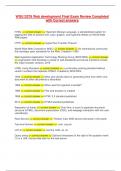
WGU D276 Web development Final Exam Review Completed
with Correct answers


HTML << correct answer >> Hypertext Markup Language, a standardized system for
tagging text files to achieve font, color, graphic, and hyperlink effects on World Wide
Web pages.

HTTP << correct answer >> HypterText Transfer Protocol

World Wide Web Consortium (W3C) << correct answer >> An international community
that develops open standards for the Web. Created in 1993

Web Hyptertext Application Technology Working Group (WHATWG) << correct answer
>> organization that develops a variety of web standards and whose members include
the major browser vendors. 2019

HTML Living Standard << correct answer >> a continually evolving standard without
version numbers that replaces HTML5. Created by WHATWG

1945 << correct answer >> What year did the idea for generating links from within one
document to other documents is described.

1965 << correct answer >> When was the hyperlink invented?

1990 << correct answer >> First web browser is created

1995 << correct answer >> HTML 2.0 standard published

2014 << correct answer >> HTML5 standard published.

Separation of duties << correct answer >> Over time, a move to separate document
structure (HTML), document presentation (CSS), and webpage interaction with the user
(JavaScript).

Root Servers << correct answer >> Thirteen main DNS servers that exist in the world.

Top level domain << correct answer >> .com .org etc

ccTLD << correct answer >> country code .us .uk

Query string << correct answer >> Optional characters to the right of the question mark
(?) in a URL that provide data for the web server.

,Fragment << correct answer >> Optional characters at the end of a URL that with a
hash character (#) and refer to a certain location within a webpage.

404 << correct answer >> The status code that a web server returns to a browser when
a requested webpage is not found.

Linkrot << correct answer >> When content is removed from the web and the URLs that
used to point to the content now return a 404 (not found) status code.

TCP/IP << correct answer >> Transmission Control Protocol / Internet Protocol, a
protocol suite that governs how data packets are transferred over the Internet from one
machine to another.

HTTP Request << correct answer >> A message sent from the web browser to the web
server.

HTTP Response << correct answer >> A message sent from the web server back to the
web browser in response to an HTTP request.

Content-Length << correct answer >> Number of bytes in the HTTP response's
message body.

Content-Type << correct answer >> Media type of the HTTP response's message body

HTTP Server << correct answer >> Identifies the web server software that generated
the HTTP response.

HOST (http request) << correct answer >> The domain name for the HTTP requested
path.

USER-AGENT (http request) << correct answer >> Identifies the browser making the
HTTP request.

IANA << correct answer >> Internet Assigned Numbers Authroity - a standards
organization that manages various internet numbers and symbols, like global IP
address allocation, root zone management, and media types.

ETag << correct answer >> Entity Tag, an identifier for a specific version of a web
resource.

Affordances << correct answer >> Visual clues that guide the user in figuring out how to
use an app.

Separation of Concerns << correct answer >> The design principle of breaking up web
content using distinct languages and documents that overlap as little as possible.

, HTML Element << correct answer >> A single HTML structure that is represented with
HTML tags.

tag << correct answer >> A descriptive name surround by < and > characters that the
web browser uses to display content

CSS - Cascading Style Sheets << correct answer >> A textual language for describing
how a webpage is styled for visual presentation.

CSS Rule << correct answer >> Specifies styling properties for specific HTML elements.

JavaScript << correct answer >> A programming language that runs in a browser,
enabling webpages supporting actions like responding to a button click.

DocType Declaration - <!DOCTYPE html> << correct answer >> instructs the web
browser about what type of document follows

<html>...</html> << correct answer >> This element's opening and closing tags enclose
everything but the Doctype Declaration.

<meta> << correct answer >> Specifies metadata, which is data that describes the
document's data.

<title></title> << correct answer >> name of the HTML document.

body << correct answer >> enclose all elements and content to be rendered in the
browser.

Attribute << correct answer >> Provides additional information about the HTML element
and is included only in the opening element tag.

head << correct answer >> This element's tags contain the document title, document
metadata, and various other elements that are typically not displayed in the webpage.

Void Element << correct answer >> An element that only needs an opening tag.

Chrome DevTools << correct answer >> A collection of web development tools that are
built into the desktop Chrome browser.

HTML validator << correct answer >> Checks that an HTML document conforms to the
standard.

Deprecated << correct answer >> A feature that is part of a language that is officially
discouraged because newer or better features exist, or because the feature is no longer
considered safe.

Get to know the seller

Seller avatar
Reputation scores are based on the amount of documents a seller has sold for a fee and the reviews they have received for those documents. There are three levels: Bronze, Silver and Gold. The better the reputation, the more your can rely on the quality of the sellers work.
grade_bender Rasmussen College
View profile
Follow You need to be logged in order to follow users or courses
Sold
1035
Member since
5 year
Number of followers
958
Documents
1871
Last sold
1 month ago
Grade_bender all documents, bundles, and flashcards

Access the most current and rigorously authenticated examination materials, including actual tests with 100% verification. Our comprehensive repository encompasses ATI, Nursing, PMHNP, TNCC, USMLE, ACLS, WGU, and all associated certification and academic assessments—each designed to ensure guaranteed success. Should a specific resource be unavailable in our catalog, our dedicated support team will procure it promptly upon request. Purchase with absolute confidence. We strongly encourage all clients to submit a review post-acquisition to affirm complete satisfaction and uphold our commitment to academic excellence.

Read more Read less
3.8

146 reviews

5
71
4
31
3
14
2
8
1
22

Recently viewed by you

Why students choose Stuvia

Created by fellow students, verified by reviews

Quality you can trust: written by students who passed their exams and reviewed by others who've used these notes.

Didn't get what you expected? Choose another document

No worries! You can immediately select a different document that better matches what you need.

Pay how you prefer, start learning right away

No subscription, no commitments. Pay the way you're used to via credit card or EFT and download your PDF document instantly.

Student with book image

“Bought, downloaded, and aced it. It really can be that simple.”

Alisha Student

Frequently asked questions