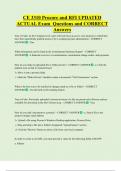
CE 3310 Procore and RFI UPDATED
ACTUAL Exam Questions and CORRECT
Answers
True or False: At the Company level, users will only have access to view projects to which they
have been specifically granted access to by a company/project administrator - CORRECT
ANSWER - True
What information can be found in the Commitment Summary Report? - CORRECT
ANSWER - A financial overview of commitments, commitment change orders, and payments
How do you make an uploaded file or folder private? - CORRECT ANSWER - a. Click the
padlock icon so that it's locked/closed
b. Move it into a private folder
c. Mark the "Make Private" checkbox under a document's "File Permissions" section
What is the best way to be notified of changes made to a file or folder? - CORRECT
ANSWER - Use the built-in file tracking feature
True or False: Previously uploaded versions/revisions of a file are preserved in Procore and are
available for download in the file's Version Log. - CORRECT ANSWER - True
How do you add a document to a project? - CORRECT ANSWER - a. Send a file to the
project's unique email address
b. Upload a file using Procore's Windows Desktop application, Procore Drive
c. Drag and drop a file into a folder's designated "Upload Queue" section
d. Click the "Browse" button to select a file from your local computer
In order to create a new RFI, you must provide a value for the following fields, EXCEPT:
a. Subject
, b. Cost of Impact
c. Question
d. Assigned To - CORRECT ANSWER - Cost of impact
True or False: If you plan to make changes to the RFI before it's officially distributed to the
assignee, you should place the RFI in "Draft" mode. - CORRECT ANSWER - True
True or False: If an assignee does not respond to an RFI before the due date, the person who
created the RFI is responsible for sending email reminders. - CORRECT ANSWER - False
True or False: By default, persons or companies listed in either the "Responsible Contractor" or
"Question Received From" fields will not receive email notifications about the RFI unless they
are added to the "Distribution" list. - CORRECT ANSWER - True
How can a user respond to an RFI so that the response is automatically saved in Procore? -
CORRECT ANSWER - a. By replying to the email notification itself
b. By viewing the RFI in Procore's web application and entering a response
c. By viewing the RFI in Procore's mobile application and entering a response
Who can view a private RFI? - CORRECT ANSWER - a. The person who is assigned the RFI
b. Any users on the RFI's distribution list
c. Users with 'Admin' level permission on the RFIs tool
True or False: You cannot change the order in which the different daily logs are listed. -
CORRECT ANSWER - False
True or False: The Manpower Log Report can be used to record site activity of individuals as
well as companies. - CORRECT ANSWER - True
ACTUAL Exam Questions and CORRECT
Answers
True or False: At the Company level, users will only have access to view projects to which they
have been specifically granted access to by a company/project administrator - CORRECT
ANSWER - True
What information can be found in the Commitment Summary Report? - CORRECT
ANSWER - A financial overview of commitments, commitment change orders, and payments
How do you make an uploaded file or folder private? - CORRECT ANSWER - a. Click the
padlock icon so that it's locked/closed
b. Move it into a private folder
c. Mark the "Make Private" checkbox under a document's "File Permissions" section
What is the best way to be notified of changes made to a file or folder? - CORRECT
ANSWER - Use the built-in file tracking feature
True or False: Previously uploaded versions/revisions of a file are preserved in Procore and are
available for download in the file's Version Log. - CORRECT ANSWER - True
How do you add a document to a project? - CORRECT ANSWER - a. Send a file to the
project's unique email address
b. Upload a file using Procore's Windows Desktop application, Procore Drive
c. Drag and drop a file into a folder's designated "Upload Queue" section
d. Click the "Browse" button to select a file from your local computer
In order to create a new RFI, you must provide a value for the following fields, EXCEPT:
a. Subject
, b. Cost of Impact
c. Question
d. Assigned To - CORRECT ANSWER - Cost of impact
True or False: If you plan to make changes to the RFI before it's officially distributed to the
assignee, you should place the RFI in "Draft" mode. - CORRECT ANSWER - True
True or False: If an assignee does not respond to an RFI before the due date, the person who
created the RFI is responsible for sending email reminders. - CORRECT ANSWER - False
True or False: By default, persons or companies listed in either the "Responsible Contractor" or
"Question Received From" fields will not receive email notifications about the RFI unless they
are added to the "Distribution" list. - CORRECT ANSWER - True
How can a user respond to an RFI so that the response is automatically saved in Procore? -
CORRECT ANSWER - a. By replying to the email notification itself
b. By viewing the RFI in Procore's web application and entering a response
c. By viewing the RFI in Procore's mobile application and entering a response
Who can view a private RFI? - CORRECT ANSWER - a. The person who is assigned the RFI
b. Any users on the RFI's distribution list
c. Users with 'Admin' level permission on the RFIs tool
True or False: You cannot change the order in which the different daily logs are listed. -
CORRECT ANSWER - False
True or False: The Manpower Log Report can be used to record site activity of individuals as
well as companies. - CORRECT ANSWER - True