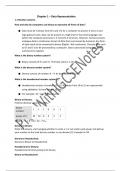
Chapter 1 – Data Representation
1.1 Number systems
How and why do computers use binary to represent all forms of data?
● Data must be in binary form (0’s and 1’s) for a computer to process it since it uses
logic gates/circuits. Data can be present in a high-level or low-level language, but
before the computer processes it, it converts it to binary. However, humans process
analogue data (a continuous stream of data that is processed by humans). Any form
of data needs to be converted to binary (Digital - Not-continuous. Discrete data such
as 0's and 1's) to be processed by a computer. Data is processed using logic gates
and stored in registers
What is the binary number system?
● Binary consists of 0’s and 1’s. The base value is 2. (n) ₂
What is the denary number system?
● Denary consists of numbers 0 – 9. Its base value is 10. (n) 10
What is the hexadecimal number system?
● Hexadecimal consists of numbers 0 – 15. Numbers from 10 to 15 are represented
using alphabets. Its base value is 16. (n)16
● For example: 1E = 114 in hexadecimal
Binary to Denary:
Find the decimal value of 1110012:
binary
1 1 1 0 0 1
number:
power of 2: 32 16 8 4 2 1
1110012 = 1 + 8 + 16 + 32 = 5710
Denary to Binary:
Write the powers, start winging whether to write a 1 or not under each power and add up
your number to the total denary number or use division (2). Example in CW
Denary to Hexadecimal:
Denary to Binary to Hexadecimal
Hexadecimal to Denary:
Hexadecimal to binary (wing it) to denary
Binary to Hexadecimal:
, If the number of digits isn't a multiple of 4, just separate the binary as 4 digits from the right
and consider the spaces that have to be filled to make a number of digits a multiplier of 0.
Convert binary 11011002 to hex:
Convert every 4 binary bits (from bit0) to hex digit:
11011002 = 110 1100 = 6 C = 6C16
Hexadecimal to Binary:
Wing it based on logic.
How and why is hexadecimal used as a beneficial method of data representation?
● Hex is useful because large numbers can be represented using fewer digits/shorter.
It takes up less storage than binary numbers. Additionally, hex is easier to
understand, read, write and remember than binary and easier to debug and locate
errors. Programmers often use hex to represent binary values as they are simpler to
write and check than when using binary.
● Examples of hexadecimal include MAC address, HTML Colour Codes, IPv6 address,
Error messages/codes, URL, Barcodes, Memory dumps, Assembly languages and
machine code.
Binary addition:
● 0+0=0
● 0+1=1
● 1+0=1
● 1 + 1 = 10
● 1 + 1+ 1 = 11
Concept of overflow and why it occurs in binary addition:
● An overflow error will occur if the value is greater than 255 in an 8-bit register.
● A computer or a device has a predefined limit that it can represent or store, for
example 16-bit. An overflow error occurs when a value outside this limit should be
returned.
Logical Binary Shifts:
● Bits shifted from the end of the register are lost and zeros are shifted in at the
opposite end of the register. The positive binary integer is multiplied or divided
1.1 Number systems
How and why do computers use binary to represent all forms of data?
● Data must be in binary form (0’s and 1’s) for a computer to process it since it uses
logic gates/circuits. Data can be present in a high-level or low-level language, but
before the computer processes it, it converts it to binary. However, humans process
analogue data (a continuous stream of data that is processed by humans). Any form
of data needs to be converted to binary (Digital - Not-continuous. Discrete data such
as 0's and 1's) to be processed by a computer. Data is processed using logic gates
and stored in registers
What is the binary number system?
● Binary consists of 0’s and 1’s. The base value is 2. (n) ₂
What is the denary number system?
● Denary consists of numbers 0 – 9. Its base value is 10. (n) 10
What is the hexadecimal number system?
● Hexadecimal consists of numbers 0 – 15. Numbers from 10 to 15 are represented
using alphabets. Its base value is 16. (n)16
● For example: 1E = 114 in hexadecimal
Binary to Denary:
Find the decimal value of 1110012:
binary
1 1 1 0 0 1
number:
power of 2: 32 16 8 4 2 1
1110012 = 1 + 8 + 16 + 32 = 5710
Denary to Binary:
Write the powers, start winging whether to write a 1 or not under each power and add up
your number to the total denary number or use division (2). Example in CW
Denary to Hexadecimal:
Denary to Binary to Hexadecimal
Hexadecimal to Denary:
Hexadecimal to binary (wing it) to denary
Binary to Hexadecimal:
, If the number of digits isn't a multiple of 4, just separate the binary as 4 digits from the right
and consider the spaces that have to be filled to make a number of digits a multiplier of 0.
Convert binary 11011002 to hex:
Convert every 4 binary bits (from bit0) to hex digit:
11011002 = 110 1100 = 6 C = 6C16
Hexadecimal to Binary:
Wing it based on logic.
How and why is hexadecimal used as a beneficial method of data representation?
● Hex is useful because large numbers can be represented using fewer digits/shorter.
It takes up less storage than binary numbers. Additionally, hex is easier to
understand, read, write and remember than binary and easier to debug and locate
errors. Programmers often use hex to represent binary values as they are simpler to
write and check than when using binary.
● Examples of hexadecimal include MAC address, HTML Colour Codes, IPv6 address,
Error messages/codes, URL, Barcodes, Memory dumps, Assembly languages and
machine code.
Binary addition:
● 0+0=0
● 0+1=1
● 1+0=1
● 1 + 1 = 10
● 1 + 1+ 1 = 11
Concept of overflow and why it occurs in binary addition:
● An overflow error will occur if the value is greater than 255 in an 8-bit register.
● A computer or a device has a predefined limit that it can represent or store, for
example 16-bit. An overflow error occurs when a value outside this limit should be
returned.
Logical Binary Shifts:
● Bits shifted from the end of the register are lost and zeros are shifted in at the
opposite end of the register. The positive binary integer is multiplied or divided