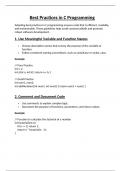
Best Practices in C Programming
Adopting best practices in C programming ensures code that is efficient, readable,
and maintainable. These guidelines help avoid common pitfalls and promote
robust software development.
1. Use Meaningful Variable and Function Names
Choose descriptive names that convey the purpose of the variable or
function.
Follow consistent naming conventions, such as camelCase or snake_case.
Example
// Poor Practice
int x, y;
int z(int a, int b) { return a + b; }
// Good Practice
int num1, num2;
int addNumbers(int num1, int num2) { return num1 + num2; }
2. Comment and Document Code
Use comments to explain complex logic.
Document the purpose of functions, parameters, and return values.
Example
// Function to calculate the factorial of a number
int factorial(int n) {
if (n <= 1) return 1;
return n * factorial(n - 1);
}
, 3. Avoid Magic Numbers
Use #define or const for fixed values to improve readability and
maintainability.
Example
#define MAX_USERS 100
const float PI = 3.14159;
int users[MAX_USERS];
4. Handle Errors Gracefully
Check the return values of functions, especially those involving file handling
or memory allocation.
Use error codes or logging for better debugging.
Example
FILE* file = fopen("data.txt", "r");
if (file == NULL) {
perror("Error opening file");
return 1;
}
5. Avoid Buffer Overflows
Use safer functions like fgets() instead of gets() and validate input sizes.
Example
char buffer[100];
fgets(buffer, sizeof(buffer), stdin);
Adopting best practices in C programming ensures code that is efficient, readable,
and maintainable. These guidelines help avoid common pitfalls and promote
robust software development.
1. Use Meaningful Variable and Function Names
Choose descriptive names that convey the purpose of the variable or
function.
Follow consistent naming conventions, such as camelCase or snake_case.
Example
// Poor Practice
int x, y;
int z(int a, int b) { return a + b; }
// Good Practice
int num1, num2;
int addNumbers(int num1, int num2) { return num1 + num2; }
2. Comment and Document Code
Use comments to explain complex logic.
Document the purpose of functions, parameters, and return values.
Example
// Function to calculate the factorial of a number
int factorial(int n) {
if (n <= 1) return 1;
return n * factorial(n - 1);
}
, 3. Avoid Magic Numbers
Use #define or const for fixed values to improve readability and
maintainability.
Example
#define MAX_USERS 100
const float PI = 3.14159;
int users[MAX_USERS];
4. Handle Errors Gracefully
Check the return values of functions, especially those involving file handling
or memory allocation.
Use error codes or logging for better debugging.
Example
FILE* file = fopen("data.txt", "r");
if (file == NULL) {
perror("Error opening file");
return 1;
}
5. Avoid Buffer Overflows
Use safer functions like fgets() instead of gets() and validate input sizes.
Example
char buffer[100];
fgets(buffer, sizeof(buffer), stdin);