

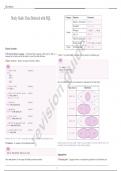
Data Science
15.003 Software Tools — Data Science Afshine Amidi & Shervine Amidi
Study Guide: Data Retrieval with SQL Category Operator Command
Equality / non-equality = / !=, <>
Inequalities >=, >, <, <=
Afshine Amidi and Shervine Amidi Belonging IN (val_1, ..., val_n)
General
And / or AND / OR
August 21, 2020 Check for missing value IS NULL
Between bounds BETWEEN val_1 AND val_2
e
Strings Pattern matching LIKE ’%val%’
General concepts
r Structured Query Language – Structured Query Language, abbreviated as SQL, is a
id
language that is largely used in the industry to query data from databases. r Joins – Two tables table_1 and table_2 can be joined in the following way:
r Query structure – Queries are usually structured as follows: SQL
...
SQL FROM table_1 t1
gu
-- Select fields.....................mandatory type_of_join table_2 t2
SELECT ..ON (t2.key = t1.key)
....col_1,
....col_2, ...
........ ,
....col_n where the different type_of_join commands are summarized in the table below:
-- Source of data....................mandatory
FROM table t Type of join Illustration
n
-- Gather info from other sources....optional
JOIN other_table ot INNER JOIN
..ON (t.key = ot.key)
-- Conditions........................optional
WHERE some_condition(s)
-- Aggregating.......................optional
GROUP BY column_group_list
io LEFT JOIN
is
-- Sorting values....................optional
ORDER BY column_order_list
RIGHT JOIN
-- Restricting aggregated values.....optional
HAVING some_condition(s)
v
-- Limiting number of rows...........optional
LIMIT some_value FULL JOIN
re
Remark: the SELECT DISTINCT command can be used to ensure not having duplicate rows.
r Condition – A condition is of the following format: Remark: joining every row of table 1 with every row of table 2 can be done with the CROSS JOIN
command, and is commonly known as the cartesian product.
SQL
some_col some_operator some_col_or_value
Aggregations
where some_operator can be among the following common operations: r Grouping data – Aggregate metrics are computed on grouped data in the following way:
Massachusetts Institute of Technology 1 https://www.mit.edu/~amidi
, 15.003 Software Tools — Data Science Afshine Amidi & Shervine Amidi
WHERE HAVING
- Filter condition applies to individual rows - Filter condition applies to aggregates
- Statement placed right after FROM - Statement placed right after GROUP BY
Remark: if WHERE and HAVING are both in the same query, WHERE will be executed first.
The SQL command is as follows:
Window functions
SQL
r Definition – A window function computes a metric over groups and has the following struc-
e
SELECT ture:
....col_1,
....agg_function(col_2)
FROM table
id
GROUP BY col_1
r Grouping sets – The GROUPING SETS command is useful when there is a need to compute
aggregations across different dimensions at a time. Below is an example of how all aggregations
gu
across two dimensions are computed:
The SQL command is as follows:
SQL
SQL
SELECT
....col_1, some_window_function() OVER(PARTITION BY some_col ORDER BY another_col)
....col_2,
....agg_function(col_3) Remark: window functions are only allowed in the SELECT clause.
FROM table
GROUP BY (
n
r Row numbering – The table below summarizes the main commands that rank each row
..GROUPING SETS across specified groups, ordered by a specific column:
....(col_1),
....(col_2),
....(col_1, col_2)
)
io
r Aggregation functions – The table below summarizes the main aggregate functions that
can be used in an aggregation query:
Command
ROW_NUMBER()
RANK()
DENSE_RANK()
Description
Ties are given different ranks
Ties are given same rank and skip numbers
Ties are given same rank and don’t skip numbers
Example
1, 2, 3, 4
1, 2, 2, 4
1, 2, 2, 3
is
Category Operation Command
r Values – The following window functions allow to keep track of specific types of values with
Mean AVG(col) respect to the partition:
v
Percentile PERCENTILE_APPROX(col, p)
Command Description
Values Sum / # of instances SUM(col) / COUNT(col)
Takes the first value of the column
re
FIRST_VALUE(col)
Max / min MAX(col) / MIN(col)
LAST_VALUE(col) Takes the last value of the column
Variance / standard deviation VAR(col) / STDEV(col)
LAG(col, n) Takes the nth previous value of the column
Arrays Concatenate into array collect_list(col)
LEAD(col, n) Takes the nth following value of the column
Remark: the median can be computed using the PERCENTILE_APPROX function with p equal to 0.5. NTH_VALUE(col, n) Takes the nth value of the column
r Filtering – The table below highlights the differences between the WHERE and HAVING com-
mands:
Massachusetts Institute of Technology 2 https://www.mit.edu/~amidi
15.003 Software Tools — Data Science Afshine Amidi & Shervine Amidi
Study Guide: Data Retrieval with SQL Category Operator Command
Equality / non-equality = / !=, <>
Inequalities >=, >, <, <=
Afshine Amidi and Shervine Amidi Belonging IN (val_1, ..., val_n)
General
And / or AND / OR
August 21, 2020 Check for missing value IS NULL
Between bounds BETWEEN val_1 AND val_2
e
Strings Pattern matching LIKE ’%val%’
General concepts
r Structured Query Language – Structured Query Language, abbreviated as SQL, is a
id
language that is largely used in the industry to query data from databases. r Joins – Two tables table_1 and table_2 can be joined in the following way:
r Query structure – Queries are usually structured as follows: SQL
...
SQL FROM table_1 t1
gu
-- Select fields.....................mandatory type_of_join table_2 t2
SELECT ..ON (t2.key = t1.key)
....col_1,
....col_2, ...
........ ,
....col_n where the different type_of_join commands are summarized in the table below:
-- Source of data....................mandatory
FROM table t Type of join Illustration
n
-- Gather info from other sources....optional
JOIN other_table ot INNER JOIN
..ON (t.key = ot.key)
-- Conditions........................optional
WHERE some_condition(s)
-- Aggregating.......................optional
GROUP BY column_group_list
io LEFT JOIN
is
-- Sorting values....................optional
ORDER BY column_order_list
RIGHT JOIN
-- Restricting aggregated values.....optional
HAVING some_condition(s)
v
-- Limiting number of rows...........optional
LIMIT some_value FULL JOIN
re
Remark: the SELECT DISTINCT command can be used to ensure not having duplicate rows.
r Condition – A condition is of the following format: Remark: joining every row of table 1 with every row of table 2 can be done with the CROSS JOIN
command, and is commonly known as the cartesian product.
SQL
some_col some_operator some_col_or_value
Aggregations
where some_operator can be among the following common operations: r Grouping data – Aggregate metrics are computed on grouped data in the following way:
Massachusetts Institute of Technology 1 https://www.mit.edu/~amidi
, 15.003 Software Tools — Data Science Afshine Amidi & Shervine Amidi
WHERE HAVING
- Filter condition applies to individual rows - Filter condition applies to aggregates
- Statement placed right after FROM - Statement placed right after GROUP BY
Remark: if WHERE and HAVING are both in the same query, WHERE will be executed first.
The SQL command is as follows:
Window functions
SQL
r Definition – A window function computes a metric over groups and has the following struc-
e
SELECT ture:
....col_1,
....agg_function(col_2)
FROM table
id
GROUP BY col_1
r Grouping sets – The GROUPING SETS command is useful when there is a need to compute
aggregations across different dimensions at a time. Below is an example of how all aggregations
gu
across two dimensions are computed:
The SQL command is as follows:
SQL
SQL
SELECT
....col_1, some_window_function() OVER(PARTITION BY some_col ORDER BY another_col)
....col_2,
....agg_function(col_3) Remark: window functions are only allowed in the SELECT clause.
FROM table
GROUP BY (
n
r Row numbering – The table below summarizes the main commands that rank each row
..GROUPING SETS across specified groups, ordered by a specific column:
....(col_1),
....(col_2),
....(col_1, col_2)
)
io
r Aggregation functions – The table below summarizes the main aggregate functions that
can be used in an aggregation query:
Command
ROW_NUMBER()
RANK()
DENSE_RANK()
Description
Ties are given different ranks
Ties are given same rank and skip numbers
Ties are given same rank and don’t skip numbers
Example
1, 2, 3, 4
1, 2, 2, 4
1, 2, 2, 3
is
Category Operation Command
r Values – The following window functions allow to keep track of specific types of values with
Mean AVG(col) respect to the partition:
v
Percentile PERCENTILE_APPROX(col, p)
Command Description
Values Sum / # of instances SUM(col) / COUNT(col)
Takes the first value of the column
re
FIRST_VALUE(col)
Max / min MAX(col) / MIN(col)
LAST_VALUE(col) Takes the last value of the column
Variance / standard deviation VAR(col) / STDEV(col)
LAG(col, n) Takes the nth previous value of the column
Arrays Concatenate into array collect_list(col)
LEAD(col, n) Takes the nth following value of the column
Remark: the median can be computed using the PERCENTILE_APPROX function with p equal to 0.5. NTH_VALUE(col, n) Takes the nth value of the column
r Filtering – The table below highlights the differences between the WHERE and HAVING com-
mands:
Massachusetts Institute of Technology 2 https://www.mit.edu/~amidi


