

Summary Geo-information tools
Lecture day 2 | Application building
Application: a software program or group of models which enables you to perform a range of tasks
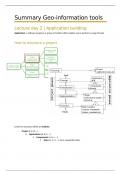
How to structure a project
Levels for structure within an institute:
- Project (I, II, III, …)
o Applications (A, B, C, …)
Components (a, b, c, …)
Steps (1, 2, 3, …): a.k.a. sequential steps
,First component: preprocessing: preparing project source data for the whole application
(data preparation)
Often data comes in terrible shape, crucial to spend time:
- Cleaning: missing noisy data, inconsistencies
- Integrating: projections, extents
- Transforming: aggregation and generalization
- Reducing: not needed to carry over bigger scale than Wageningen area
- Discretizing: reducing the range of values
Two types of data:
- Important data
o Project sources
o Project results: application results
- Execution data: data that can be erased after
o Transformations of the inputs that play a role in several components/steps
o Data specific for a single step
Thinking in a structured way: data
Project geodatabase Component geodatabase Step geodatabase
Always important data Data important along several Data important within a single ste
components or steps
Project source (ps_)
Project results for stakeholders Useful for running the project but Data that are used only in one s
(pr_) can easily be re-calculated
Add the steps it was created to the Becomes redundant at the end of Can be cleared when a step has
name the execution of the project finished running
- psa4_
- prb6_ Naming after the first Naming after the first
component/step they are used in component/step they are used in
- b3_ for component b, step 3 - b3_ for component b, step
,Theory tutorials | 1 – 3
4 basic phases of a project:
1. Concept phase: Defining the goals and requirements.
2. Formalization phase: Defining a methodology to fulfil the project goals and requirements.
The methodology describes a repeatable process.
3. Implementation phase: Put the proposed methodology into practice. This implementation
guarantees the reproducibility of project results.
4. Execution/evaluation phase: Compute and evaluate results in relation to given goals and
requirements.
Levels for structure within an institute:
- Project (I, II, III, …)
o Applications (A, B, C, …)
Components (a, b, c, …)
Steps (1, 2, 3, …): a.k.a. sequential steps
Application-component: a sequence of processing steps to derive project outcome/results.
Component: a sequence of a set of models, computing the desired outcome
formalization of a goal
, Lecture day 4 | Queries,
Overlays and Lookup
tables (1)
Different types of data handling classes:
- Queries: work on the features/tables, and does
not modify the entity (number of attributes)
you select, cut and paste, but the set of
attributes (fields) stay the same.
- Transformation
- Alterations
Entity: number of attributes
Geometry: defines a spatial location and an associated geometric shape
Queries
Select
Two types of select queries:
- Attribute selection: SELECT buildings WHERE Municipality = Wageningen
needs the municipality of every building in the attribute table: ‘Municipality’
- Spatial selection: SELECT buildings WITHIN Wageningen
second feature class is needed within municipality boundaries (polygon)
Attribute selection
In the attribute table you need the
municipality name of every building
Gemeentenaam (municipality)
Lecture day 2 | Application building
Application: a software program or group of models which enables you to perform a range of tasks
How to structure a project
Levels for structure within an institute:
- Project (I, II, III, …)
o Applications (A, B, C, …)
Components (a, b, c, …)
Steps (1, 2, 3, …): a.k.a. sequential steps
,First component: preprocessing: preparing project source data for the whole application
(data preparation)
Often data comes in terrible shape, crucial to spend time:
- Cleaning: missing noisy data, inconsistencies
- Integrating: projections, extents
- Transforming: aggregation and generalization
- Reducing: not needed to carry over bigger scale than Wageningen area
- Discretizing: reducing the range of values
Two types of data:
- Important data
o Project sources
o Project results: application results
- Execution data: data that can be erased after
o Transformations of the inputs that play a role in several components/steps
o Data specific for a single step
Thinking in a structured way: data
Project geodatabase Component geodatabase Step geodatabase
Always important data Data important along several Data important within a single ste
components or steps
Project source (ps_)
Project results for stakeholders Useful for running the project but Data that are used only in one s
(pr_) can easily be re-calculated
Add the steps it was created to the Becomes redundant at the end of Can be cleared when a step has
name the execution of the project finished running
- psa4_
- prb6_ Naming after the first Naming after the first
component/step they are used in component/step they are used in
- b3_ for component b, step 3 - b3_ for component b, step
,Theory tutorials | 1 – 3
4 basic phases of a project:
1. Concept phase: Defining the goals and requirements.
2. Formalization phase: Defining a methodology to fulfil the project goals and requirements.
The methodology describes a repeatable process.
3. Implementation phase: Put the proposed methodology into practice. This implementation
guarantees the reproducibility of project results.
4. Execution/evaluation phase: Compute and evaluate results in relation to given goals and
requirements.
Levels for structure within an institute:
- Project (I, II, III, …)
o Applications (A, B, C, …)
Components (a, b, c, …)
Steps (1, 2, 3, …): a.k.a. sequential steps
Application-component: a sequence of processing steps to derive project outcome/results.
Component: a sequence of a set of models, computing the desired outcome
formalization of a goal
, Lecture day 4 | Queries,
Overlays and Lookup
tables (1)
Different types of data handling classes:
- Queries: work on the features/tables, and does
not modify the entity (number of attributes)
you select, cut and paste, but the set of
attributes (fields) stay the same.
- Transformation
- Alterations
Entity: number of attributes
Geometry: defines a spatial location and an associated geometric shape
Queries
Select
Two types of select queries:
- Attribute selection: SELECT buildings WHERE Municipality = Wageningen
needs the municipality of every building in the attribute table: ‘Municipality’
- Spatial selection: SELECT buildings WITHIN Wageningen
second feature class is needed within municipality boundaries (polygon)
Attribute selection
In the attribute table you need the
municipality name of every building
Gemeentenaam (municipality)


