

100% satisfaction guarantee Immediately available after payment Both online and in PDF No strings attached 4.2 TrustPilot
logo-home
Exam (elaborations)

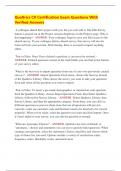
Qualtrics CX Certification Exam Questions With Verified Answers

Rating
-
Sold
-
Pages
3
Grade
A+
Uploaded on
29-12-2024
Written in
2024/2025

Qualtrics CX Certification Exam Questions With Verified Answers A colleague shared their project with you, but you can't edit it. The Edit Survey button is grayed out in the Project Actions dropdown on the Projects page. Why is this happening? - ANSWER -Your colleague forgot to give you Edit access to the shared survey. If your colleague deletes shared survey, that survey will also be removed from your account. With sharing, there is no need to import anything either. True or False: Once I have deleted a question, it can never be restored. - ANSWER -Deleted questions remain in the trash folder you can find in the bottom of your survey editor. What is the best way to import questions from one of your own previously created surveys? - ANSWER -Import Questions From menu, choose My Surveys instead of the Qualtrics Library. Then choose the survey you want to take your questions from and select all the questions you want to import. True or False: To insert a pre-made demographics or satisfaction scale question from the Qualtrics Library, choose Import Questions From, then Select Qualtrics Library, followed by Survey Library. - ANSWER -Select Qualtrics Library, then Survey Library, and then the appropriate category. From there, you can click on different questions to preview them (note that not all questions will preview correctly; some use customer code and therefore need to be inserted to be viewed properly). When you're ready, select the question you want and click Import. Once it's been added to your survey, you can edit the question as normal. What are Automatic Choices? - ANSWER -Qualtrics has lists of default, or "automatic," choices and statements you can use to quickly build questions. When creating your question, select the Automatic Choices checkbox and choose which type of choice list you need. Options include a variety of satisfaction scales, frequency scales, likeability scales, and much more Which specialty question type uses a standard scale from 0-10 and produces a customer loyalty metric? - ANSWER -Developed by Fred Reichheld, Net Promoter® Score (NPS®) questions are a customer loyalty metric with a standard format: "On a scale from 0-10, how likely are you to recommend our [company/product] to a friend or colleague?" The Preview Survey button at the top of the Survey module launches a new window that displays an interactive preview of your survey. Which of the following statements are true about the preview survey process? Mark all that apply. - ANSWER -To preview your entire survey, click Preview Survey at the top of the Survey module. This launches a new window that displays an interactive preview of your survey. The preview looks and behaves exactly as your actual survey will, with the addition of a couple options to make testing easier. The first option is Restart Survey, which allows you to jump back to the beginning of your survey at any time during the preview. Next, the gearbox dropdown has two options. Ignore validation lets you bypass any questions with ANSWER validation, like character limits in Text Entry questions. With this enabled, you can move quickly through the entire survey. Show hidden questions lets you view questions that would normally be hidden to respondents, like Timing and Meta Info questions. With this enabled, you can verify their placement in the survey. On the right of the banner is a white flag labeled Place Bookmark that lets you bookmark whatever page you are currently on. Once bookmarked, you can choose to jump directly there in future previews. This is helpful if you want to test later blocks in your survey without having to go through the first part every time. The Preview Survey page also shows an interactive preview of how your survey will look on a mobile device. This preview isn't particular to any device type, but if you want to test it out on your own device, click the QR Code in the upper right and scan the code with your device. You can then go through the mobile preview directly on your device and determine if the survey behaves how you want. Which of the question types would work most appropriately for a Likert Scale? - ANSWER -Matrix questions allow you to collect a little more information in one question than is possible with a traditional Multiple Choice question. You can condense similar questions into one, with many possible variations. The most common is the Likert scale, but others like Bipolar and MaxDiff are also available in the Editing Pane. You were using Edit Multiple, but after you collected a few responses you noticed it was gone. Why did this happen? - ANSWER -The Edit Multiple feature will be disabled as soon as you collect your first response to help ensure that your data isn't invalidated by deleting ANSWER choice options. Which question type would be most suitable for you to display a set of instructions, an introduction, or a static consent form in your survey? - ANSWER -Descriptive Text and Graphic questions are excellent for including a static introduction or instructions in your survey. Though they're called "questions," they don't actually have any ANSWER choice options, so only text and graphics are displayed to the survey participants. Which specialty question type requires setup outside of Qualtrics; for example, with the aid of an Excel spreadsheet or another application that formats CSV files. - ANSWER -Drill Down questions are unique in that they require set up outside of Qualtrics. In Excel ( or another program that formats CSV files), create a column for each drop-down menu you would like included in your Drill Dow

Show more Read less
Institution
Qualtrics CX Certification
Course
Qualtrics CX Certification


Whoops! We can’t load your doc right now. Try again or contact support.

Written for

Institution
Qualtrics CX Certification
Course
Qualtrics CX Certification

Document information

Uploaded on
December 29, 2024
Number of pages
3
Written in
2024/2025
Type
Exam (elaborations)
Contains
Questions & answers

Subjects

Content preview

Qualtrics CX Certification Exam Questions With
Verified Answers
A colleague shared their project with you, but you can't edit it. The Edit Survey
button is grayed out in the Project Actions dropdown on the Projects page. Why is
this happening? - ANSWER -Your colleague forgot to give you Edit access to the
shared survey. If your colleague deletes shared survey, that survey will also be
removed from your account. With sharing, there is no need to import anything
either.

True or False: Once I have deleted a question, it can never be restored. -
ANSWER -Deleted questions remain in the trash folder you can find in the bottom
of your survey editor.

What is the best way to import questions from one of your own previously created
surveys? - ANSWER -Import Questions From menu, choose My Surveys instead
of the Qualtrics Library. Then choose the survey you want to take your questions
from and select all the questions you want to import.

True or False: To insert a pre-made demographics or satisfaction scale question
from the Qualtrics Library, choose Import Questions From, then Select Qualtrics
Library, followed by Survey Library. - ANSWER -Select Qualtrics Library, then
Survey Library, and then the appropriate category. From there, you can click on
different questions to preview them (note that not all questions will preview
correctly; some use customer code and therefore need to be inserted to be viewed
properly). When you're ready, select the question you want and click Import. Once
it's been added to your survey, you can edit the question as normal.

What are Automatic Choices? - ANSWER -Qualtrics has lists of default, or
"automatic," choices and statements you can use to quickly build questions. When
creating your question, select the Automatic Choices checkbox and choose which
type of choice list you need. Options include a variety of satisfaction scales,
frequency scales, likeability scales, and much more


Get to know the seller

Seller avatar
Reputation scores are based on the amount of documents a seller has sold for a fee and the reviews they have received for those documents. There are three levels: Bronze, Silver and Gold. The better the reputation, the more your can rely on the quality of the sellers work.
TheExamMaestro Teachme2-tutor
View profile
Follow You need to be logged in order to follow users or courses
Sold
115
Member since
1 year
Number of followers
5
Documents
3043
Last sold
1 week ago
Exam Vault

Exam Vault is your trusted destination for high-quality exam materials and study resources. We provide a wide rage of tests and prep guides to help you succeed, whether you're preparing for academic exams, certifications, or professional assessments

3.8

13 reviews

5
7
4
2
3
1
2
0
1
3

Recently viewed by you

Why students choose Stuvia

Created by fellow students, verified by reviews

Quality you can trust: written by students who passed their tests and reviewed by others who've used these notes.

Didn't get what you expected? Choose another document

No worries! You can instantly pick a different document that better fits what you're looking for.

Pay as you like, start learning right away

No subscription, no commitments. Pay the way you're used to via credit card and download your PDF document instantly.

Student with book image

“Bought, downloaded, and aced it. It really can be that simple.”

Alisha Student

Frequently asked questions
