INTRODUCTION TO DATABASES
A database is a shared collection of logically related data designed to meet the information
requirements of an organisation
A database system is a computerized record keeping system. The database itself can be
regarded as a kind of electronic filing cabinet for a collection of computerized data files.
Users of the system have a variety of operations on such files including:
Adding new files to the database
Inserting data into existing files
Retrieving data from existing files
Deleting data from existing files
Changing data in existing files
Removing existing files from the database.
File Based Systems
Involves a collection of application programs that perform services to end users. Each
program defines and manages its own data. They are the historical roots of databases.
Traditional file based systems are the predecessor to database systems, and there are good
reasons for looking at it. Understanding the problems of file based systems may prevent us
from repeating these problems in database systems. Also there are still many file based
systems out there in the real world. One day you may be called upon the convert one.
Understanding how the file system works is therefore very useful.
File systems were really an early attempt to computerize the manual systems that we are
familiar with. The manual system works well while there are not many items, but it breaks
down when we have a lot of items and we want to cross reference them. Take an example of
, an estate agent, and the kind of information that might be required. e.g. What’s the average
rent in a particular area. What flats do you have in a 2 mile radius of the city centre etc.
Nowadays everyone wants more and more information. So the file based system was a
response to industry needs for more efficient data access. However, rather than have
everything centralized, each department would have their own set of files.
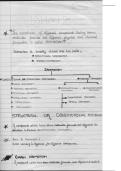
Basic file terminologies
File Based Processing
Limitations of File Based Systems
Isolation -When data is kept in separate (and isolated) files it is much more difficult to get at
data kept in several of them. The files have to be synchronized to obtain the data. This can
be difficult especially if several files are needed.
Data dependence – in file based systems data definitions are kept in the programs. This
makes changes difficult. For example suppose you need to change the size of an address field
just by one character. It sounds simple. BUT
OPEN original file
OPEN a temporary file with the new structure
A database is a shared collection of logically related data designed to meet the information
requirements of an organisation
A database system is a computerized record keeping system. The database itself can be
regarded as a kind of electronic filing cabinet for a collection of computerized data files.
Users of the system have a variety of operations on such files including:
Adding new files to the database
Inserting data into existing files
Retrieving data from existing files
Deleting data from existing files
Changing data in existing files
Removing existing files from the database.
File Based Systems
Involves a collection of application programs that perform services to end users. Each
program defines and manages its own data. They are the historical roots of databases.
Traditional file based systems are the predecessor to database systems, and there are good
reasons for looking at it. Understanding the problems of file based systems may prevent us
from repeating these problems in database systems. Also there are still many file based
systems out there in the real world. One day you may be called upon the convert one.
Understanding how the file system works is therefore very useful.
File systems were really an early attempt to computerize the manual systems that we are
familiar with. The manual system works well while there are not many items, but it breaks
down when we have a lot of items and we want to cross reference them. Take an example of
, an estate agent, and the kind of information that might be required. e.g. What’s the average
rent in a particular area. What flats do you have in a 2 mile radius of the city centre etc.
Nowadays everyone wants more and more information. So the file based system was a
response to industry needs for more efficient data access. However, rather than have
everything centralized, each department would have their own set of files.
Basic file terminologies
File Based Processing
Limitations of File Based Systems
Isolation -When data is kept in separate (and isolated) files it is much more difficult to get at
data kept in several of them. The files have to be synchronized to obtain the data. This can
be difficult especially if several files are needed.
Data dependence – in file based systems data definitions are kept in the programs. This
makes changes difficult. For example suppose you need to change the size of an address field
just by one character. It sounds simple. BUT
OPEN original file
OPEN a temporary file with the new structure