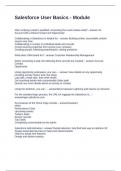
Salesforce User Basics - Module
After verifying a lead is qualified, converting the Lead creates what? - answer An
Account with a linked Contact and Opportunity
Collaborating in Salesforce is helpful for: - answer Building online, searchable content
source over time
Collaborating in context on individual deals and records
Crowd sourcing expertise from across your company
Creating groups, following people/topics, asking questions
What does CRM stand for? - answer Customer Relationship Management
When converting a lead, the following three records are created: - answer Account
Contact
Opportunity
Using opportunity workspace, you can... - answer View details on any opportunity
including activity history and next steps
Log calls, create task, and send emails
Get coaching details with customizable Sales path
Quickly see more details about an activity or contact
Using the Switcher, you can... - answerMove between Lightning and Classic on demand
For the standard login process, the URL for logging into Salesforce is... -
answerlogin.salesforce.com
Key features of the Home Page include: - answerAssistant
News
Performance Chart
Upcoming events
Today's tasks
Recent records
Top Deals
Completely customizable by the admin
Salesforce Administrators - answerTrusted advisors, help find best way to optimize SF
Design automated process to help work faster/smarter
Help you adopt new features
Design and deliver training
After verifying a lead is qualified, converting the Lead creates what? - answer An
Account with a linked Contact and Opportunity
Collaborating in Salesforce is helpful for: - answer Building online, searchable content
source over time
Collaborating in context on individual deals and records
Crowd sourcing expertise from across your company
Creating groups, following people/topics, asking questions
What does CRM stand for? - answer Customer Relationship Management
When converting a lead, the following three records are created: - answer Account
Contact
Opportunity
Using opportunity workspace, you can... - answer View details on any opportunity
including activity history and next steps
Log calls, create task, and send emails
Get coaching details with customizable Sales path
Quickly see more details about an activity or contact
Using the Switcher, you can... - answerMove between Lightning and Classic on demand
For the standard login process, the URL for logging into Salesforce is... -
answerlogin.salesforce.com
Key features of the Home Page include: - answerAssistant
News
Performance Chart
Upcoming events
Today's tasks
Recent records
Top Deals
Completely customizable by the admin
Salesforce Administrators - answerTrusted advisors, help find best way to optimize SF
Design automated process to help work faster/smarter
Help you adopt new features
Design and deliver training