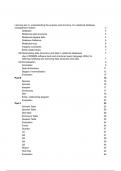
Learning aim A: understanding the purpose and structure of a relational database
management system 3
Database 3
Relational data structures 3
Relational Algebra Sets 4
Database Relations 5
Relational keys 6
Integrity constraints 6
Entity relationships 7
A2 Manipulating data structures and data in relational databases 7
Use of RDBMS software tools and structured query language (SQL) for
defining,modifying and removing data structures and data. 7
A3 Normalisation 9
Anomalies 9
Data dictionaries 11
Stages of normalisation 12
Evaluation 13
Part B 15
Species 15
Animals 16
Keepers 17
Enclosures 17
Diet 18
Entity relationship diagram 19
Evaluation 23
Part C 23
Animals Table 23
Species Table 26
Diet table 28
Enclosure Table 30
Keepers Table 32
Evaluation 34
Forms 34
Queries 37
Q1 37
Q2 37
Q3 38
Q4 39
Q5 40
Report 40
Test Plan 42
Evaluation 44
,Learning aim A: understanding the purpose and structure of a
relational database management system
Database
A database is a collection of a large amount of data that is stored and can be accessed
electronically through the use of database management systems. Smaller databases are
stored usually on a single computer whereas larger databases are stored on a cloud or
server for many people to access, change and work on the data. Therefore a database
should be used by the Zoo so that they are able to store all of their data from staff, animals,
feeding times and many more. This is good as it can be sectioned and found easily if done
properly. Having a messy database on the other hand will mean staff will find it difficult to find
what they are looking for. There are two different types of databases which will both be
explained below.
Desktop Database:
A desktop database runs on a single computer and can only be accessed from that specific
one. This is good for someone where to do single work by yourself but would not be good
when doing a group project as only one person would be able to access the database.
Therefore this would not be good for the zoo as everyone who is working there is working in
groups and that means information has to be shared around to make everyone aware of
names, animal meals and many more.
Server Database:
A server database is different to a desktop database as it can be accessed from many
computers. This makes it good for group work as any people are able to work on the
database at once. This has a lot better performance over a desktop database because it is
run by a server instead of a single computer. Therefore this is high cost and can get
expensive over long periods of time. However I do think that the zoo should still use this as
sharing information is one of their key objectives as all if the staff need to be informed on
animal names, diets, etc.
Relational data structures
Relation:
Relation in a database is organising data into tables, rows and columns. Columns going
down are called attributes and are good because it organises data. This makes it a lot easier
for people to find the data that they need. Therefore the zoo should use relational databases
as it will allow them to find animal and staff data a lot faster than it would if they didnt use it.
Attribute: An attribute in a data table is all data going down this is similarly known as a
column. This stored all things such as first names, second names and all titles of a single
thing's data. Therefore the zoo should also use attributes as it will allow them to have data of
animals and staff that is organised
,Domain:
Domains in a database are what are the specific fields that can be entered into that attribute.
This slims down what can be entered into a table and keeps it so that people can only enter
what is needed. This should be used by the zoo as it will mean they have limits to what they
can put into the database to keep it neat and organised without random data being imputed
everywhere making it unreadable.
Tuple:
A row in a table is known as a tuple. This is the row of data that is also known as a record
that is kept for a single person. For example the zoo would use this to store different animals
data such as their names, age, diet and much more information about them. This is good
because it allows the staff to keep track of what animals are eating, their age and names.
This reduces confusion and would help everything run smoothly. This can be used to store
anything as i just used an example for the animals the zoo would also use this to store staff
data as well. In the database for a tuple they could store staff rank, name, role and much
more about them.
Cardinality:
Cardinality is how unique a date is within a database. This could be a different staff member
or a different animal name. This therefore repetitive fields may not come up if cardiantly is
used as if it all is unique then there would only be one result per search. For example having
staff and animal IDs means that searching for a specific id will come with a result for one
animal.
Relational Algebra Sets
Union:
Union for a database is where the joining of two tables that have some sort of relation. The
symbol that is used for this is ∪ and this organises and helps put all relevant data into one
big table instead of having lots of different tables. This should be used by the Zoo because it
helps the staff organise data and will reduce concussion when working with their data.
Intersect:
An interaction is helpful as it removes repeated data. This is very similar to a union as it
scans relational databases and checks for data that is repeated more than once. This then
gets rid of it to also reduce confusion if someone were to accidentally input the same data
twice. Therefore being used in the zoo would be important as human error occurs often and
stops this by deleting repeat data in databases that have relations. The symbol that is used
for this is ∩
Join:
A join in databases is where we join two related database tables that have relational
attributes to form one table. This makes everyone more clear and easier to read as it puts
relevant data next to each other making it easy to find what you are looking for in a table. I
also do recommend that the Zoo uses this method in their database as it will allow for staff to
find what they are looking for all in one table which obviously will be labelled. The symbol
used for this is ⋈
, Select:
Select is very similar to searching in the way that a user would be Selecting a subset of
records for a specific table that match certain criteria set by them. This helps users find data
that they are looking for without having to look through it by themselves which could take
quite a long time. Being used by the zoo would save a lot of the staff's time as they can
search what they want instead of looking for it. Finally the symbol used for Select is σ,
Database Relations
Entity Relationship:
An entity relationship is the relationship between different tables. Things such as Staff,
animals, diets and many more can have relationships with each other. These are called one
to one, one to many and many to many which describe how many relationships a table has
with other tables.
Generic:
Generic entity relationships give a more advanced view on different database relationships.
This is there to show which entities are related to help the user understand the structure and
layout of the database. Therefore zoo staff could use this to understand the relationships
between the entities which would be staff to animals and animals to a diet.
Semantic:
A semantic relationship between the different attributes inside of the entity. The semantic
entity annotation shows the primary and foreign key attributes that can create the
relationships between the tables to make it more understandable and easier to find
information. Things such as animal names, because there will be so many of them having an
easy to find attribute will make it easier to find its relationships with diet and staff.
management system 3
Database 3
Relational data structures 3
Relational Algebra Sets 4
Database Relations 5
Relational keys 6
Integrity constraints 6
Entity relationships 7
A2 Manipulating data structures and data in relational databases 7
Use of RDBMS software tools and structured query language (SQL) for
defining,modifying and removing data structures and data. 7
A3 Normalisation 9
Anomalies 9
Data dictionaries 11
Stages of normalisation 12
Evaluation 13
Part B 15
Species 15
Animals 16
Keepers 17
Enclosures 17
Diet 18
Entity relationship diagram 19
Evaluation 23
Part C 23
Animals Table 23
Species Table 26
Diet table 28
Enclosure Table 30
Keepers Table 32
Evaluation 34
Forms 34
Queries 37
Q1 37
Q2 37
Q3 38
Q4 39
Q5 40
Report 40
Test Plan 42
Evaluation 44
,Learning aim A: understanding the purpose and structure of a
relational database management system
Database
A database is a collection of a large amount of data that is stored and can be accessed
electronically through the use of database management systems. Smaller databases are
stored usually on a single computer whereas larger databases are stored on a cloud or
server for many people to access, change and work on the data. Therefore a database
should be used by the Zoo so that they are able to store all of their data from staff, animals,
feeding times and many more. This is good as it can be sectioned and found easily if done
properly. Having a messy database on the other hand will mean staff will find it difficult to find
what they are looking for. There are two different types of databases which will both be
explained below.
Desktop Database:
A desktop database runs on a single computer and can only be accessed from that specific
one. This is good for someone where to do single work by yourself but would not be good
when doing a group project as only one person would be able to access the database.
Therefore this would not be good for the zoo as everyone who is working there is working in
groups and that means information has to be shared around to make everyone aware of
names, animal meals and many more.
Server Database:
A server database is different to a desktop database as it can be accessed from many
computers. This makes it good for group work as any people are able to work on the
database at once. This has a lot better performance over a desktop database because it is
run by a server instead of a single computer. Therefore this is high cost and can get
expensive over long periods of time. However I do think that the zoo should still use this as
sharing information is one of their key objectives as all if the staff need to be informed on
animal names, diets, etc.
Relational data structures
Relation:
Relation in a database is organising data into tables, rows and columns. Columns going
down are called attributes and are good because it organises data. This makes it a lot easier
for people to find the data that they need. Therefore the zoo should use relational databases
as it will allow them to find animal and staff data a lot faster than it would if they didnt use it.
Attribute: An attribute in a data table is all data going down this is similarly known as a
column. This stored all things such as first names, second names and all titles of a single
thing's data. Therefore the zoo should also use attributes as it will allow them to have data of
animals and staff that is organised
,Domain:
Domains in a database are what are the specific fields that can be entered into that attribute.
This slims down what can be entered into a table and keeps it so that people can only enter
what is needed. This should be used by the zoo as it will mean they have limits to what they
can put into the database to keep it neat and organised without random data being imputed
everywhere making it unreadable.
Tuple:
A row in a table is known as a tuple. This is the row of data that is also known as a record
that is kept for a single person. For example the zoo would use this to store different animals
data such as their names, age, diet and much more information about them. This is good
because it allows the staff to keep track of what animals are eating, their age and names.
This reduces confusion and would help everything run smoothly. This can be used to store
anything as i just used an example for the animals the zoo would also use this to store staff
data as well. In the database for a tuple they could store staff rank, name, role and much
more about them.
Cardinality:
Cardinality is how unique a date is within a database. This could be a different staff member
or a different animal name. This therefore repetitive fields may not come up if cardiantly is
used as if it all is unique then there would only be one result per search. For example having
staff and animal IDs means that searching for a specific id will come with a result for one
animal.
Relational Algebra Sets
Union:
Union for a database is where the joining of two tables that have some sort of relation. The
symbol that is used for this is ∪ and this organises and helps put all relevant data into one
big table instead of having lots of different tables. This should be used by the Zoo because it
helps the staff organise data and will reduce concussion when working with their data.
Intersect:
An interaction is helpful as it removes repeated data. This is very similar to a union as it
scans relational databases and checks for data that is repeated more than once. This then
gets rid of it to also reduce confusion if someone were to accidentally input the same data
twice. Therefore being used in the zoo would be important as human error occurs often and
stops this by deleting repeat data in databases that have relations. The symbol that is used
for this is ∩
Join:
A join in databases is where we join two related database tables that have relational
attributes to form one table. This makes everyone more clear and easier to read as it puts
relevant data next to each other making it easy to find what you are looking for in a table. I
also do recommend that the Zoo uses this method in their database as it will allow for staff to
find what they are looking for all in one table which obviously will be labelled. The symbol
used for this is ⋈
, Select:
Select is very similar to searching in the way that a user would be Selecting a subset of
records for a specific table that match certain criteria set by them. This helps users find data
that they are looking for without having to look through it by themselves which could take
quite a long time. Being used by the zoo would save a lot of the staff's time as they can
search what they want instead of looking for it. Finally the symbol used for Select is σ,
Database Relations
Entity Relationship:
An entity relationship is the relationship between different tables. Things such as Staff,
animals, diets and many more can have relationships with each other. These are called one
to one, one to many and many to many which describe how many relationships a table has
with other tables.
Generic:
Generic entity relationships give a more advanced view on different database relationships.
This is there to show which entities are related to help the user understand the structure and
layout of the database. Therefore zoo staff could use this to understand the relationships
between the entities which would be staff to animals and animals to a diet.
Semantic:
A semantic relationship between the different attributes inside of the entity. The semantic
entity annotation shows the primary and foreign key attributes that can create the
relationships between the tables to make it more understandable and easier to find
information. Things such as animal names, because there will be so many of them having an
easy to find attribute will make it easier to find its relationships with diet and staff.